SpectroEye™ 59
2
2 • Use
○○○○○○○○○○○○○○○○○○○○○○○○○○○○○○○○○○○○○○○○○○○○
○○○○○○○○○○○○○○○○○○○○○○○○○○○○○○○○○○○○○○○○○○○○
○○○○○○○○○○○○○○○○○○○○○○○○○○○○○○○○○○○○○○○○○○○○○○○○○○
Remember to correct the clock even
when changing from summer to
standard time and viceversa.
You may periodically modify the password by entering a
new password in the New password item, from the Setting
protection menu.
To remove a password protection, select the Delete password
item, from the Setting protection menu.
2.6.1.3 LCD contrast
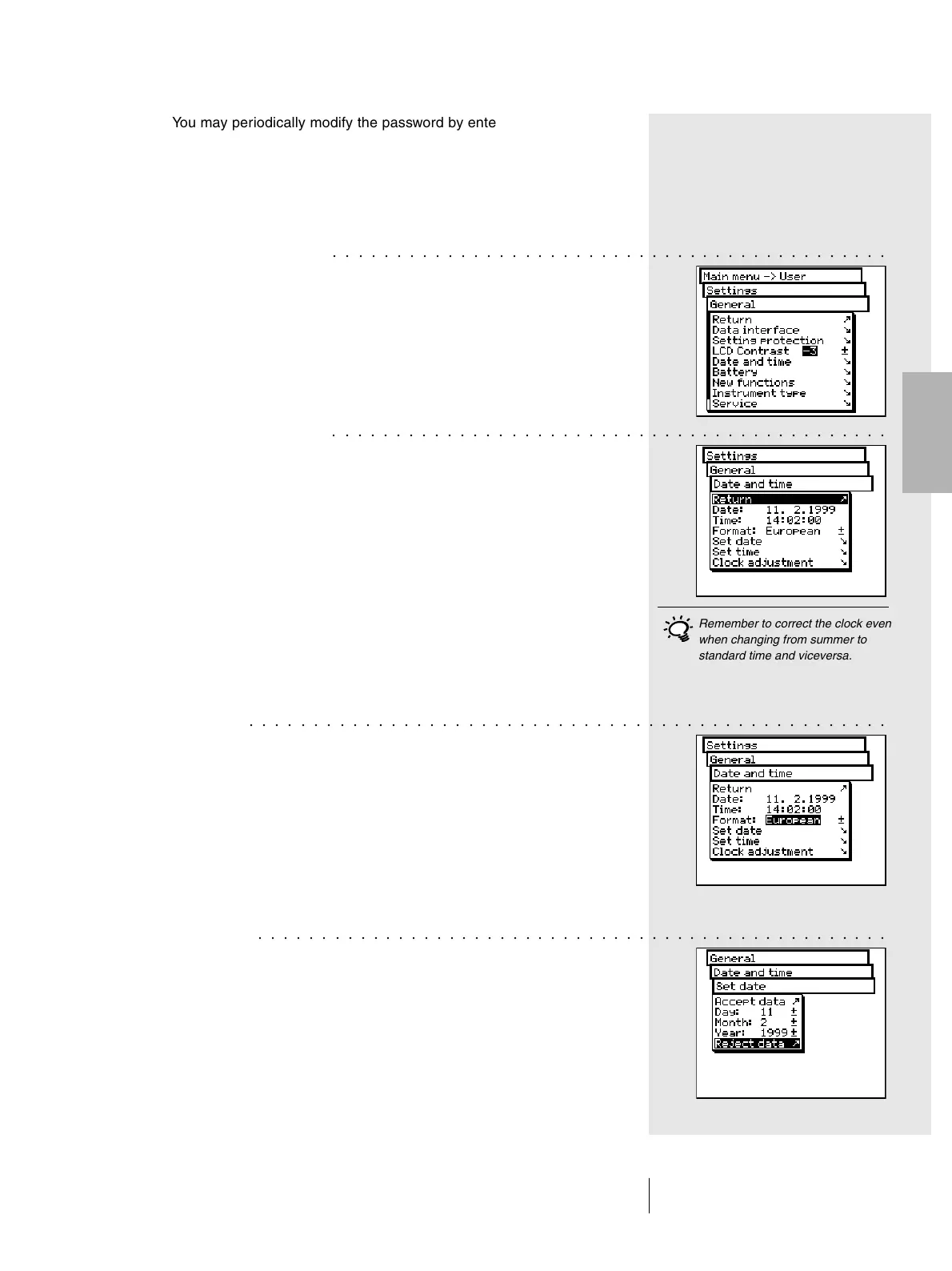
To adjust the LCD contrast to ambient lighting conditions,
from the main menu, select:
Settings > General > LCD contrast
To get the best contrast, select one of the values within the
scale. The change is immediately visible on the LCD.
2.6.1.4 Date and time
To automatically integrate the measurement results with
the correct date and time, the SpectroEye is equipped with
a clock/calendar. Its accuracy should be checked regularly,
by selecting:
Settings > General > Date and time
The current date and time are displayed. If incorrect,
they can be modified in this menu:
• Format
This command sets the display format for the date. Choose
between American or European format. American format
is month/day/year, where as European is day.month.year.
• Set date
Select the Set date menu option. Correct the settings of:
- Day
- Month
- Year
Save the new date with Accept data.
○○○○○○○○○○○○○○○○○○○○○○○○○○○○○○○○○○○○○○○○○○○○○○○○○○



 To Next Page