SpectroEye™ 25
2
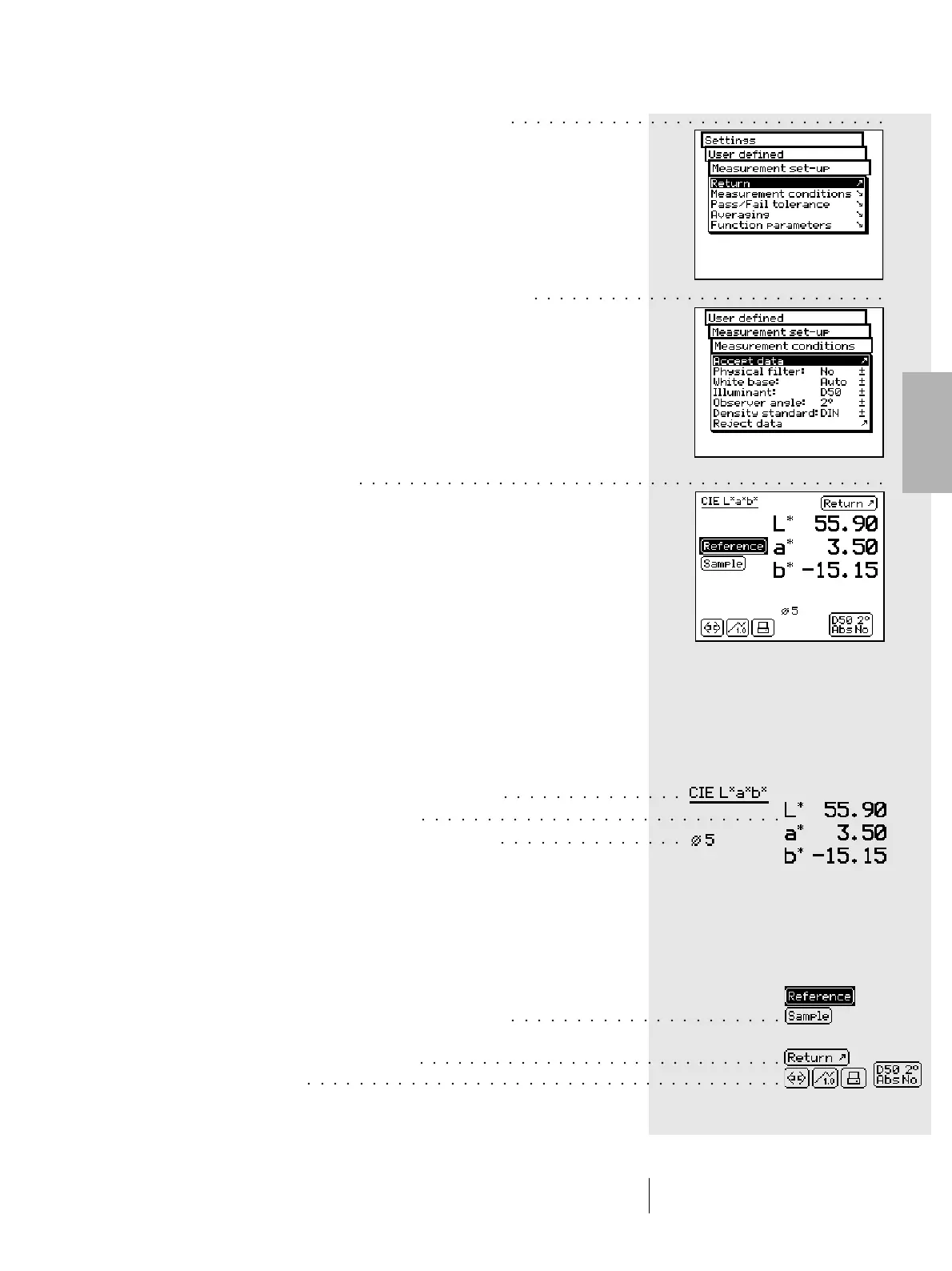
To exit the menu, proceed as follows according
to the type of window:
1. If the window does not allow setting operations, exit by
selecting the Return option or by keeping the measurement
key pressed for about three seconds.
2. If the window allows for setting modifications, quit by
selecting the Accept data option to save any modifications.
If no modifications are to be made, exit by using the
Reject data option, or by keeping the measurement pad
pressed for about three seconds.
2.2.2 Measurement window
After having selected Single Measurement, Series
Measurement or Jobs from the main menu, the software leads
you to the actual functions for measurement and analysis of
values through the Measurement Window.
2.2.2.1 Measurement window structure
The measurement window contains various elements,
these are divided between display items and action fields:
• Display items
All the fields without frames are display items which change
depending on the instrument measurements, settings or
analyses.
These include:
1. Display of the current measurement function
2. Display of measurement results
3. Measurement settings, information, analysis
• Action fields
All the fields and graphics with frames are used to activate
measurements or to enable further settings. As with the
menus, the control wheel can also be used to select the
desired active field. The selected field can then be activated
by pressing the measurement pad.
The action fields are the following:
1. Measurement field for references or samples
measurement
2. Measurement window exit field
3. Symbols bar
2 • Use
○○○○○○○○○○○○○○○○○○○○○○○○○○○○○○
○○○○○○○○○○○○○○
○○○○○○○○○○○○○○
○○○○○○○○○○○○○○○○○○○○○○○○○○○○
○○○○○○○○○○○○○○○○○○○○○
○○○○○○○○○○○○○○○○○○○○○○○○○○○○○○○○○○○○○
○○○○○○○○○○○○○○○○○○○○○○○○○○○○○
○○○○○○○○○○○○○○○○○○○○○○○○○○○○○○○○○○○○○○○○○○
○○○○○○○○○○○○○○○○○○○○○○○○○○○○



 To Next Page