SpectroEye™54
2
Leave the references window using Continue. The new
reference will be inserted in the References menu and
you will be prompted to define a new project using New
reference. Repeat the described procedure for all
references.
• Subsequent management and cancellation of references
After the insertion of the last reference you will see, in the
References menu, a list containing all the reference names.
If, during the definition of a reference, you forget to specify
the tolerance values, you want to repeat the measurement
or further change the names, select the menu line
corresponding to the reference. The references window
will be displayed, where you carry out changes, as described
above.
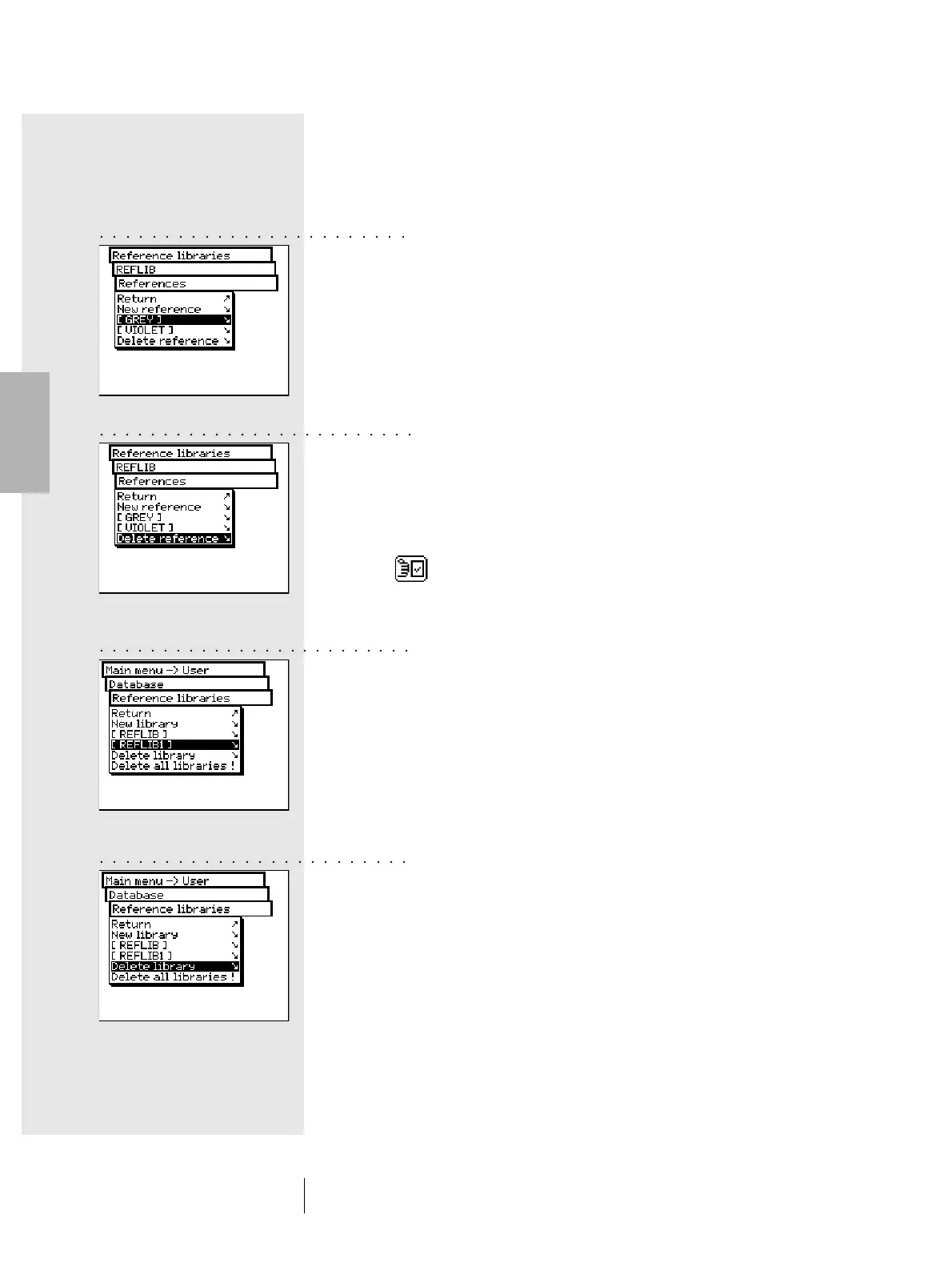
To delete a reference from the instrument memory, select
the Delete reference line from References menu, then
select the name of the reference you want to delete and
confirm with Yes.
A subsequent management and cancellation of references
may also be performed inside the measurement window.
Through the Modify reference icon you reach the reference
window where you can carry out the desired changes.
2.5.2.2 Managing an existing library
From main menu select Database > Reference libraries.
Select from the list the desired library, than select the name
of the reference library to be modified using the Name: menu
item, or use References menu item to display the reference
data currently stored. Here you can process, add or delete
references, as described above.
2.5.2.3 Deleting a reference library
To select and delete a given library, select from Database >
Reference libraries menu, the Delete library menu item.
To delete all the libraries select the Delete all libraries menu
item. The data will be deleted only if you choose Yes to the
confirmation request.
2 • Use
○○○○○○○○○○○○○○○○○○○○○○○○
○○○○○○○○○○○○○○○○○○○○○○○○○
○○○○○○○○○○○○○○○○○○○○○○○○○
○○○○○○○○○○○○○○○○○○○○○○○○



 To Next Page