SpectroEye™22
2
Using Jobs you can create complete jobs with all the relevant
information. As well as the name of the job, conditions of
measurement, etc. all the references and all the samples are
saved by the instrument. The assignment of measured samples
to their corresponding references may be either automatic or
manual. All data remain saved until they are deleted by the
operator.
2.1.2 Data management
Data stored in the instrument for long periods must be managed
and maintained. It is also possible to establish and modify the
fundamental settings.
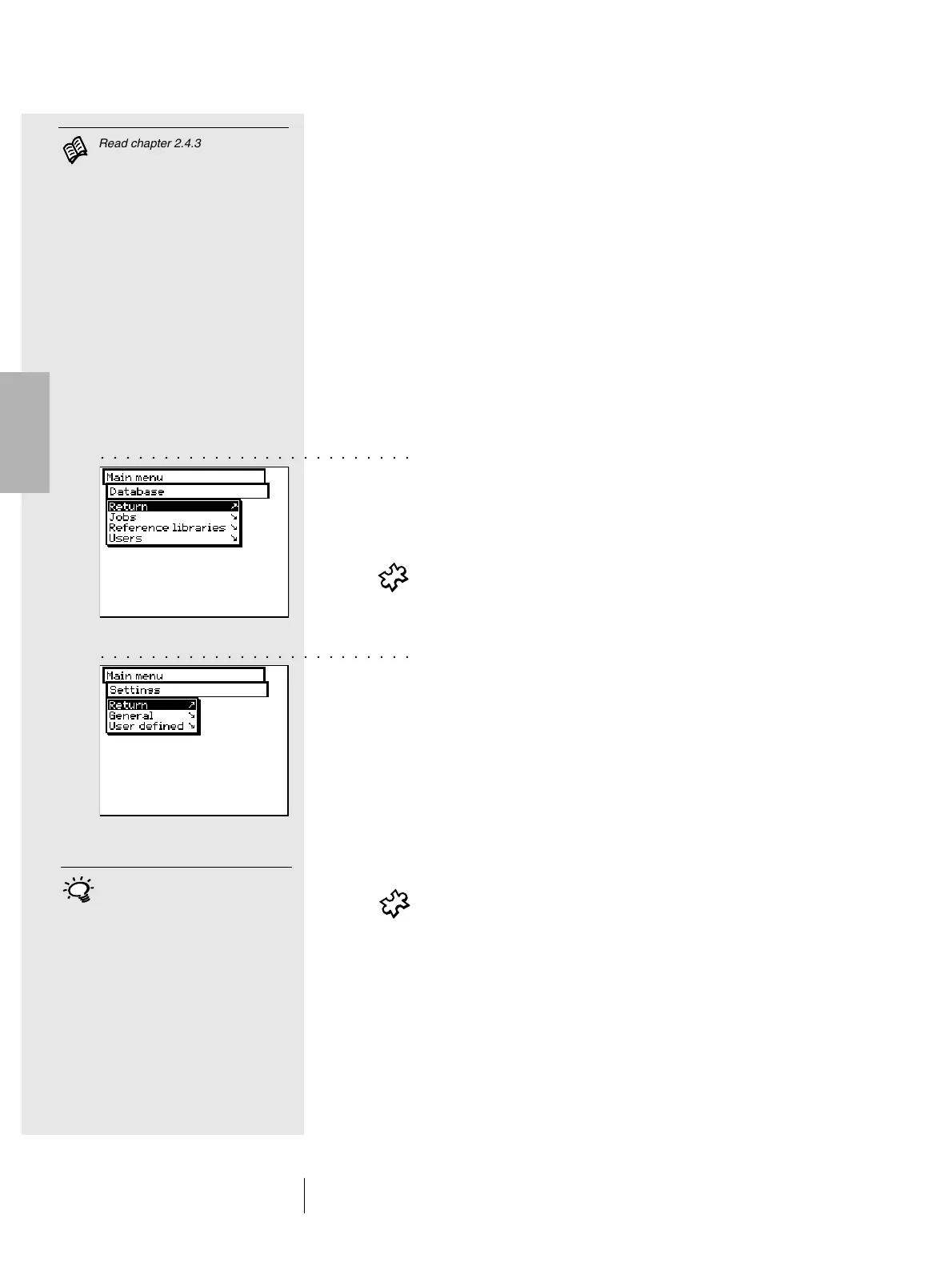
At the Data management level, there is a distinction between:
• Database
• Settings
The following is managed in the Database:
- Jobs Client data, measurement conditions
- Reference libraries Collection of references which are
automatically created, apart from
the color guides.
- Users Creation and modification of the various
users and related passwords
In Settings, there are general settings and user defined settings:
- General Specific instrument settings, shared
by users, such as LCD contrast, date
and time, etc.
- User defined Specific user settings, such as the
setting of the LCD for right-handed
or left-handed use, measurement
conditions, etc.
2.1.3 User selection
If the Multiple Users package has been purchased and installed,
the Log out option is given as the last item on the main menu.
This serves to protect specific user data from possible
unauthorised access. It puts the SpectroEye into a protected
condition, and the instrument can only be rendered operative
by entering a user name and password.
2 • Use
With the Multiple User option the
instrument is configured so that
each user works with the functions
and setting set for their own
particular type of work. This further
serves to protect data and settings
from possible unauthorised access.
○○○○○○○○○○○○○○○○○○○○○○○○○
○○○○○○○○○○○○○○○○○○○○○○○○○
Read chapter 2.4.3



 To Next Page