SpectroEye™ 51
2
2.5 Database Management and Maintenance
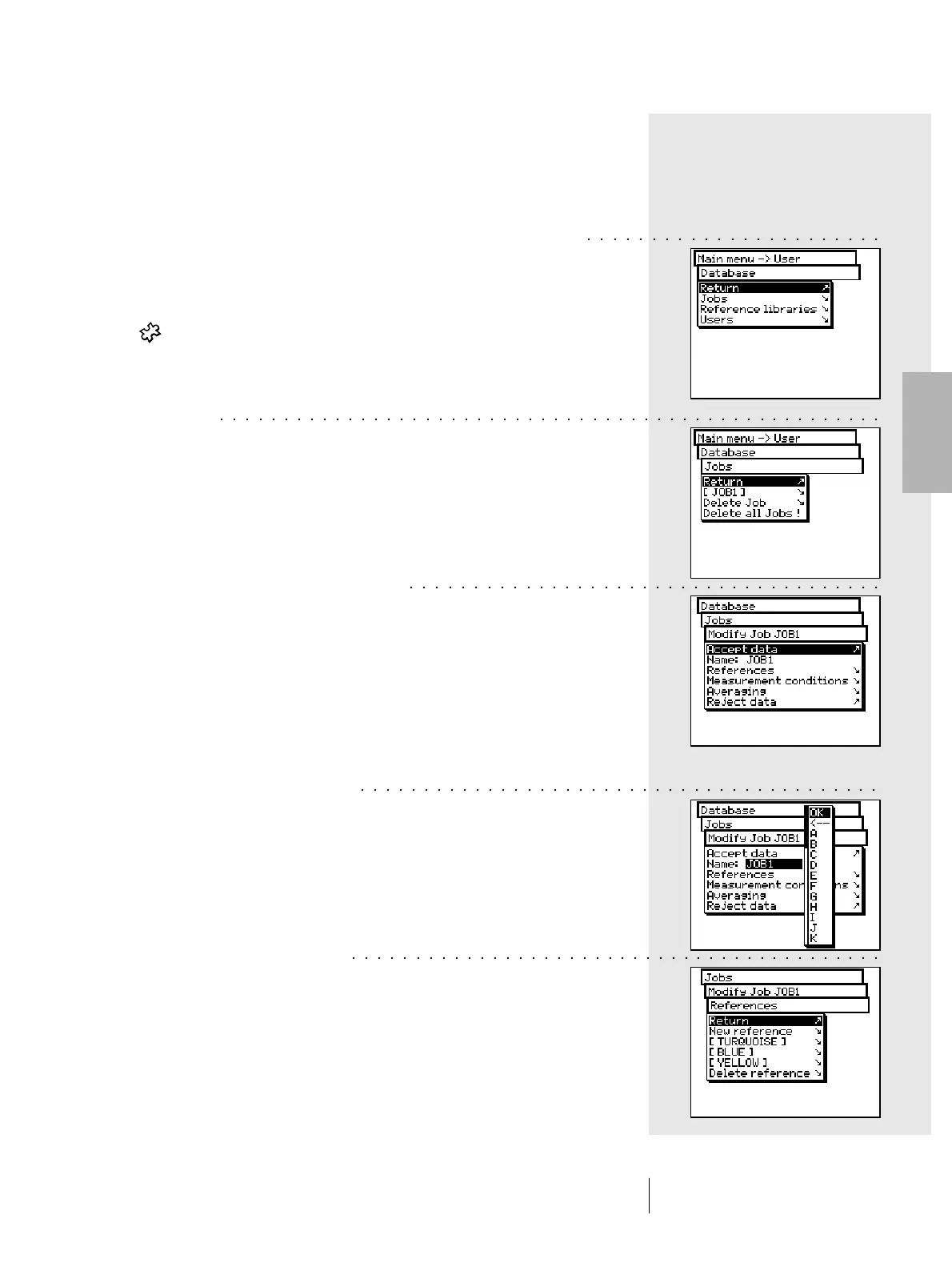
A very important feature of SpectroEye is the possibility to
collect data inside the instrument for long term storage. From
the Database menu select:
• Jobs Collection of processed jobs including
customer and job specific data
• Reference libraries Collection of often needed references
apart from the customer jobs
• Users Collection of different user settings.
2.5.1 Jobs
If all the jobs have been stored inside the instrument, these can
be subsequently deleted or modified.
To do this, from main menu select
Database > Jobs
2.5.1.1 Modification of jobs data
From the Jobs menu, select the name of the job for which you
want to change the data.
The job specific data include:
- Name
- Reference
- Measurement conditions
- Averaging
To modify data, proceed as follows:
• Changing the job name
The job name may be changed, deleted or replaced with a
new name by simply selecting the Name: menu line.
• Changing a reference
From Modify Job menu, select the References menu line.
Here you can add new references, delete or modify already
existing references.
To modify a reference, select the Reference item.
The reference windows will appear.
Here you can change the desired items, as described in
section 2.4.2 Series Measurement.
2 • Use
○○○○○○○○○○○○○○○○○○○○○○○
○○○○○○○○○○○○○○○○○○○○○○○○○○○○○○○○○○○○○○○○○○○○○○○○○○○○
○○○○○○○○○○○○○○○○○○○○○○○○○○○○○○○○○○○○○
○○○○○○○○○○○○○○○○○○○○○○○○○○○○○○○○○○○○○○○○○
○○○○○○○○○○○○○○○○○○○○○○○○○○○○○○○○○○○○○○○○○○



 To Next Page