SpectroEye™ 55
2
2.5.3 Users
With the Multi-user function package you will have the ability
to configure your SpectroEye for different users or user groups.
You may create new users inside the database, delete or edit
the user names and passwords.
2.5.3.1 Creating new users
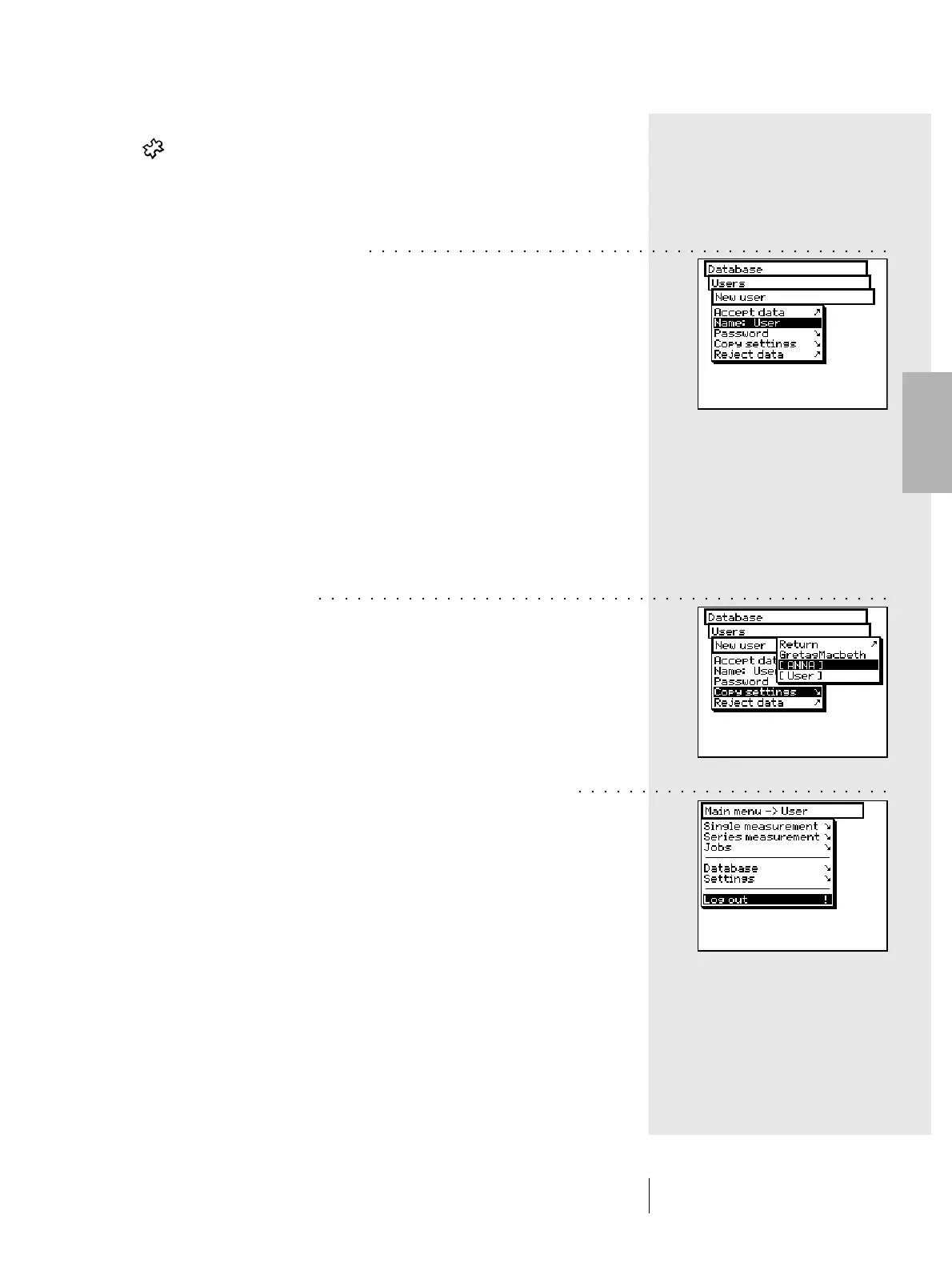
From main menu, select the following item
Database > Users > New user
The software automatically assigns a user name. First
select the Name: menu item to delete the name automatically
assigned, and define a new unique name for the user.
Now define the password with which the new user will be
recognised in the future, by selecting Password > New
password menu item. If the user settings are not protected
by a password, this operation may be skipped.
Each user may automatically define its own settings in the
Settings > User defined menu. The available basic settings
can be used as a base for this definition. To get the settings
select the Copy settings menu item.
You may choose the following options (explained in the
following examples):
• GretagMacbeth Standard setting defined when the
SpectroEye is delivered.
• User x Setting related to an already
existing user.
Choose one of the above options and leave the New user
menu using Accept data.
If you have already stored one or more users, when you leave
the user database, the Log out item will appear on the main
menu. Select this menu item so that the system can recognise
you as a defined user.
Your setting will be loaded, however you will have the ability
to change it later on.
2 • Use
○○○○○○○○○○○○○○○○○○○○○○○○○○○○○○○○○○○○○○○○○
○○○○○○○○○○○○○○○○○○○○○○○○○○○○○○○○○○○○○○○○○○○○○
○○○ ○○○○○○○○○○○○○○○○○○○○○○



 To Next Page