SpectroEye™ 23
2
2.2 Operating principles
Through the main menu, the software of the SpectroEye leads
to the measurement windows. The wheel may be used to select
the desired menu options, while the measurement pad – besides
performing a measurement – also acts as the ENTER key.
2.2.1 Menu
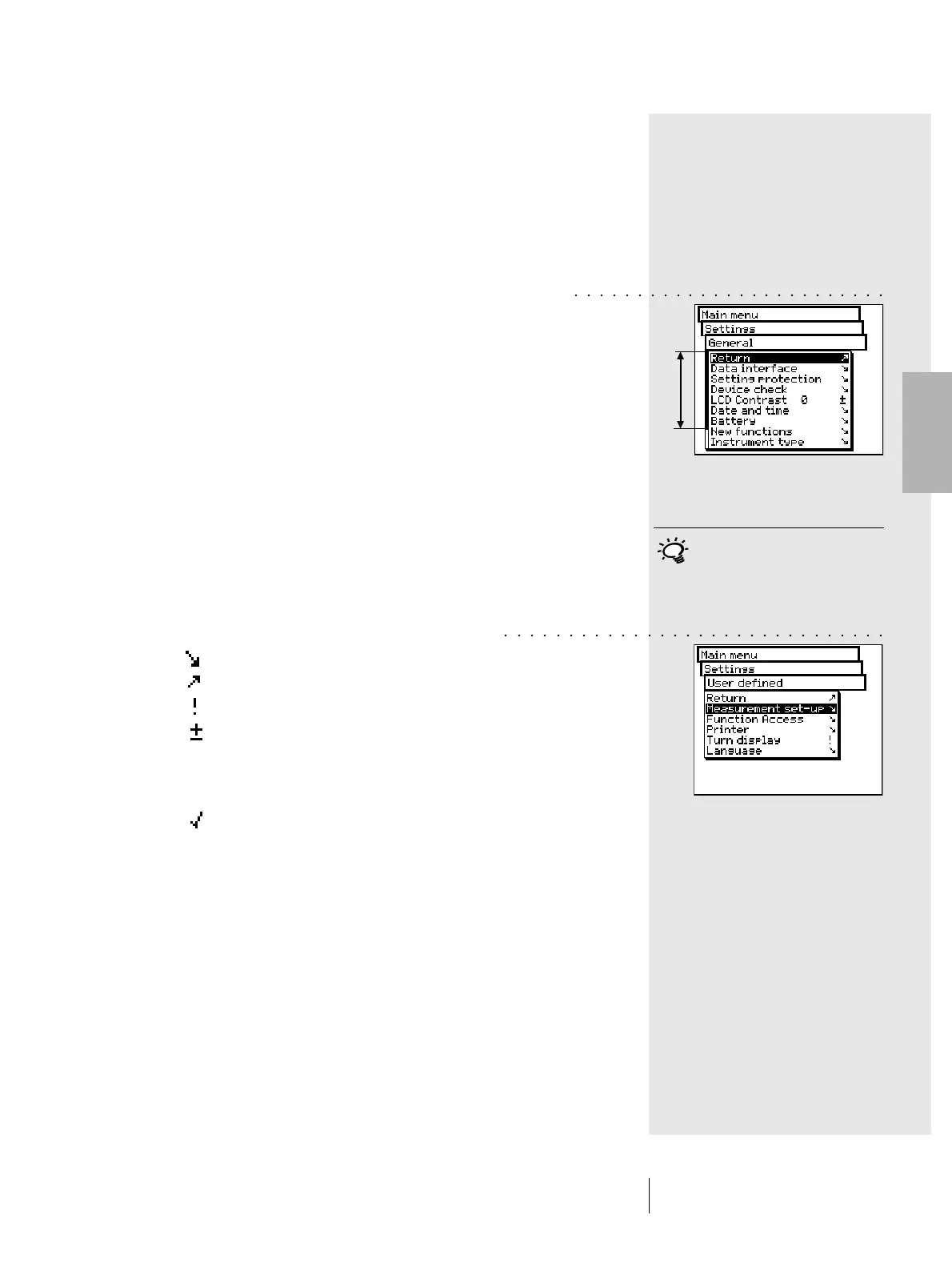
Starting from the main menu, through the various sub-menus
select which operation is to be performed.
The procedure is always the same:
1. Turn the wheel until the black cursor bar is positioned on
the desired menu option.
Note:
A black vertical indicator bar on the menu indicates the
current position in the overall menu. If the menu is too long
to be contained in a single page, turn the control wheel to
scroll the page and view parts of the menu not initially
displayed.
2. To confirm, press the measurement pad.
Pressing the measurement pad activates various procedures
which are indicated by different symbols displayed at the end
of a given line on the menu:
The program passes to the next lower level.
The program passes to the next higher level.
The program performs the chosen operation.
After having pressed the measurement pad, the value
preceding the symbol can be modified using the wheel,
and the new setting value can be confirmed by pressing
the measurement pad again.
This displays the current status of a setting. In this mode
it is possible to see which settings are active when
a menu is selected. A different setting can be activated
by pressing the measurement pad.
2 • Use
The measurement key must always
be pressed briefly, because it is
used to quit a given menu when
held down for longer (about three
seconds).
○○○ ○○○○○○○○○○○○○○○○○○○○○○
○○○○○○○○○○○○○○○○○○○○○○○○○○○○○○



 To Next Page