SpectroEye™30
2
2.3.1.1 Data interface
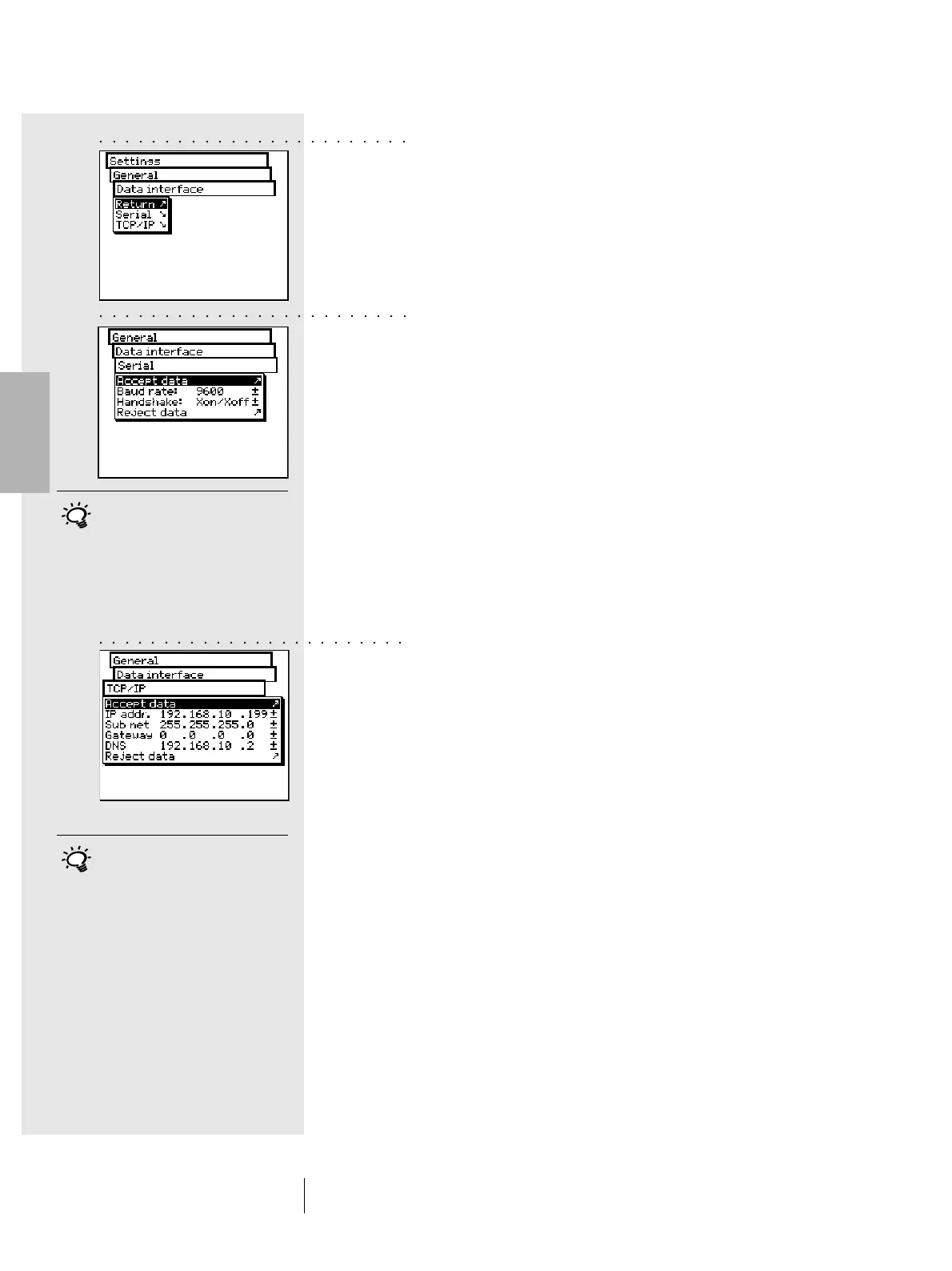
In order to correctly make the serial connection to the printer,
a computer, or to the Ethernet connection of the computer or
network, the interface parameters must be correctly configured.
The following is a description of the variations offered by the
Menu options:
Settings > General > Data interface
• To define the parameters for serial transmission between
the SpectroEye and the printer or PC, select the Serial
option and proceed as follows:
1.First set the correct transmission speed using the
Baud rate option.
2.Then under Handshake, select
- No
- Xon/Xoff
- Hardware
3.Save settings with Accept data.
• To connect the SpectroEye through an Ethernet
interface to the Internet or a company Intranet,
select the TCP/IP option and configure it as follows:
1.Set the sequence of correct addresses for:
- IP addr.
- Sub net
- Gateway
- DNS
2.Save settings using Accept data.
2 • Use
These settings must match those
of the connected device. Please
check the corresponding instructions
in the manual provided by the device
or software supplier. The default
settings are: Baud rate = 9600 and
Handshake = Xon/Xoff.
To find out whether settings other
than the default values are required,
contact your system administrator.
○○○○○○○○○○○○○○○○○○○○○○○○
○○○○○○○○○○○○○○○○○○○○○○○○
○○○○○○○○○○○○○○○○○○○○○○○○



 To Next Page