SpectroEye™68
2
2 • Use
○○○○○○○○○○○○○○○○○○○○○○○○
○○○○○○○○○○○○○○○○○○○○○○○○
○○○○○○○○○○○○○○○○○○○○○○○○
2.6.2.2 Function Access
The user area may be individually adjusted during the function
access, according to the specific user needs. For example,
if you want to use your SpectroEye as a simple density
measurement tool, connected to a printer, you will want to
de-activate all the spectrophotometric functions. This setting
may be performed separately for each user, so that every
operator has an optimised user area available for their own job.
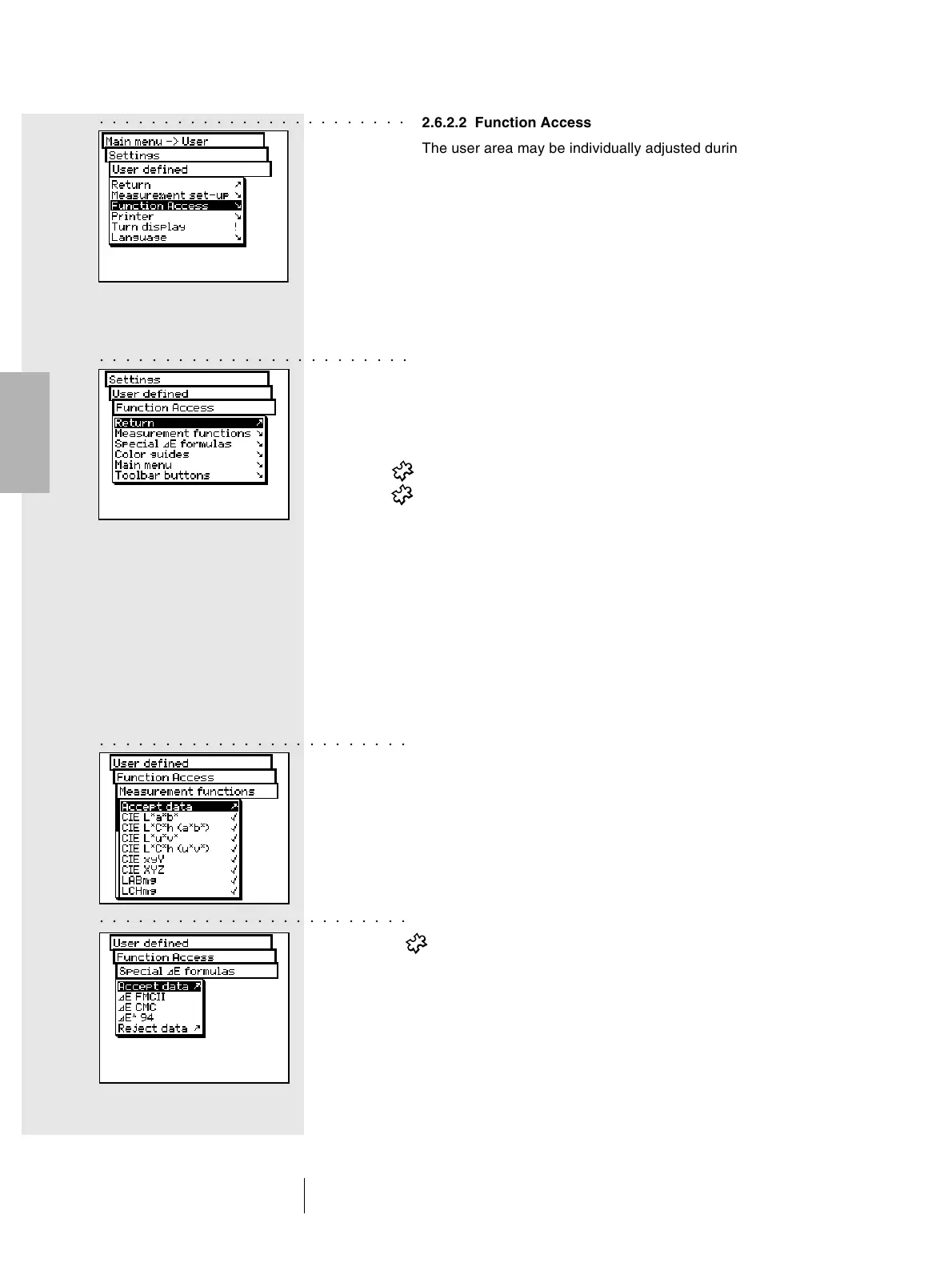
To activate and/or de-activate the desired function, select
the following from the main menu:
Settings > User defined > Function Access
According to the working needs, it is possible to carry out
the following settings:
• Measurement functions
• Special E formulas
• Color guides
• Main menu
• Toolbar buttons
As soon as you select the menu lines, these are marked with
a “check symbol” and made available to the user. When you
select the marked menu lines, the “check symbol” is removed.
In this way, that function will not be available any more in the
user area.
The setting options of each individual sector is explained
in detail in the following list:
• Measurement functions
In the Function Access menu, select the Measurement
functions menu item. This menu allows one to define
which measurement functions can be selected within the
measurement window using the Measurement function
icon. The selected settings becomes active using
Accept data.
• Special E formulas
In the Function Access menu, select the Special E
formulas menu item. Usually, not all the formulas available
will be used. Through the E Form ula icon you may
determine which special E-formula(s) must be made
available inside the measurement window. The selected
settings become active using Accept data.
○○○○○○○○○○○○○○○○○○○○○○○○



 To Next Page