SpectroEye™40
2
2 • Use
2.4.1.2 Reference and sample measurement
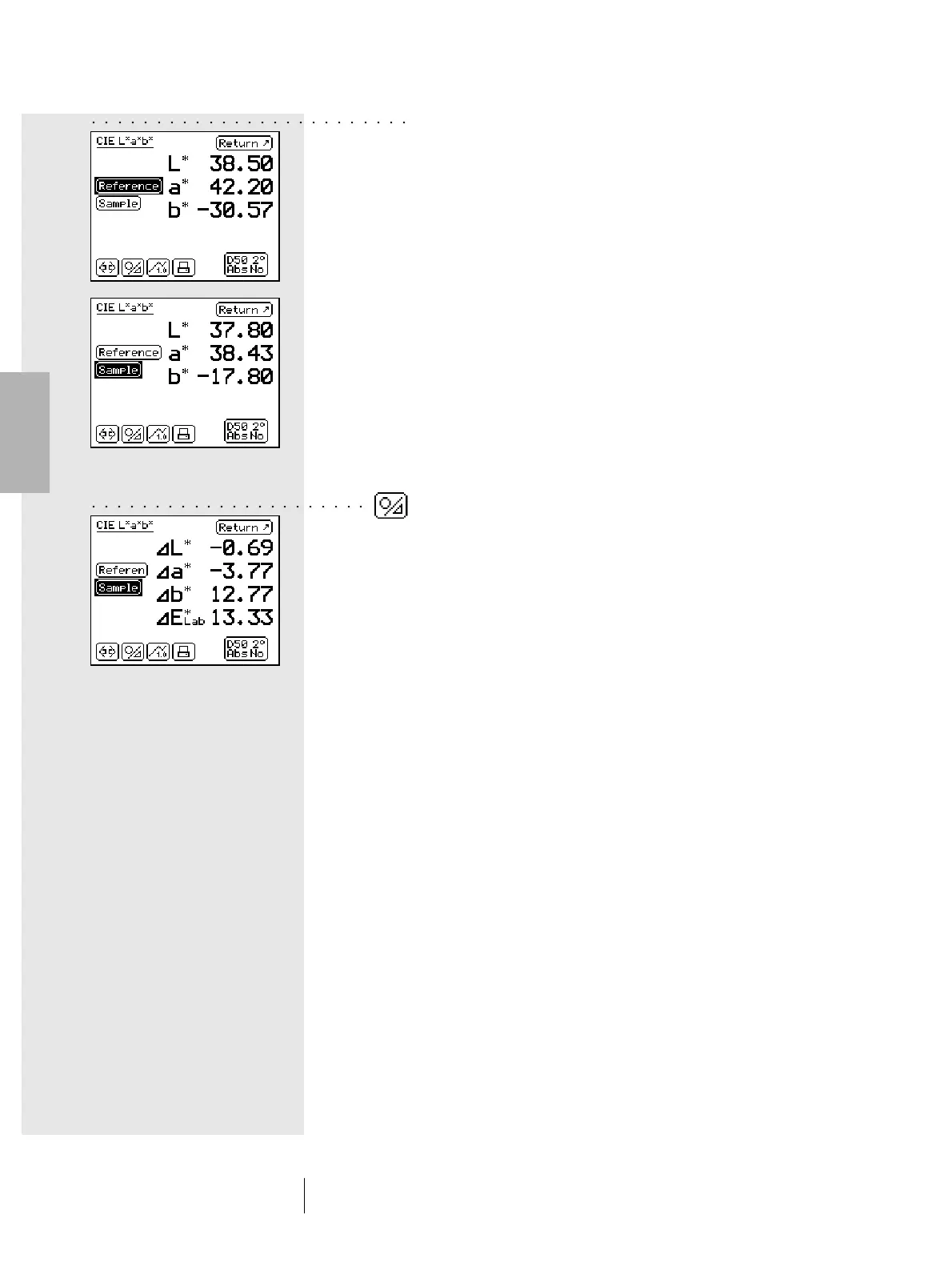
Using the Reference and Sample fields, perform a measurement
for each of these items. A Reference is usually intended as
an original color element, i.e. the original provided by a customer
which must be reproduced. A sample is the reproduced color
sample to be compared with the reference.
The measurement data detection sequence can be easily
selected. To do this, position the SpectroEye on the area to
ensuring that the measurement aperture is completely filled with
the color to be measured. Lay the instrument on the
measurement surface and ensure it is perfectly level and not
subject to vibrations.
The measured color values are all saved independently and
they are shown at the beginning as absolute values. If, after
the measurement, the control wheel is used to switch between
the Reference and Sample fields, the display also changes,
thus allowing the comparison of absolute values.
2.4.1.3 Comparison of measurement values
If you wish to compare the reference and the sample using the
color difference between the two measurements, the sample
display can be switched from the absolute values of the sample
to the difference values between the reference and sample.
To make this easier, you can use the Absolute/Difference icon
available on the symbol bar. When you select this icon, the
display shows the difference and, on subsequent selection of
the same icon, it will come back to the absolute value.
○○○○○○○○○○○○○○○○○○○○○○○○○
○○○○○○○○○○○○○○○○○○○○○○



 To Next Page