SpectroEye™ 73
3
3 • Functions
3.1.2 Configuring the Function
From the Main Menu, select Single Measurement.
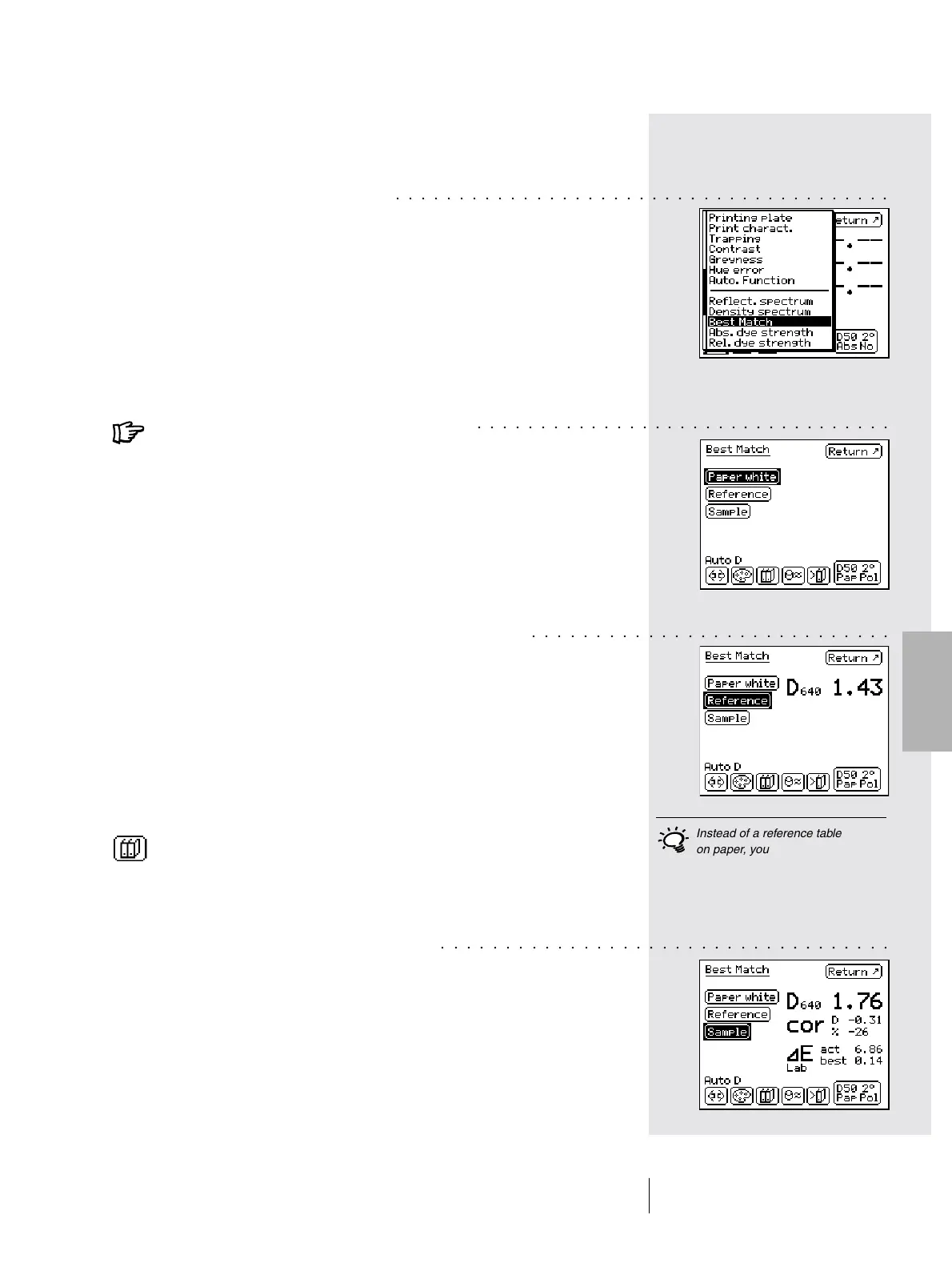
Select the Measurement Function icon.
Select the Best Match function.
3.1.3 Performing the Measurement
Always measure Paper White first. To do this,
select Paper White, place the measurement
module on the point you want to measure and
press the measurement pad.
Now measure the Reference Color. To do this,
select Reference, place the measurement module
on the point you want to measure and perform
the measurement.
The displays shows the measured Density D with the
associated Wavelength. In this case, we use a shade
of green as the reference color. The density D is
measured at a wavelength of 640 nm and is 1.43.
To do this, select the icon Accept from Database and
select the desired color (for example, Pantone colors).
You are now ready to measure the color
you want to compare.
Choose a Sample.
Place the measurement module on the point you want
to measure and perform the measurement.
○○○○○○○○○○○○○○○○○○○○○○○○○○○○○○○○○○○○○○○
Instead of a reference table
on paper, you can also copy
special color combinations from
the database.
○○○○○○○○○○○○○○○○○○○○○○○○○○○○○○○○○
○○○○○○○○○○○○○○○○○○○○○○○○○○○○
○○○○○○○○○○○○○○○○○○○○○○○○○○○○○○○○○○○



 To Next Page