SpectroEye™46
2
2 • Use
○○○○○○○○○○○○○○○○○○○○○○○○○
○○○○○○○○○○○○○○○○○○○○○○○○○
○○○○○○○○○○○○○○○○○○○○○○○○
2.4.2.4 Assigning samples to a reference
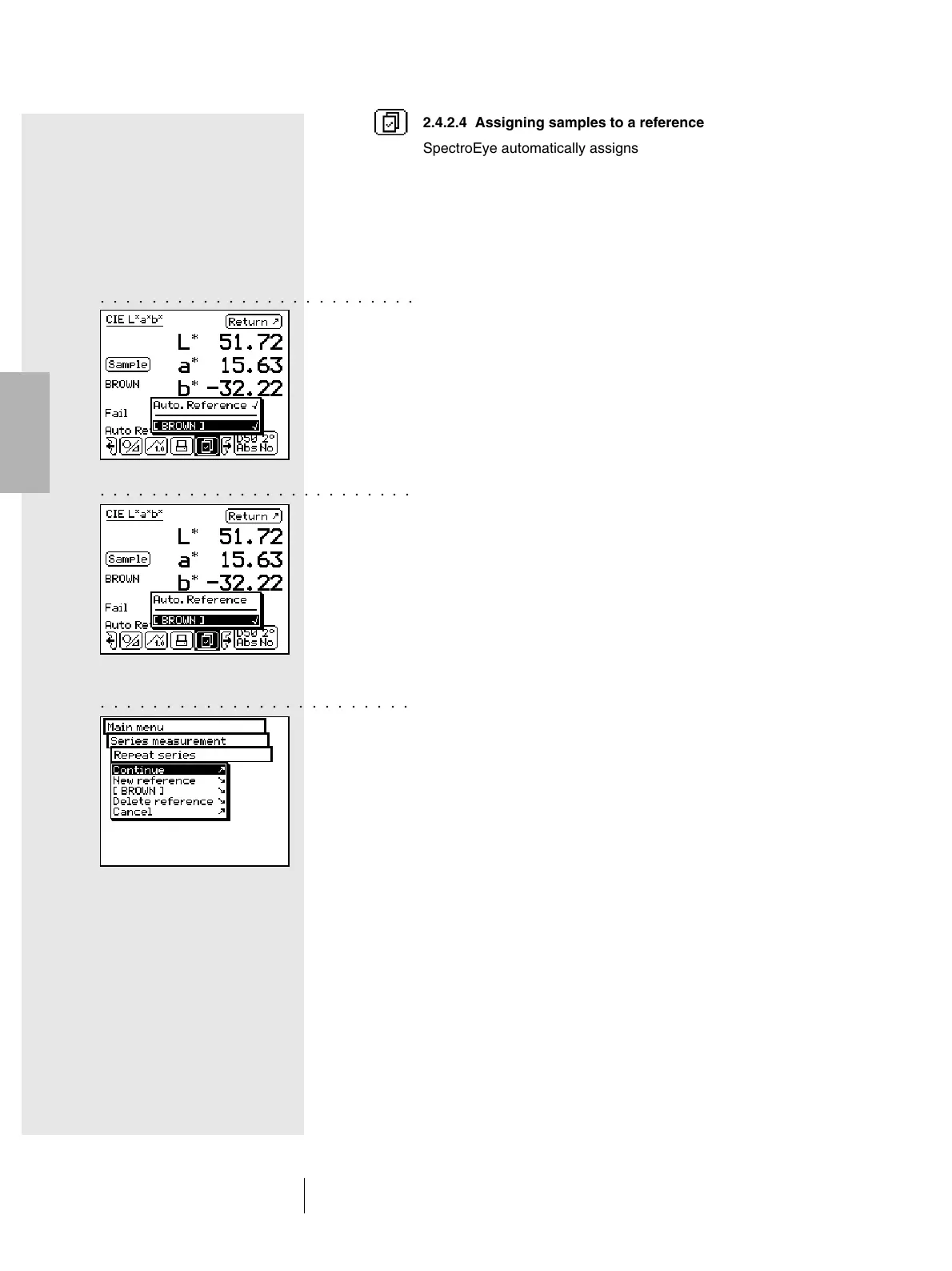
SpectroEye automatically assigns a sample to the reference
which, from the colorimetry viewpoint, is the closest to the value
of the sample. If you wish to define which reference is to be
assigned to the measured sample, use the Select reference
icon inside the symbol bar.
Besides the automatic assignment, the following options are
available:
• Short-term manual assignment
The Auto. Reference menu item is activated.
Select the name of the reference which the last measured
sample must be compared with. In this case the color
comparison with the selected reference is performed only
once. For the next measurement, the automatic assignment
will be used again.
• Long-term manual assignment
The Auto. Reference menu item is not activated.
Select the reference name with which the sample must be
compared. In this case, all the subsequent samples will
be compared with the selected reference. The selected
assignment will be maintained until you select, another
reference, using the Select reference icon or until you
re-activate the automatic assignment using the Auto.
Reference menu item.
2.4.2.5 Repeating a series
When you leave a measurement series, you are requested
to save the series’ reference data. These reference values
are maintained until you create a New series. The new series
will be saved when you leave the new measurement series,
the old series now being overwritten.
To return to the most recently saved series, starting from
main menu select:
Measurement series > Repeat series
The series can be processed as described above, or you
can copy the references without any modification to start
the measurement of samples.



 To Next Page