SpectroEye™50
2
2 • Use
○○○○○○○○○○○○○○○○○○○○○
○○○○○○○○○○○○○○○○○○○○○○○○
○○○○○○○○○○○○○○○○○○○○○○○○
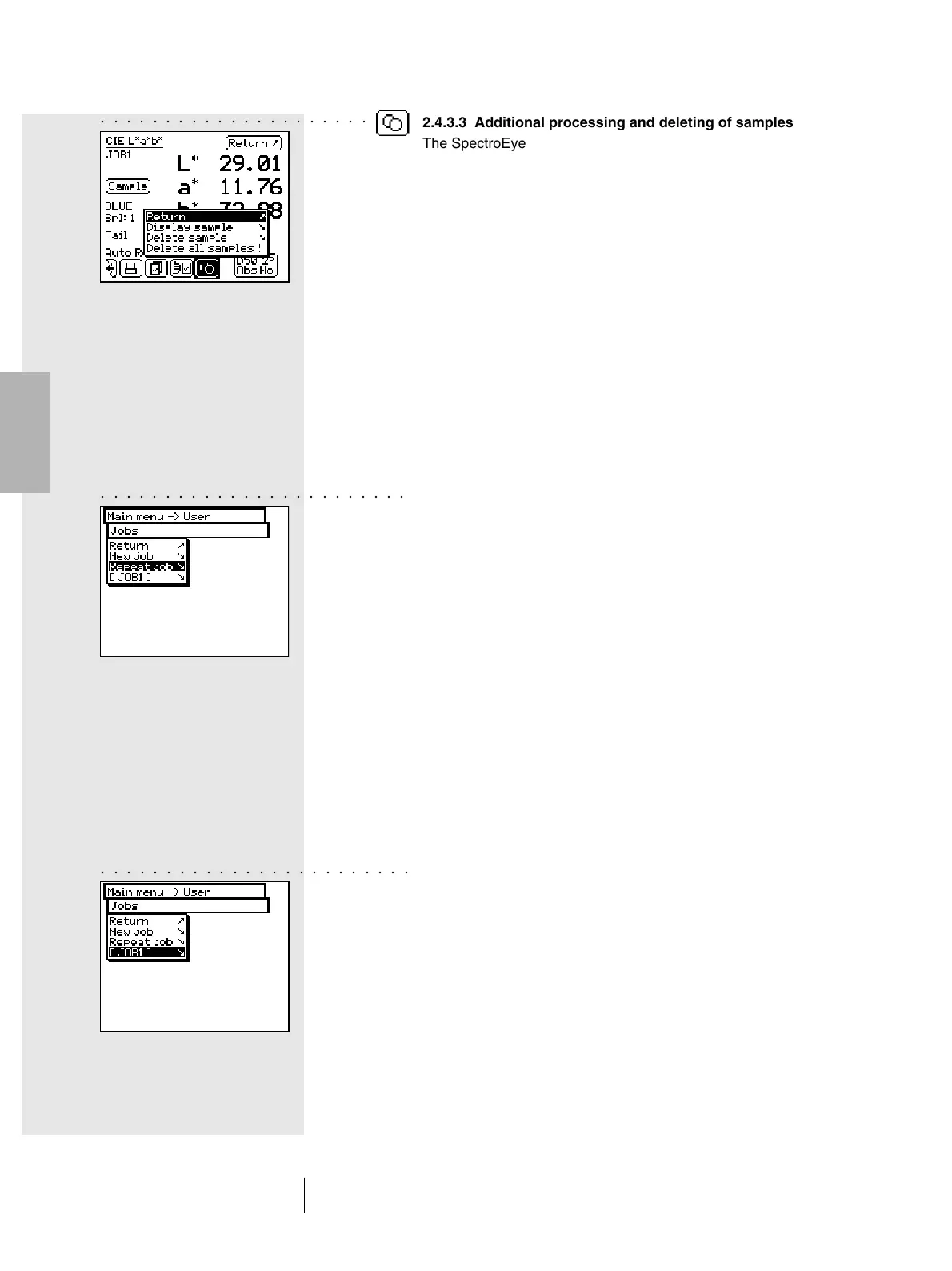
2.4.3.3 Additional processing and deleting of samples
The SpectroEye stores all the samples measured within a job.
When a series of samples have been taken they can be
displayed and deleted, as desired. To do this select the Sample
icon within the measurement windows.
If you wish to display a given sample, select the menu items
Display sample > Sample and then the numbers of the desired
samples. As soon as the selection is confirmed by means of
Display, the measurement value with all the corresponding data
appears in the measurement window.
2.4.3.4 Remeasure a job
When leaving a job, you will be requested to save the job data.
The saved jobs are maintained until they are deleted by the
operator using Database > Jobs from main menu.
Besides creating a new job you have two more possibilities
which allow you to get data from already existing jobs:
• Processing a job as repetition
With a job repetition, a copy of an already saved job is created
and called. In this function, all the job specific data are taken
and made available, i.e.:
- Name
- References
- Measurement conditions
- Averaging
All data of the samples belonging to the old job are auto-
matically deleted and you can immediately start the new
measurement series.
To recall a job repetition select from main menu the following:
Jobs > Repeat job
You will get the list of saved jobs. Select the job you wish
to repeat. Change the job specific data as desired or continue
with the measurement of samples using Continue.
• Enhancement or additional processing of a job
Starting from main menu select the Jobs menu item.
By selecting the job name you immediately enter the
measurement window and can proceed with the measure-
ment of samples resuming the job exactly where it was
stopped during the last job processing session.



 To Next Page