SpectroEye™24
2
It is sometimes necessary to browse through different menus to
recall a given function. To avoid describing this procedure each
time in detail, this manual gives an abbreviated description.
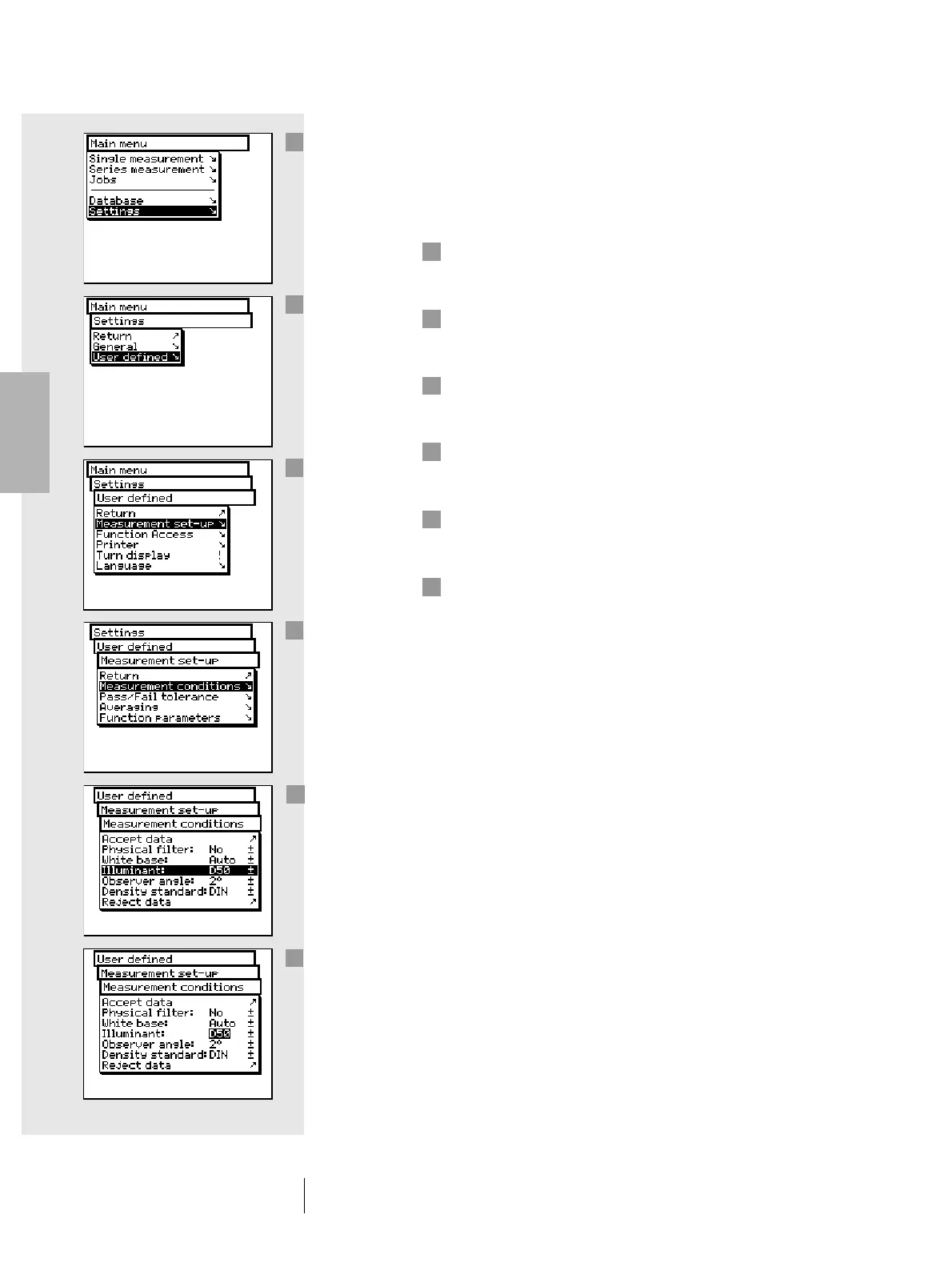
For example, to set illuminant D65, you must proceed
as follows:
In the main menu, turn the wheel until the cursor bar is
on Settings, then press the measurement pad to select
the next sub-menu.
Turn the wheel until the cursor bar is on User defined,
then press the measurement pad again to select the next
sub-menu.
In this menu, turn the wheel until the cursor bar is on
Measurement set-up and press the pad again to select
the next sub-menu.
Turn the wheel until the cursor is on Measurement
conditions then press the measurement pad again to
select the next sub-menu.
Bring the cursor bar to the Illuminant menu option and
press the measurement pad. At this point the currently set
illuminant is highlighted in a dark color.
All the illuminant options A, C, D65, D50, Dxx, F2, F11, Fxx,
(User) can be viewed in sequence by turning the control
wheel. Turn the wheel until the desired illuminant (D65)
is displayed and press the measurement pad again to
Accept the new data setting.
The entire procedure will be described in this manual as follows:
From the main menu, select
Settings > User defined > Measurement set-up >
Measurement conditions > Illuminant
and set D65.
2 • Use
1
2
5
3
4
6
1
2
3
4
5
6



 To Next Page