SpectroEye™48
2
2 • Use
○○○○○○○○○○○○○○○○○○○○○○○○○○
○○○○○○○○○○○○○○○○○○○○○○○○○○
The settings proposed here are taken from Settings in the User
defined > Standard measurement menu. Whether these values
are taken without changes or they are modified, the settings are
always saved together with the corresponding job. The standard
settings are then kept unchanged and they will be reproposed as
standard settings for each new job.
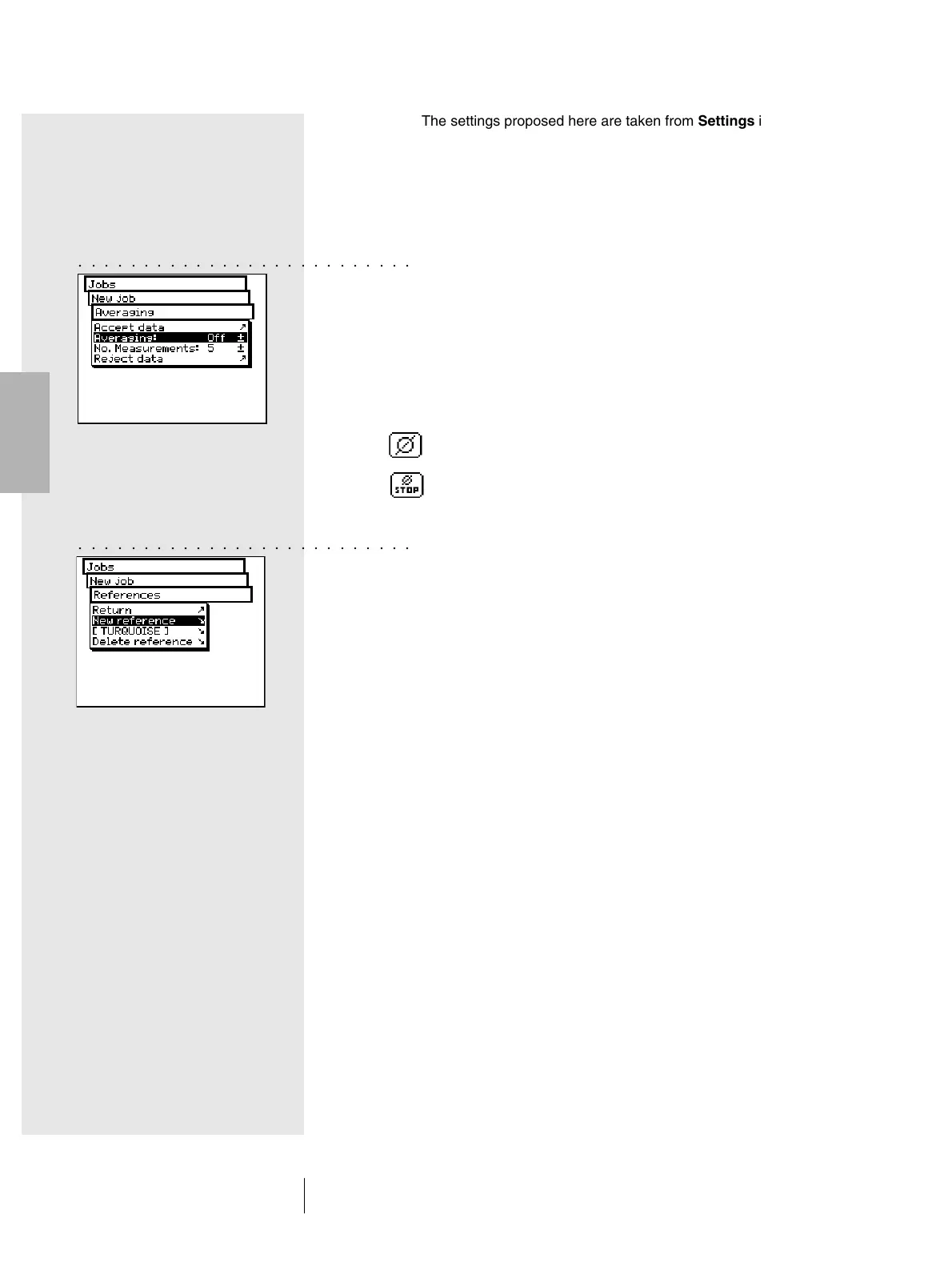
• Definition of settings for averaging
For non-homogeneous samples and references, SpectroEye
can calculate the average of different measurements,
in such a way as to ensure optimum measurement values.
Select the Averaging menu item
It is possible to activate or deactivate the automatic averag-
ing, as well as to set-up the number of measurements to be
taken for the averaging. If the averaging function has been
activated, the Averaging icon appears in the symbol bar
of the measurement window. This allows these settings to be
changed again. Using the Stop averaging icon the averaging
operation can be turned off.
• Creating a new series of references
Select the References > New reference menu items.
The special “References” window appears. This window
is used exclusively to create and process references.
Measure the desired reference. As soon as the measurement
value is taken, a reference name assigned by SpectroEye
appears and the symbol bar shows the Reference parameter
icon.
Select this icon to change the color name and to define
the tolerances for the subsequent Pass/Fail evaluation.
Change the name by cancelling the default one, using the
Name: menu item, and enter a new name. To define the
tolerances for this reference select the Pass/Fail tolerance
menu item. You have the option to define both the density
tolerances and colorimetric tolerances for the subsequent
analyses.
It is advisable to set-up the measurement conditions
without modifying them again until the job is completed.
The tolerance values proposed here are taken from Settings
inside the User defined > Standard measurement >
Pass/Fail tolerance menu item.



 To Next Page