4-16 1. Ethernet
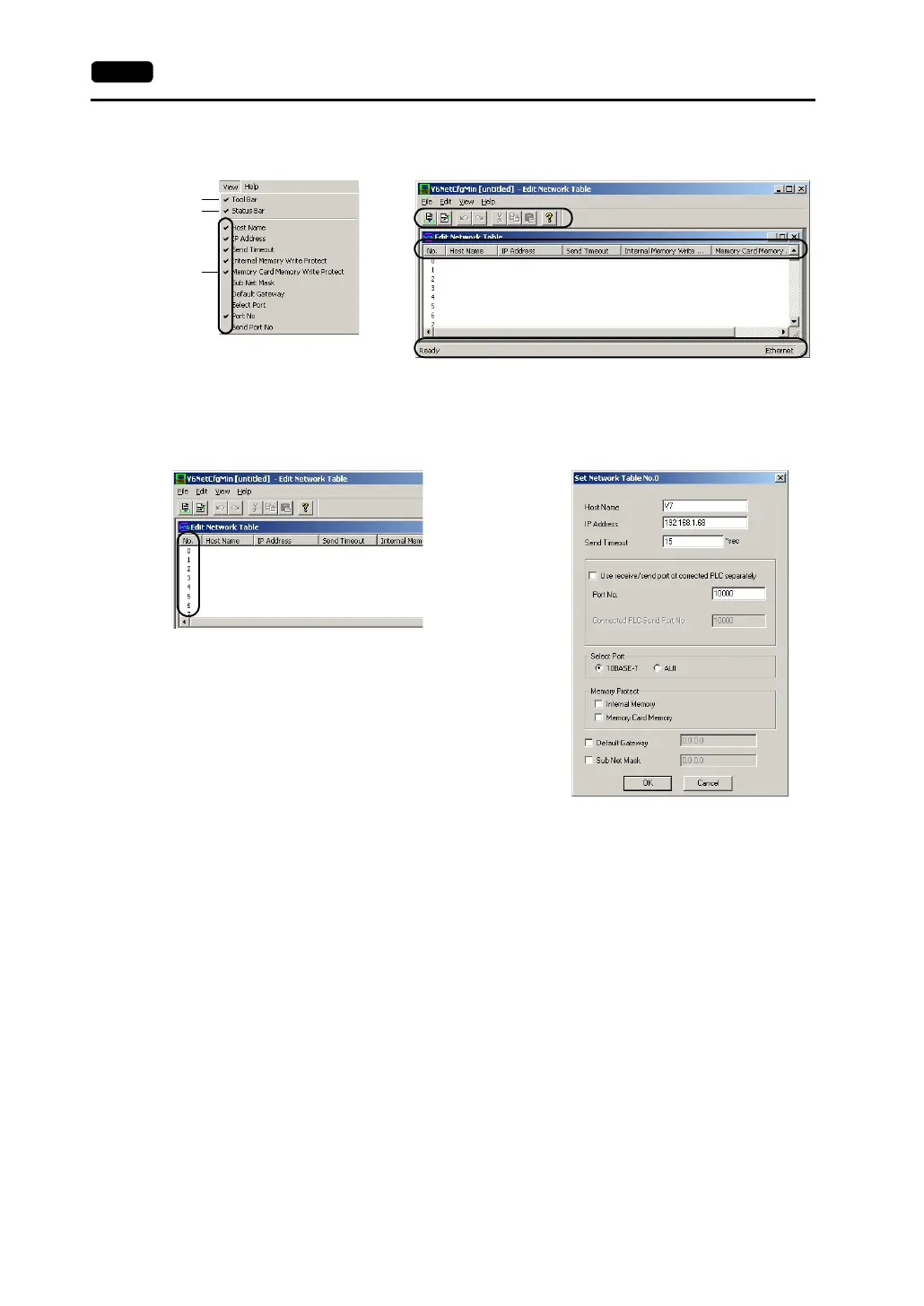
• [View] menu
The items with a check mark are shown on the network table editing window.
Editing the Network Table
Double-click the number.
The [Set Network Table No. *] dialog is displayed.
[Host Name]
Set the name for the V7 series, etc. to be used on the Ethernet.
[IP Address]
Set the IP address.
* When registering Ethernet-ready PLC, set the same IP address as that of the PLC.
For the setting procedure of the IP address on the PLC, see the manual attached to
each PLC.
* When registering a computer as the server, set the same IP address as that of the
computer.
When setting the IP address on the computer, open [Property] of [TCP/IP] in [Network]
on the Windows.
* To connect to the intra-company network, consult with the network administrator.
1
2
3
1
3
2



 To Next Page