2-6 1. Operation of V7 Main Menu
CN1: RS-485 Signal Test
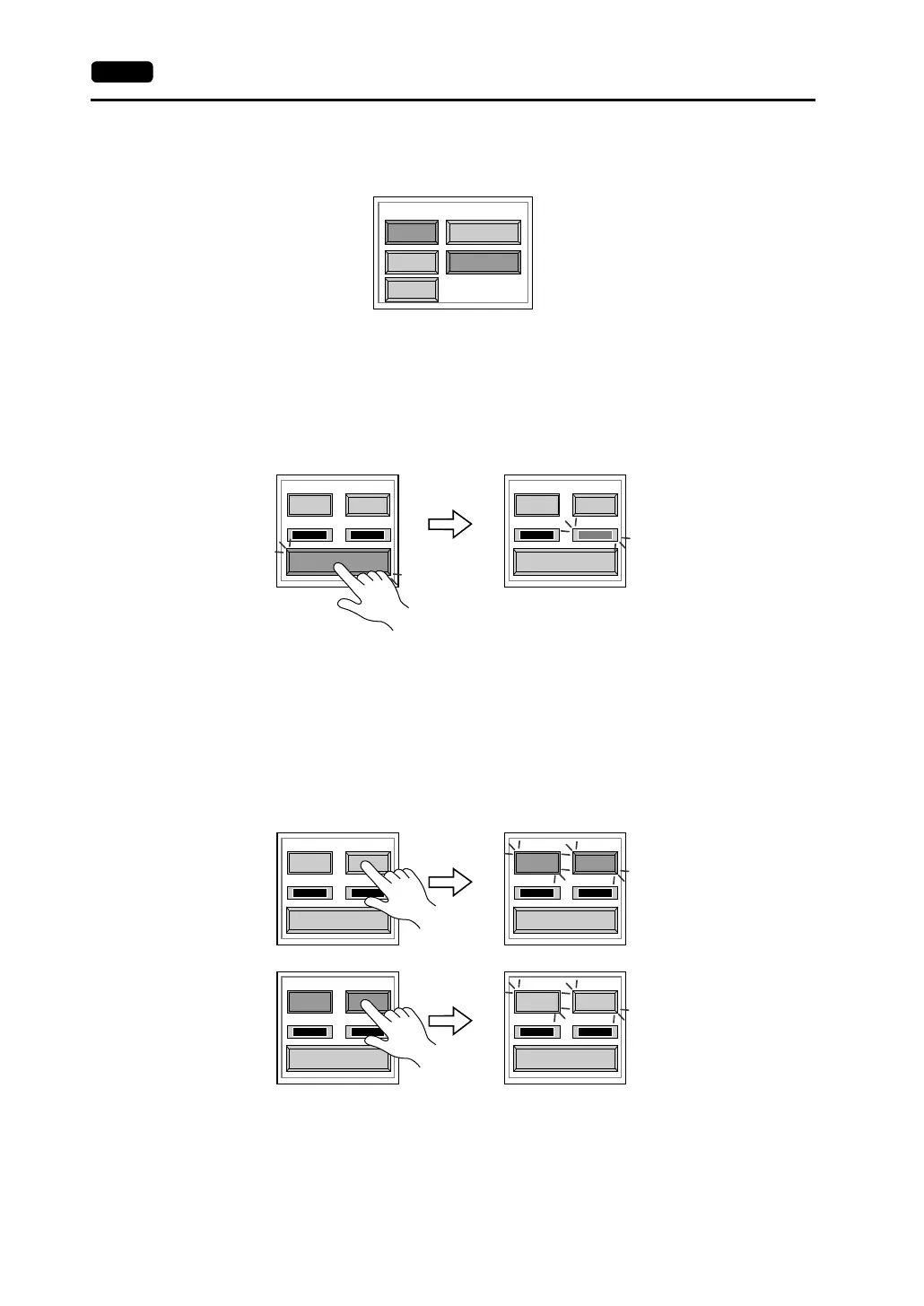
Turn the [CN1] and [RS485] switches on.
• SD/RD Test
Check the signals [SD] and [RD].
1. Install a jumper between pins 12 and 24 and between pins 13 and 25 of CN1 on the
backside of the V7 unit.
2. Press the [Self-Loop Test] switch. When the [OK] lamp lights up, the test is
successfully completed.
* If the [NG] lamp lights up, consult your local distributor.
• CTS/RTS Test
Check the signals [CTS] and [RTS].
1. Install a jumper between pins 14 (+RTS) and 19 (+CTS) of CN1 and between pins
17 (−RTS) and 18 (−CTS) on the backside of the V7 unit.
2. Press the [RTS] switch and check that both [RTS] and [CTS] lamps light up at the
same time. Press the [RTS] switch again and check that both [RTS] and [CTS]
lamps go off at the same time.
CN1
RS232C
MJ1 RS485
MJ2
Communication Port
Self-Loop Test
CTS RTS
NG OK
Self-Loop Test
CTS RTS
NG OK
Self-Loop Test
CTS RTS
NG OK
Self-Loop Test
CTS RTS
NG OK
Self-Loop Test
CTS RTS
NG OK
Self-Loop Test
CTS RTS
NG OK



 To Next Page