Configuring RF
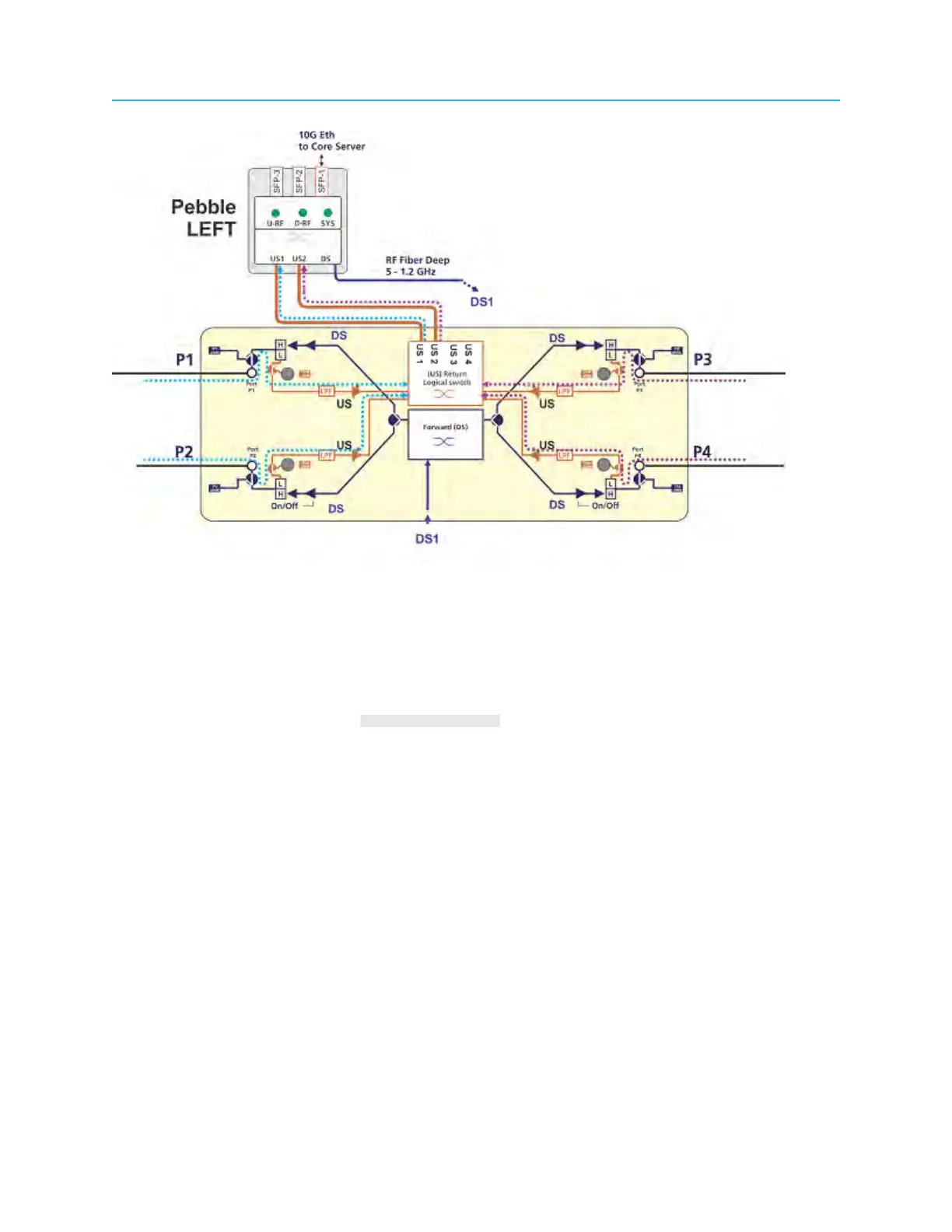
Setting the return path levels
Setting the return path refers to the attenuation or ingress control.
The attenuation value range is 0 dB attenuation to 31.5 dB in 0.5 dB increments. The attenuation value is
set separately for each RF input port, P1, P2, P3 and P4.
• Run variations of this command: admin@CableOS> set rpn <rpn-id> rpn-port [4/3/2/1]
return-attn <0..31.5>:
Parameter Description
<rpn-id> Ripple node ID:
◦ <ddd.ddd.ddd.ddd> = Selects RPD by dotted decimal IPv4 address
◦ <hhhh.hhhh.hhhh> = Selects RPD by 48-bit MAC address
◦ rpd-vcvs-addr [CC:SS] = Virtual slot
rpn-port [4|3|2|1] Ripple RF ports P4, P3, P2, P1
return-attn <0..31.5> The return path attenuation level:
◦ Range: 0–31.5 dB in 0.5 dB steps
◦ Default: 0 dB
Example: Command sequence to set return path attenuation:
63 Installation Guide



 To Next Page