Replacing the RF tray
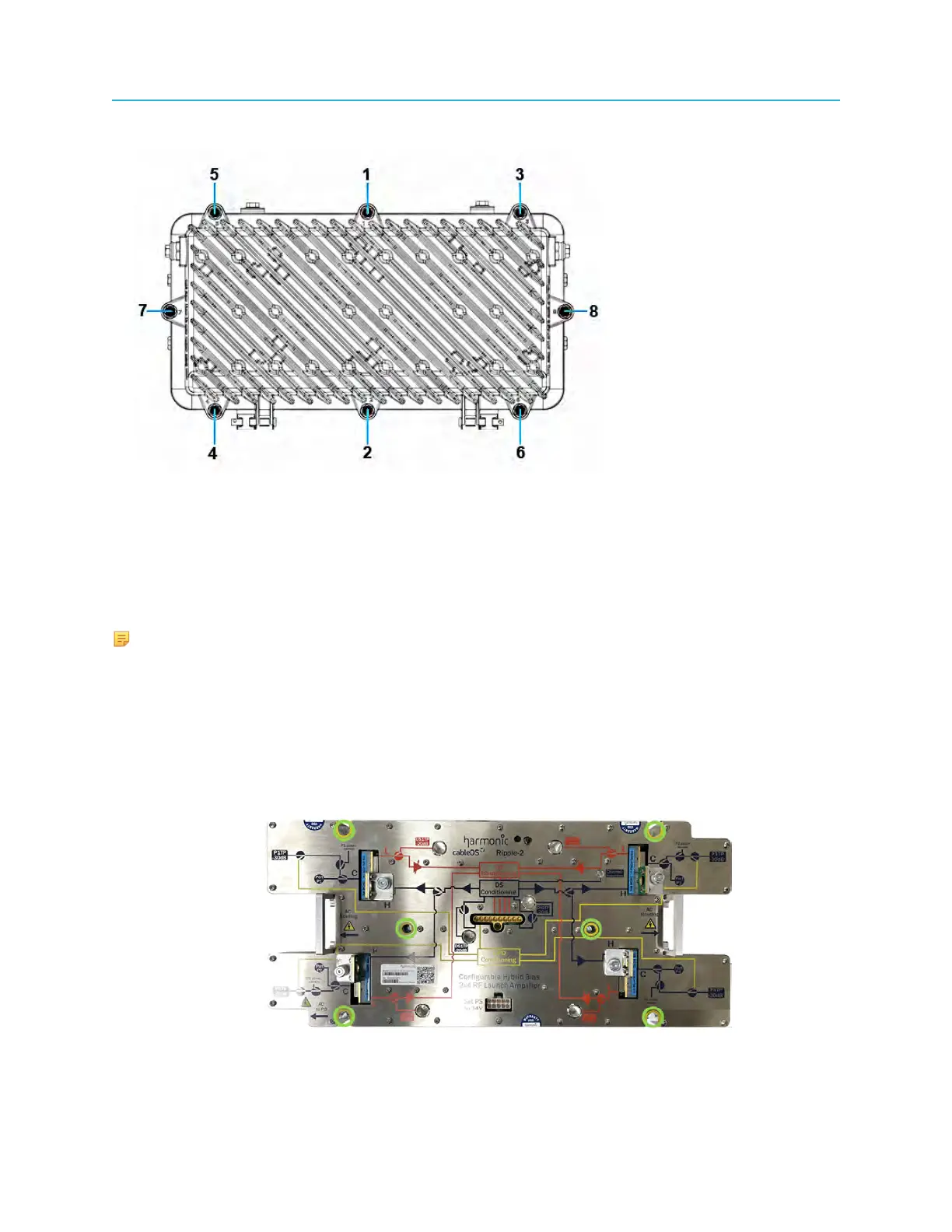
1. Loosen the housing bolts in the order (from 1 to 8) as shown on the lid flange next to each bolt.
2. Open the lid with caution to avoid damaging any internal modules or cables.
Replacing the RF tray
Steps to replace the RF tray in a Ripple-2 node.
NOTE: A faulty tamper switch in the RF node platform requires that the RF tray be replaced.
Tools
• Medium flat-blade screwdriver
1. Remove the RF tray:
a. Disconnect the RF tray side of the coax jumpers that connect to the Pebble-2 module(s).
b. Disconnect the RF tray side of the DC cable that connects to the lid motherboard.
c. Loosen the six RF tray hold-down screws with a medium flat-blade screwdriver.
d. Remove the RF tray using the tray’s handles.
85 Installation Guide



 To Next Page