Remote PHY DOCSIS node installation
6. If no additional installation procedures are needed, close the node housing adhering to the Closing the
Ripple-2 node housing procedure.
7. If power to the node was previously disconnected, restore the power.
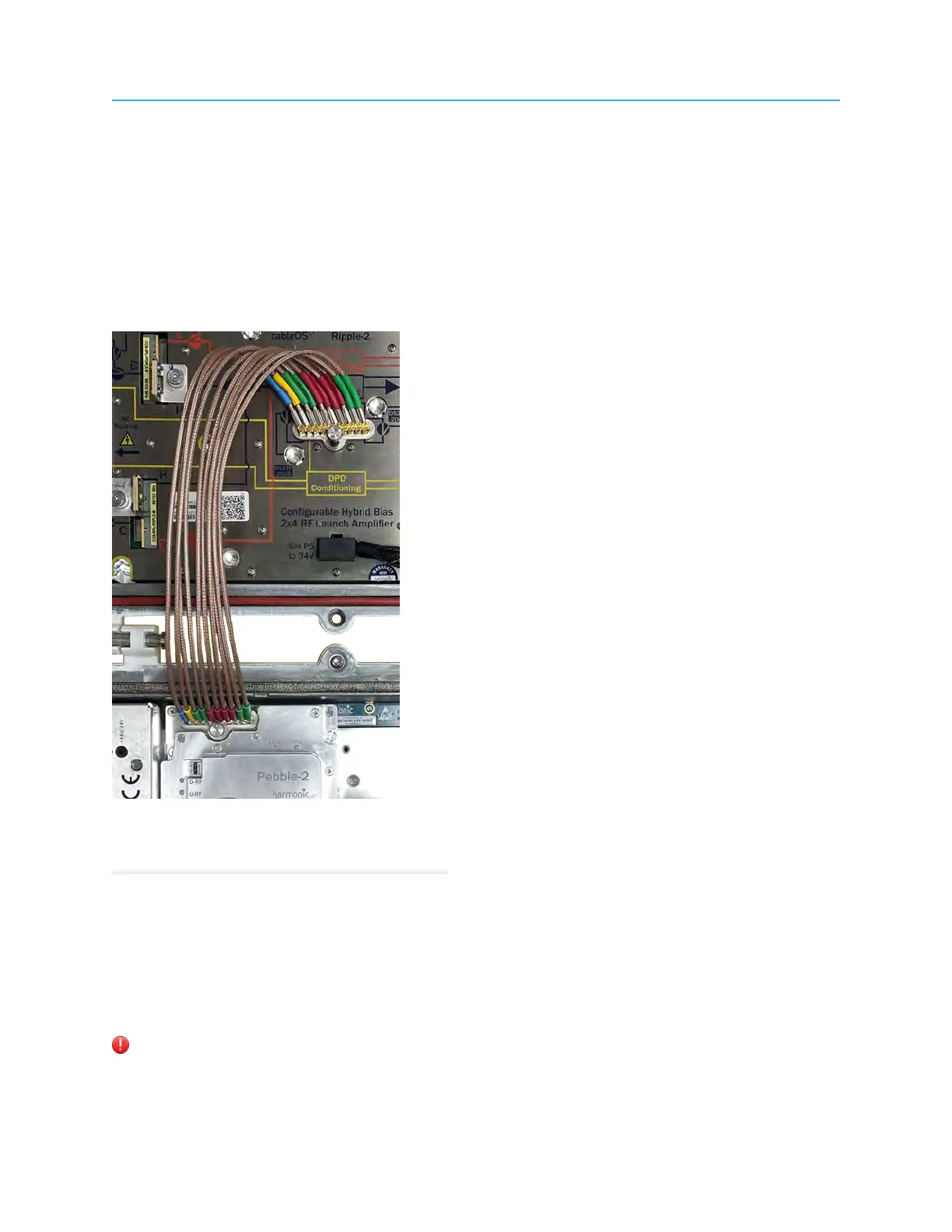
Connecting the Pebble-2 module to the RF Tray
Use only the connectors provided by Harmonic for connecting Pebble-2 modules to the RF Tray.
The Pebble-2 ports are connected to the RF Tray ports located in the node's base with ten HD-AFI
cables.
What to do next
Close the node housing, strictly adhering to the Closing the Ripple-2 Node housing procedure.
Related information
Closing the Ripple-2 Node housing
Connecting coaxial cables
The coaxial cables are connected to the RF output ports.
The node should be installed before connecting the cables.
Warning: The coaxial cables carry AC voltage to power the node, and must therefore be of a wire
gauge that is suitable for carrying current of at least 15Amp.
35 Installation Guide



 To Next Page