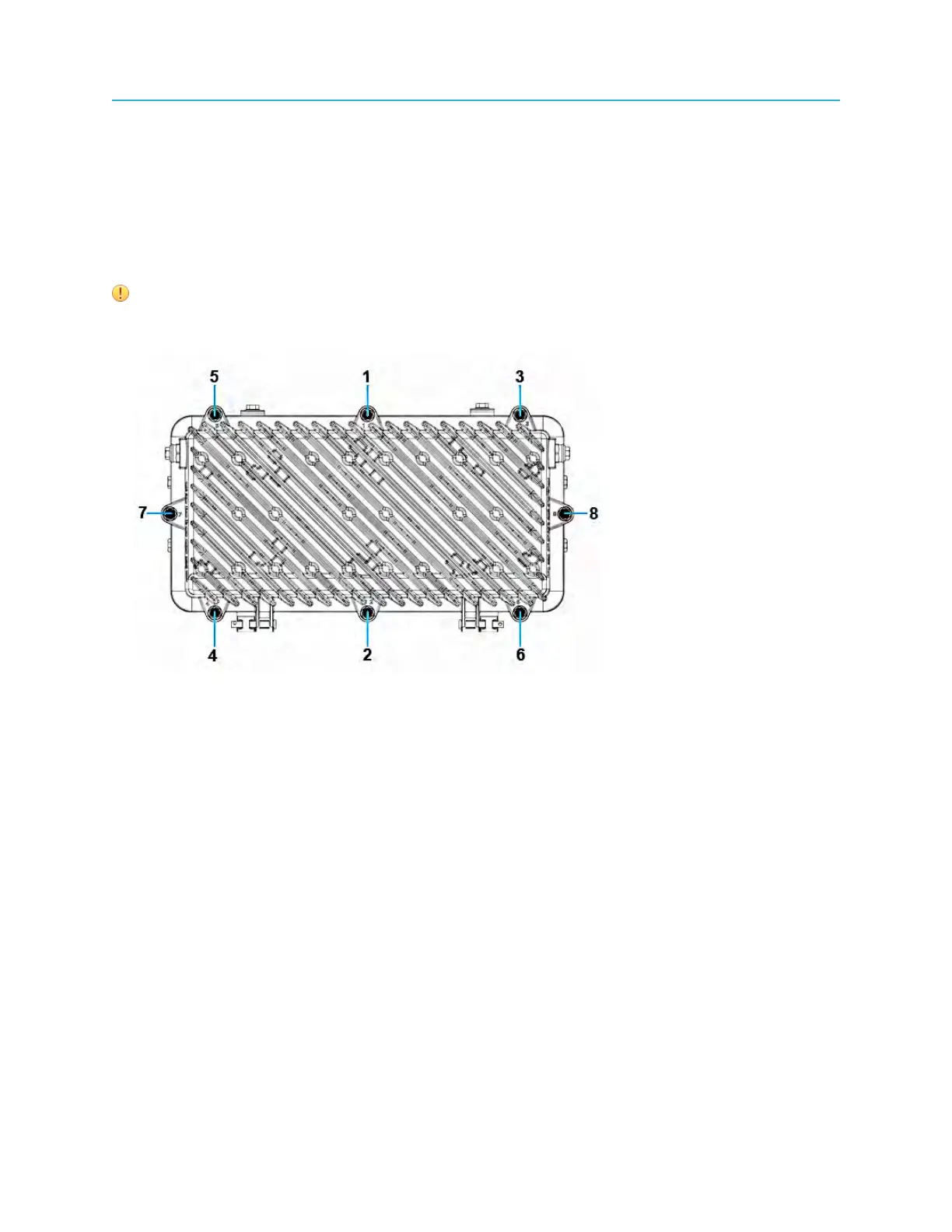
Opening the Ripple-2 Node housing
Opening the Ripple-2 Node housing
Tools
• Torque wrench with 1/2" socket
• Medium flat-blade screwdriver
IMPORTANT: Provide environmental protection for the node whenever it is opened and exposed to
the elements.
1. Loosen the housing bolts in the order (from 1 to 8) as shown on the lid flange next to each bolt.
2. Open the lid with caution to avoid damaging any internal modules or cables.
Remote PHY DOCSIS node installation
The following procedures are specific to Remote PHY DOCSIS node deployment:
• Installing a Pebble-2 module
• Connecting the Pebble-2 module to the RF Tray using HD-AFI cables
• Installing SFP+ modules
• Connecting fiber cables to the Pebble-2 module
• Testing SFP+ Modules
Installing a Pebble-2 module
One Pebble-2 module can be installed in module slot 1 of the Ripple-2 Remote PHY node.
Installing the Pebble-2 module can be performed for a new installation or as a maintenance procedure to
replace an installed Pebble-2 module.
33 Installation Guide



 To Next Page