Replacing a Pebble-2 module
Related information
Closing the Ripple-2 Node housing
Replacing a Pebble-2 module
Perform the following steps to replace a Pebble-2 module.
1. Detach all the Ripple-2 lid bolts with a torque wrench and open the lid to expose the module slots.
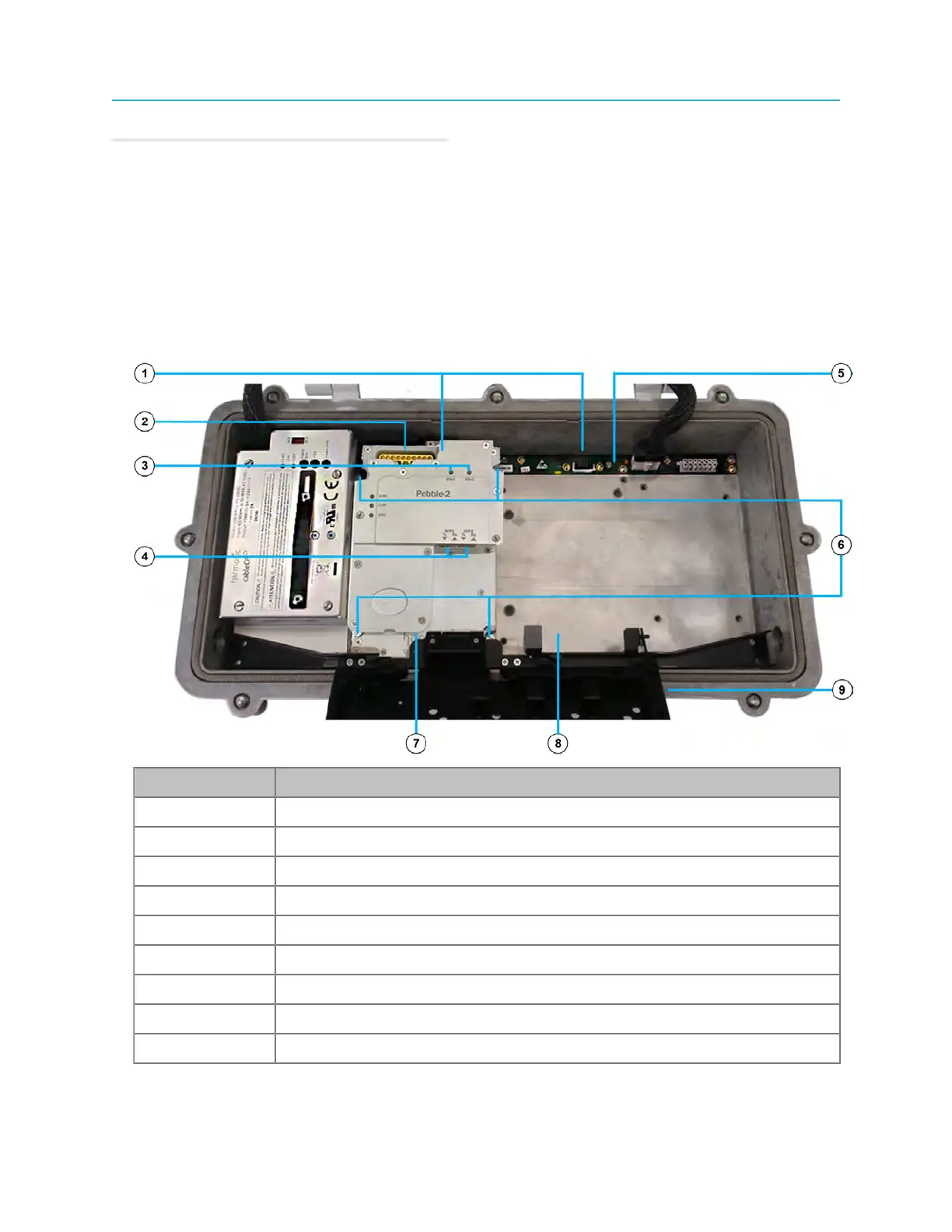
Figure 6-1: Pebble-2 module installed in module slot 1, empty module slot 2
Number Description
1 Module connectors
2 HD-AFI RF cable connectors
3 Status LEDs
4 SFP+ tranceiver ports
5 Lid motherboard
6 Mounting screws
7 Pebble-2 installed in module slot 1
8 Module slot 2 (empty)
9 Fiber tray
2. Detatch the HD-AFI cables from the connectors on the Pebble-2 module.
93 Installation Guide



 To Next Page