Chapter 6: Replacing field-replaceable items
1. Remove the existing diplexer filters:
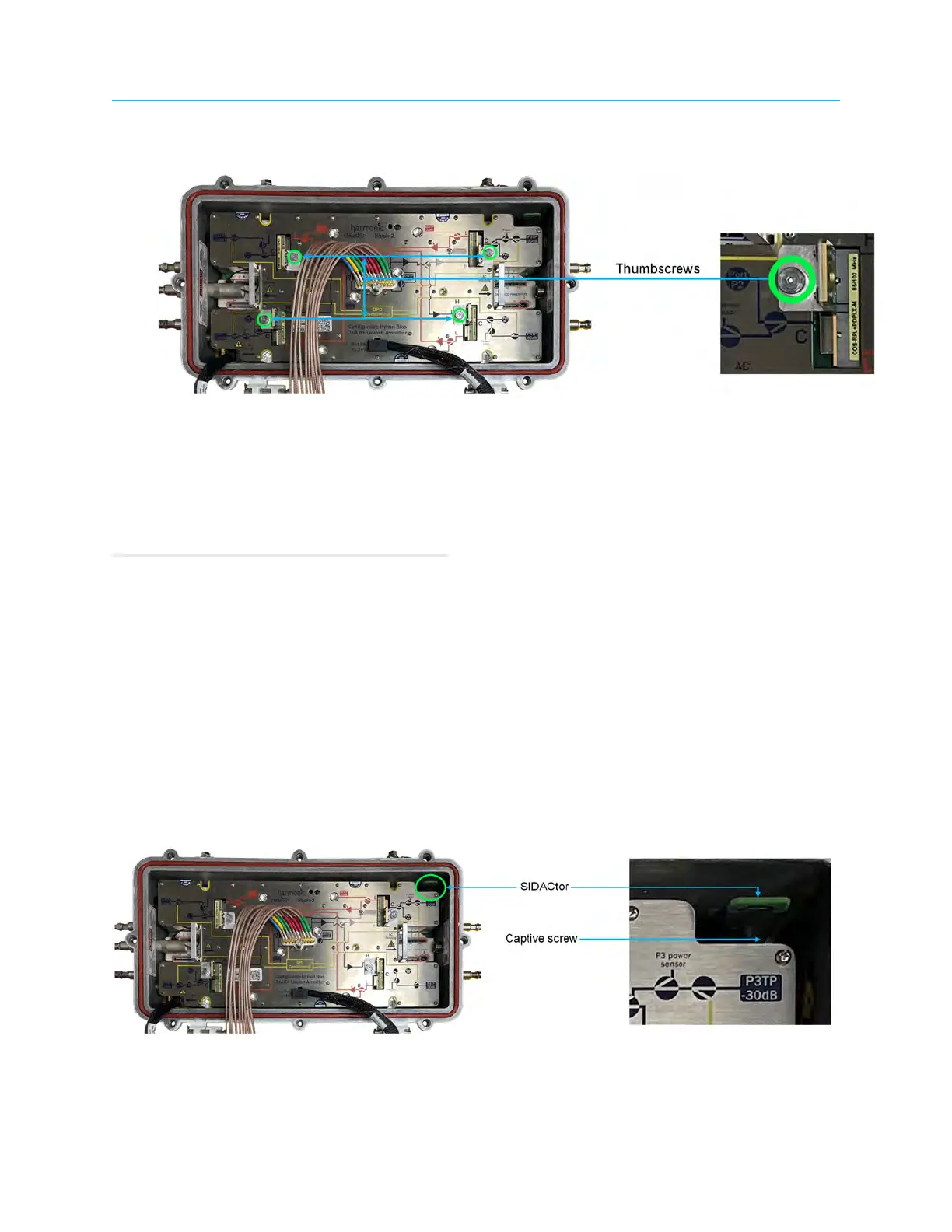
a. Loosen the thumbscrew and carefully pull the diplexer filter upwards, away from the RF tray.
b. Repeat for each RF port of the RF tray.
2. Install the replacement diplexer filters:
a. Orient the diplexer filter and insert carefully into the RF tray.
b. Ensure that diplexer filter is completely seated in the RF tray.
c. Finger-tighten the thumbscrew to secure diplexer filter to the RF tray - do not use any tool.
d. Repeat for each RF port of the RF tray.
Related information
Tools, test equipment, and fasteners
Opening the Ripple-2 Node housing
Closing the Ripple-2 Node housing
Post maintenance testing
Replacing the SIDACtor board
The Ripple-2 node is shipped with a pre-installed SIDACtor board that can be replaced if needed.
The SIDACtor board provides surge protection to both AC1 and AC2. It plugs into both AC1 and AC2
boards with a connector similar to that of the AC cable, and is secured to the AC board with a captive
screw.
96



 To Next Page