Chapter 4 Transport Stream Configuration
© 2013 Harmonic Inc. Harmonic All rights reserved. 96 Ellipse 3000 Release 3.0, Rev. B
M-SPTS Sub-Menu/Tab
4.3.1.3 Dropping an M-SPTS Transport
The Drop Transport option removes (drops) an M-SPTS transport stream.
Front Panel
To access the Add M-SPTS Transport menu on the front panel:
1. Navigate Root > Configuration > Transport Stream > MSPTS > Drop Transport.
2. Select 1. Select Transport to Drop to display the list of transports in the stream.
3. From the displayed list select the MSPTS stream to drop and press <Enter> to approve the
selection and return to the Drop Transport menu.
4. Select 2. Drop to remove it from the M-SPTS list.
This option executes the Drop command, not leading to a new screen. After executing the
drop command, the screen displays the MSPTS menu screen.
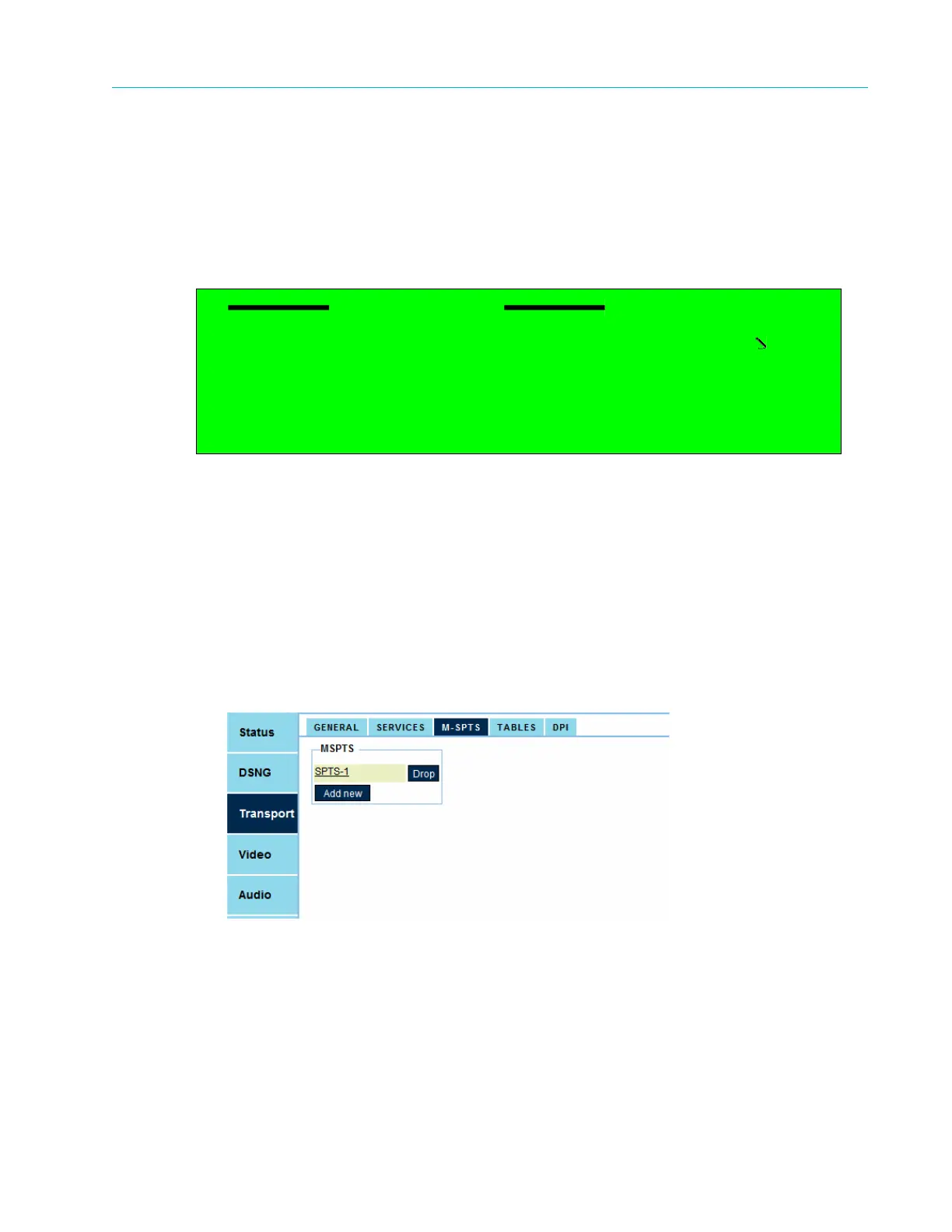
Web Manager
To drop an M-SPTS transport using the Web Manager:
❖ Select Drop next to the stream name in the MSPTS list displayed by Transport > M-SPTS.
Drop Transport
1 Select Transport to Drop
SPTS-2
2 Drop



 To Next Page