ODBC (Open Database Connectivity)
TagPrint Pro can import table data from any ODBC (Open Database Connectivty) compliant database. The feature was
implemented as an import function to an open table grid. ODBC represents a standard method to access a variety of
databases. It is not necessarily a user interface to these databases. To aid in facilitating the ability for normal users to
easily access data tables, TagPrint Pro has a unique feature that integrates MSQuery (Microsoft Query) which is avail-
able on most PC's.
NOTE: You must have MSQuery installed on your Windows application in order for TagPrint Pro to utilize this feature.
Consult your Windows manual and CDset for instructions on MSQuery.
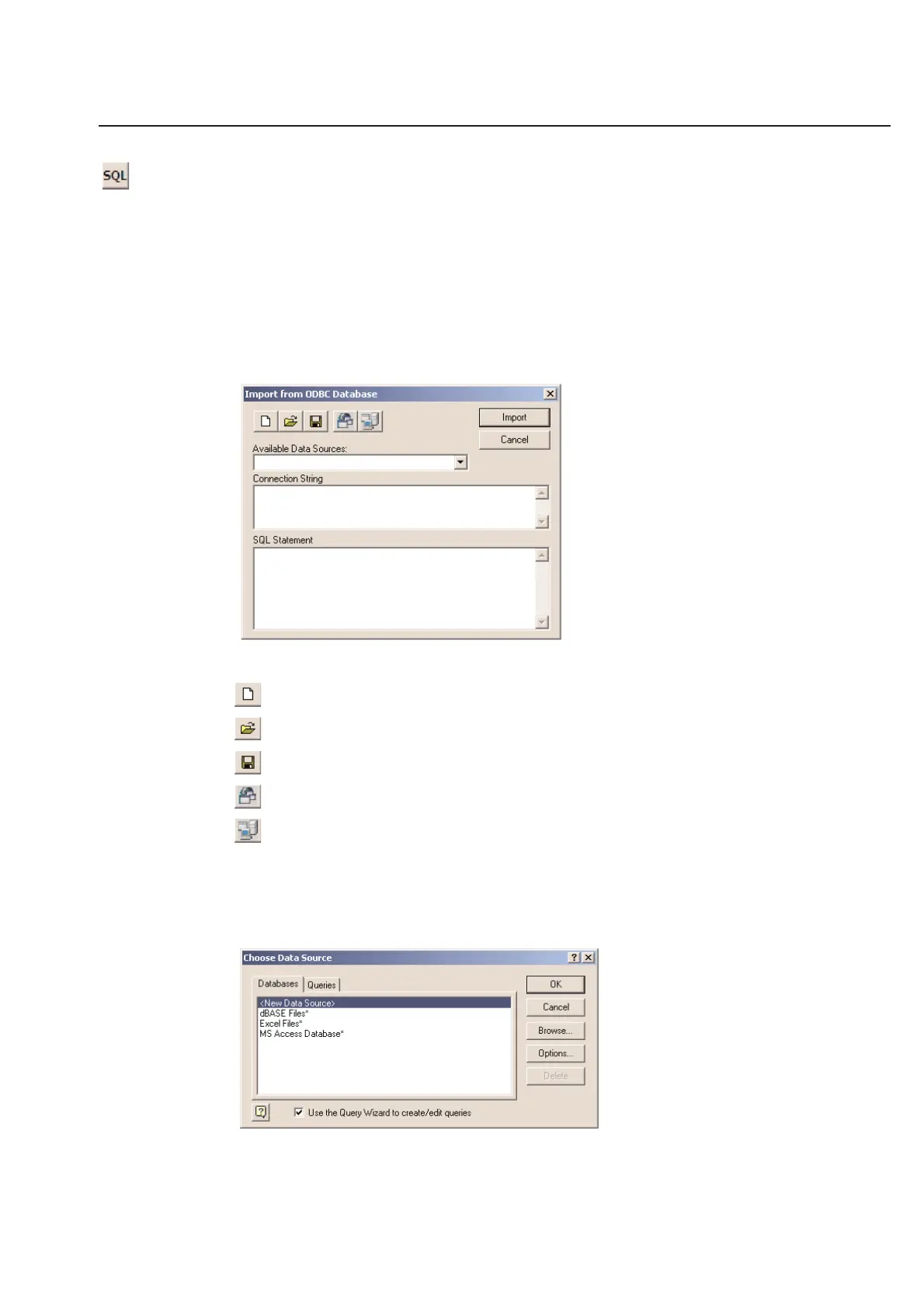
Using ODBC, you must start out in a table. Click on the SQL (Structured Query Language) icon at the top of your
screen and you will be prompted with the following sub-menu.
There are 5 icons from left to right, which are as follows:
Create a new database
Open an existing database
Save a database
Create a database using MSQuery
Run ODBC Administrator - This simply connects you directly to the Windows ODBC Source Administrator.
Consult your Windows application for instructions on how to use this Windows application. The user needs to have
knowledge of the SQL language. If not, the MSQuery Wizard is helpful to create most applications.
Example: Click on the Create a database using MSQuery icon
The following menu will appear:
3-11
Chapter 3: Table



 To Next Page