Section 5 – Programming
5–45
To Change the Listen-In Timeout:
Timeout is the amount of time Listen-in will remain active before timing out.
Note: This setting will only have an affect if using the common mode. When using the PBX mode, the call is
transferred to another number and the line card drops the call.
1. Follow the procedures in Section 5.5.2.
2. Press
4
for Listen In options menu.
3. Press
until the display flashes on the <Timeout> field.
4. Enter the desired value from the keypad or press the or button to change the timeout
setting. Values range from 0 to 255 in 1 second increments.
5. When the desired value is flashing press
ENTER
MENU
.
To Edit the Listen-In Accounts Lists:
Note: The accounts lists apply to panels that do not send listen-in commands as a part of their message
(Contact ID E606 or SIA LF and LE). Panels that send listen-in commands as part of their message do not
need their account number in an account list.
1. Follow the procedures in Section 5.5.2.
2. Press
4
for Listen In options menu.
3. Press
until the display flashes on the <Account List> field.
4. Press
ENTER
MENU
.
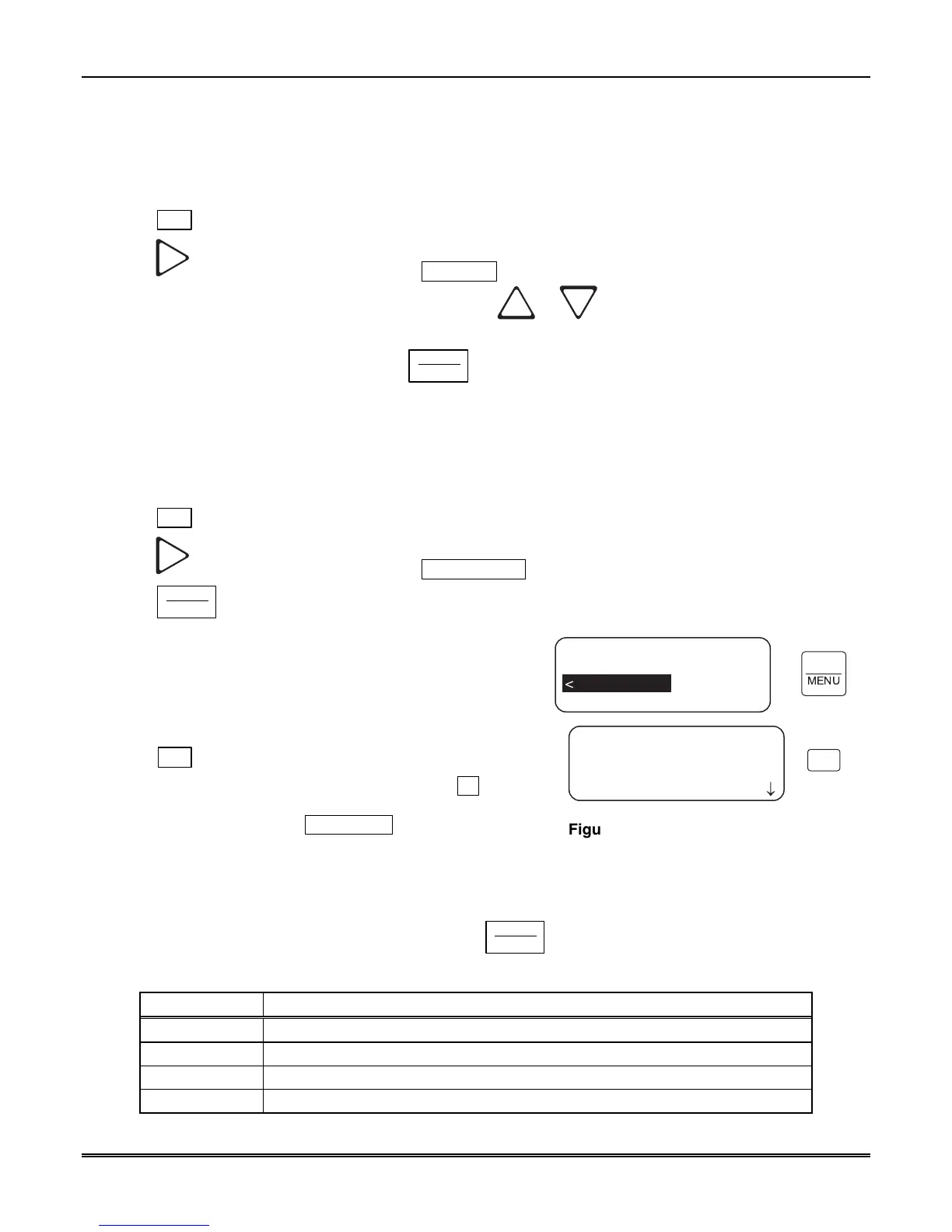
Figure 5–17 shows the next display.
To Add a Listen-In Account
Note: Panels that send listen-in commands (Contact ID E606
or SIA LF and LE) as part of their message do not need their
account number in an account list.
1. Press
1
.
The display briefly shows the number (indicated by XX) of the
lowest available listen in account number slot (20 total listen
in account numbers [strings]). Adding # XX
Note: The account numbers may contain wild card entries (*
and #) described in Table 5–14. Therefore, the 20 account
numbers are actually up to 20 unique strings.
Mode=Not Used
Timeout=000
<Listen Mode <=Exit>
<Listen In Accounts>
1=Add Account
2 Edit Account
3 Clear Account
¯
<Account List>
1
ENTER
MENU
Figure 5–17: MX8000–LC3 Listen In
Accounts Menu
2. Enter the account number you wish to add to the listen in account list.
3. When the desired account number is flashing press
ENTER
MENU
.
Table 5–14: Account Characters
Characters Description
0-9 Numeric entries
A-Z Alpha entries
* Alphanumeric wild card entry. Example: 123* = any account starting with 123.
# Numeric wild card entry. Example: # = 0 to 9. Example: 12345# = 123450 to 123459.



 To Next Page