MX8000 Installation and Operation Guide
5–22
5.4.4 System Options
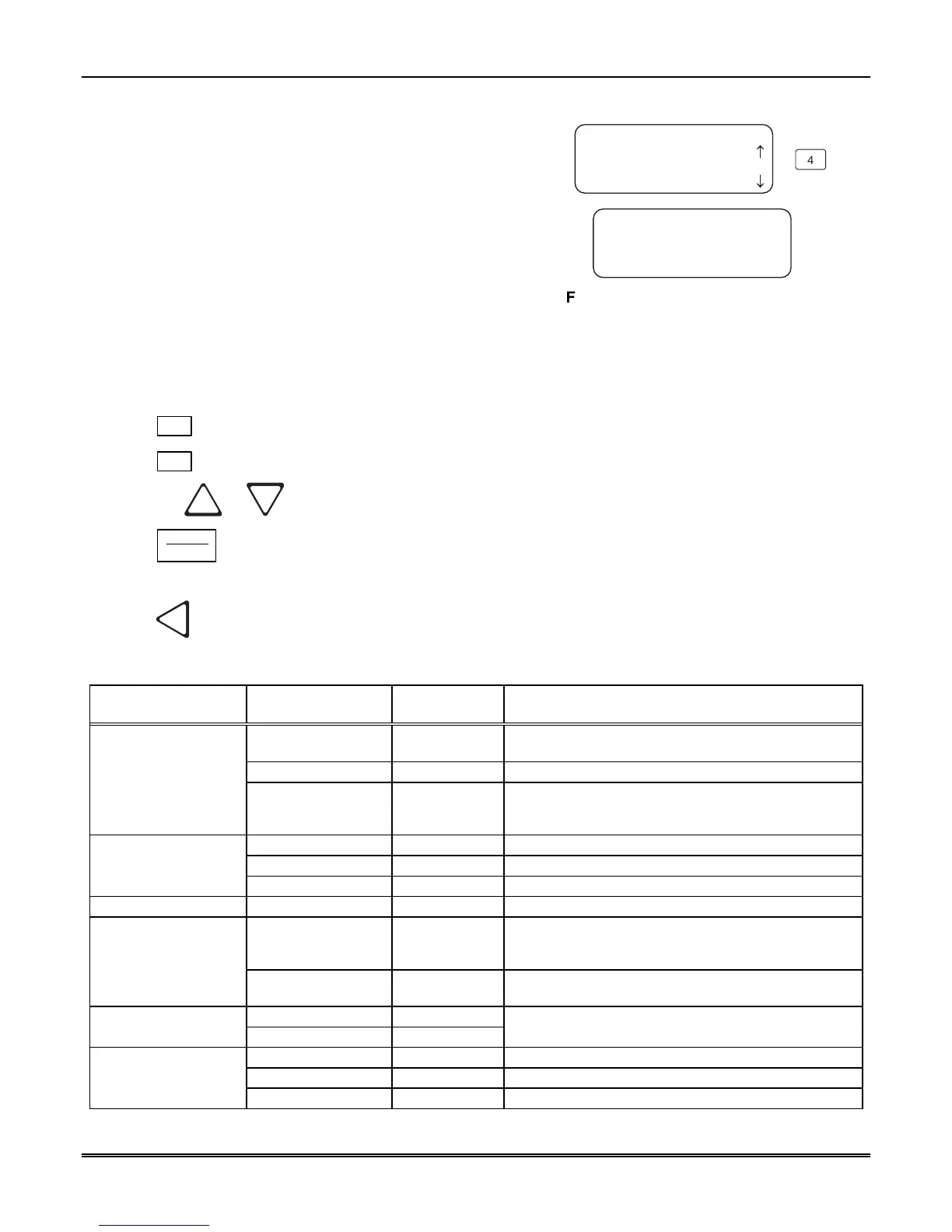
In system options you can configure the backup battery
configuration, the receiver ID number, and the normal state
of the auxiliary relay.
<General Options>
4=System Options
5 Msg Queue Opt.
No Batt Bkp Single
Rcvr ID=01 Strip Bad
AuxRly=Off Clk=60Hz
<Batt Bkp <=Exit>
4
6 Slave List
¯
Figure 5–8: System Options Display
5.4.4.1 How to Change Backup Battery Setting
Through system options the backup battery can be configured for the type of backup battery your
installation site requires.
1. Enter program mode. (See Section 5.1.)
2. Press
1
for general options.
3. Press
4
for system options.
4. Press the
or button until the display flashes on the desired setting.
5. Press
ENTER
MENU
.
To Exit:
Press
until you return to the main menu.
Table 5–9: System Options
System Options
Menu
Choices Default Comments
No Battery Bkp
✔
No charging current applied to battery circuit. Receiver
will not test battery output or give trouble annunciations.
Battery Bkp
Charging current applied to battery circuit.
Battery Backup Cfg
DC Bkp
No charging current applied to battery circuit. Typically
used for systems that use a UPS (uninterrupted power
supply) for backup battery power.
Single
✔
Receiver is operating independently.
Slave Receiver is a slave to a master receiver.
Receiver Mode
Master Receiver is a master.
Receiver ID 01-99 01
Strip Bad
✔
If this is selected an indicator will be sent to the
automation computer that indicates a bad data block
was received.
Bad Data Blocks
Send Bad
Same as Strip Bad except the bad data block is sent
with the indicator.
Off (De-energized)
✔
Aux Relay Normal
State
On (Energized)
See Section 5.4.4.5 for auxiliary relay output options.
60Hz
✔
Synchronize clock to 60Hz Line input.
50Hz
Synchronize clock to 50Hz Line input.
Clock Source
Int (Internal)
Synchronize clock to internal crystal.



 To Next Page