Section 4 – Operation
4–11
5. Press
ENTER
MENU
. Users with an operator profile are done at this point.
The display reads
Do you wish to set
to factory default
settings? No
Note: This display will only appear if the logged on User has an Installer Profile (see section 4.4.1).
6. Press the
or button to toggle No to Yes.
Note: If you choose Yes all line card and user custom programming will be lost.
4.6.8 Printer Menu
In the print menu you can print
customized reports by the type of alarm,
edit the desired print output, and
configure output for your printer.
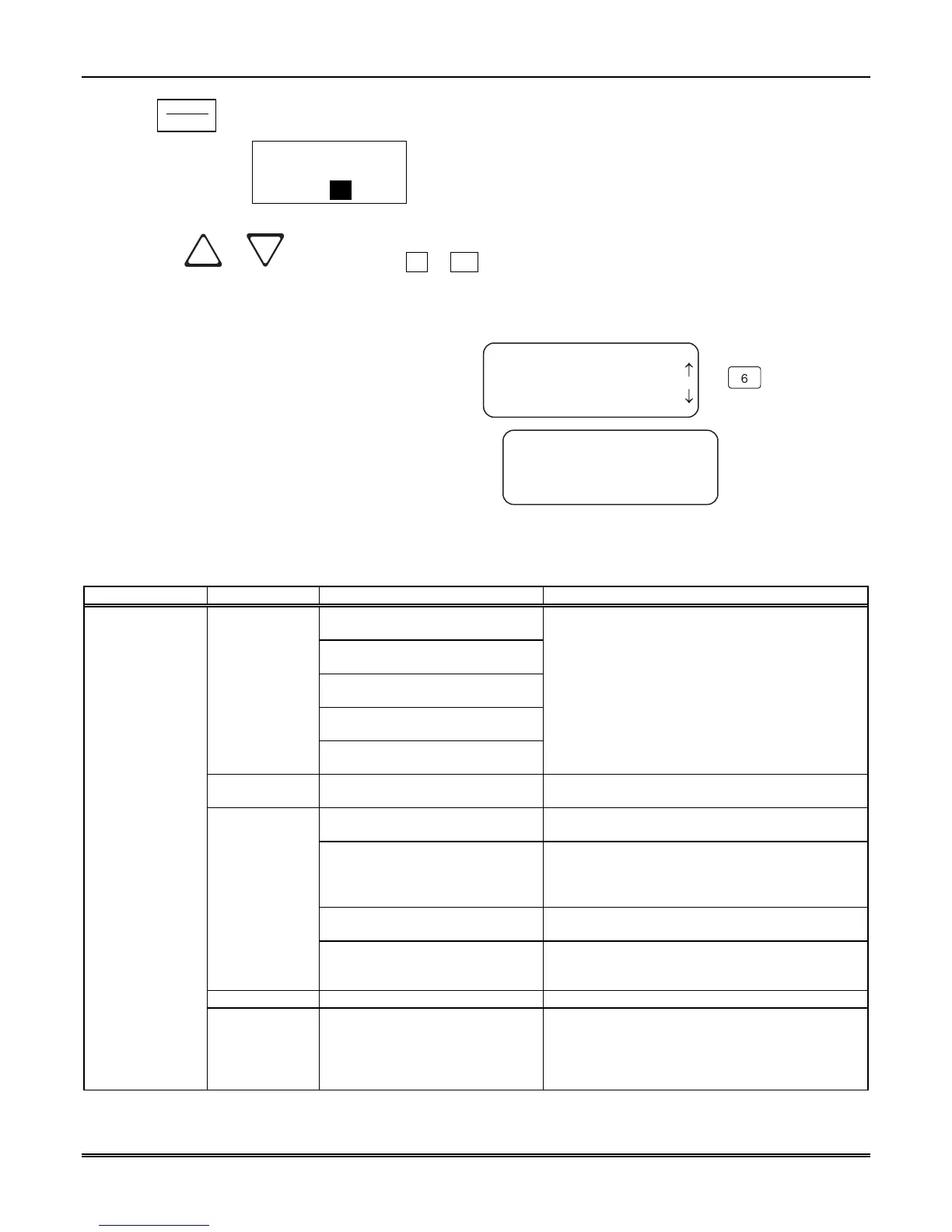
<Installer Menu>
6=Printer Menu
7 Program Menu
8 Diagnostics
<Printer Menu>
1=Print Report
2 Edit Evnt Format
3 Config Printer
¯
6
Figure 4–12: Print Menu Items
Table 4–6: Printer Menu Choices
Printer Menu Choice 1 Choice 2 Comments
Priority 1
(Life safety signals-Fire, Duress)
Priority 2
(Property safety signals-Burg.)
Priority 3
(Supervisory signals)
Priority 4
(Trouble signals)
Call History
Priority 5
(All other signals)
Y Indicates that this item will print on this report.
N Indicates that this item will not print on this
report.
The call History print will execute once you exit
from “Choice 2”.
Note:
Choice 2 settings are not retained in flash
memory and have to be chosen for each call
history printing.
System History
This option prints all the system events in the
event history buffer.
Print All Print all of the system and line card data described
below under Program Data and Line Card #.
Program Data Print just the systems programmed data such as
Operating Mode, Display Options, Communication
Definitions, System Options, and Message Queue
Options.
Users List Print a list of assigned MX8000 Users with their
Level (Installer or Operator) and PIN Number.
System Config
Line Card # Print line card configurations per line card. These
are the items programmed using the Line Card
Menus.
Test Page Print a test page.
Print Report
Line Card
Statistics
Print line card statistics which include the device
number, serial number, part number, physical line
number, virtual receiver and line numbers, total
calls for the line, calls today, and number of bad
calls for the line.



 To Next Page