EasyManua.ls Logo

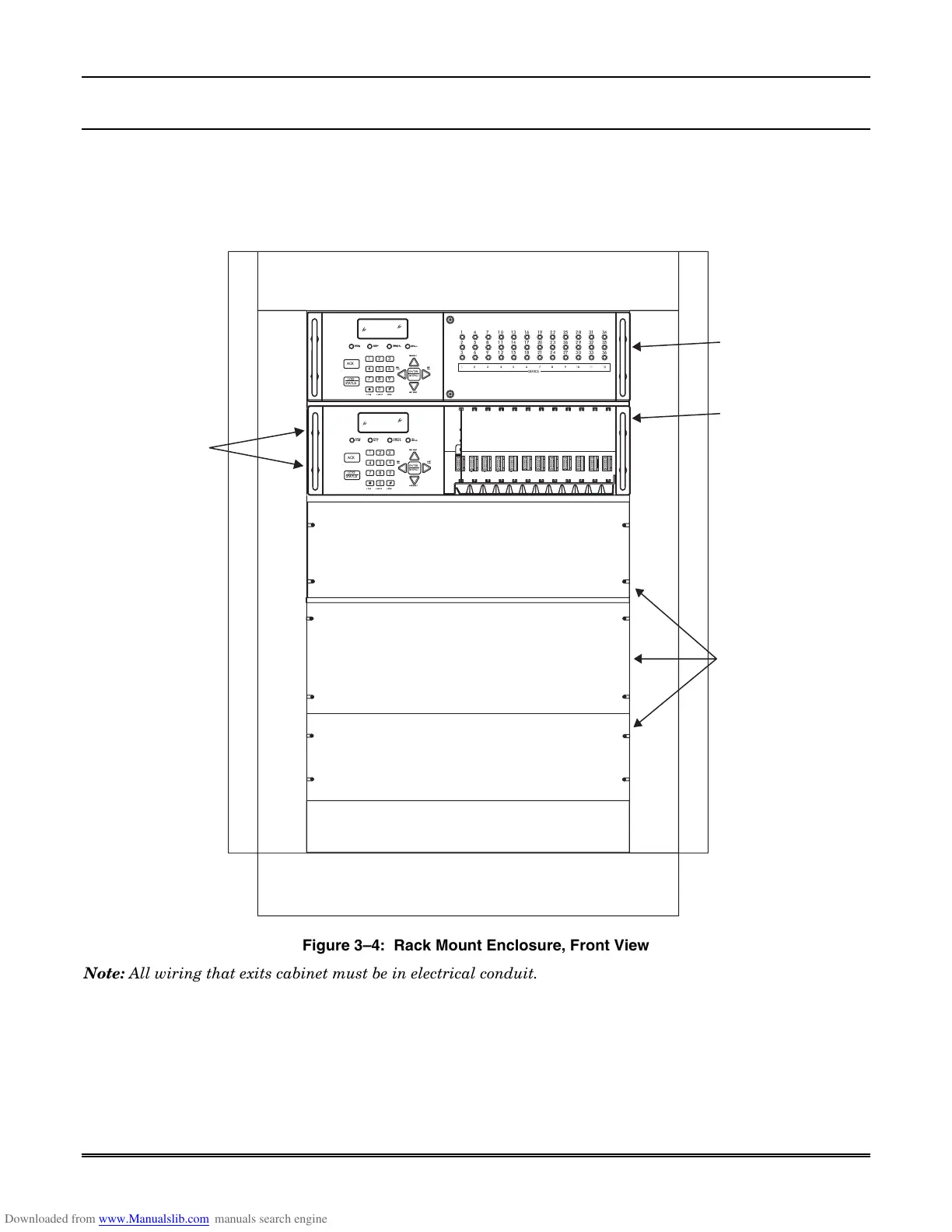
Honeywell MX8000 - Rack Mounting; Figure 3-4: Rack Mount Enclosure, Front View

Honeywell MX8000
192 pages
Print Icon
To Next Page IconTo Next Page
To Previous Page IconTo Previous Page
Loading...
Section 3 – Installation
3–3
3.5 Rack Mounting
This diagram shows how to mount the MX8000 in a UL Listed rack enclosure.
Receiver
Mounting
Screws
(Flat Head
supplied with
receiver)
Model MX8000
Receiver
Back-up
Model MX8000
Receiver
(Shown with
faceplate
removed)
Blank
(Filler)
Panels
HOME HANGUP
CALL
PENDING
OPERATOR
LOGGED IN
SYSTEM
FAULT
SYSTEM
POWER
LISTEN
PREV
CALL
NEXT EVENT
NEXT
CALL
0
1
2
#
3
6
5
4
7
8
9
PREV EVENT
ACK
ENTER
MENU
LOG
STATUS
P5P4P3P2
HOME HANGUP
CALL
PENDING
OPERATOR
LOGGED IN
SYSTEM
FAULT
SYSTEM
POWER
LISTEN
PREV
CALL
NEXT EVENT
NEXT
CALL
0
1
2
#
3
6
5
4
7
8
9
PREV EVENT
ACK
ENTER
MENU
31
32
33
34
35
36
28
29
30
22
23
24
25
26
27
19
20
21
13
14
15
16
17
18
10
11
12
4
5
6
7
8
9
1
2
3
LOG
STATUS
8765 12111094321
DEVICE
Figure 34: Rack Mount Enclosure, Front View
Note: All wiring that exits cabinet must be in electrical conduit.

Table of Contents

Related product manuals