Section 5 – Programming
5–39
4. Press
2
to choose Line Device menu.
5. Press
1
to select MX8000–LC3 (3 Line)
6. Press
2
to edit line.
The display will show a list of the existing Lines.
7. Press the
or arrow buttons to move through the available list.
8. When the equal sign is on the Line you wish to edit:
Press
ENTER
MENU
.
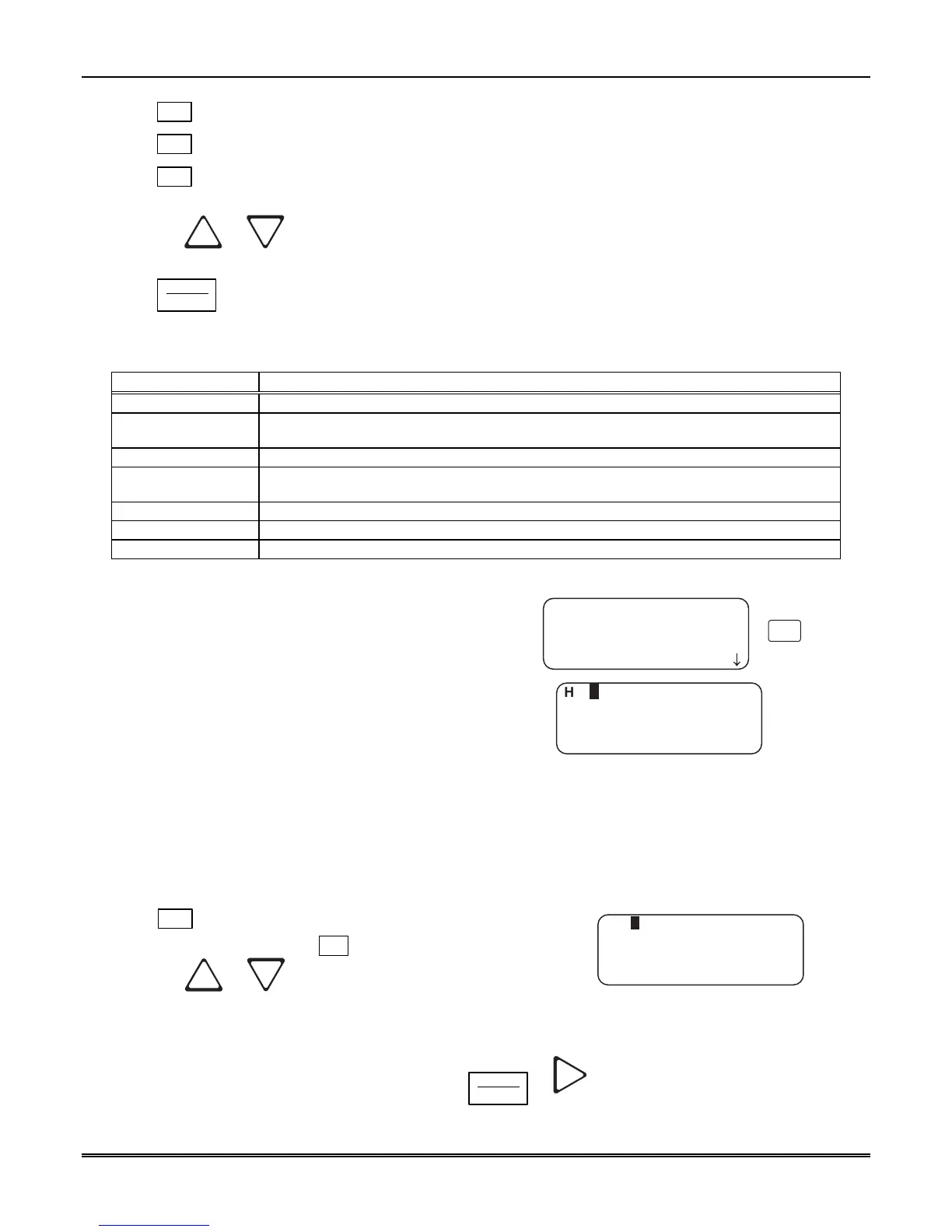
The display will show a list of choices. Table 5–12 lists these choices and a brief description.
Table 5–12: MX8000–LC3 Edit Line List Items and Description
Edit Line List Description
1 Handshake Seq This function is used to program the handshake order and parameters for this Line.
2 Pulse Format
Used to set the 5- and 6-digit format, Interdigit timeout, acknowledgement, and to select if
partially extended is enabled.
3 Line Options Used to set number of rings, ring on/off duration, threshold voltage, and sample time.
4 Listen In
Used to program the parameters for the listen in (two-way voice communication) feature if
used. Must not be used in UL installations.
5 Misc. Line Opt. Used to program hunt group number, enable or disable echo suppression, and billing delay.
6 Ademco Auto Opt. Used to select the BFSK auto output, 3/1 restore output, pulse output, and FBII output.
7 Line Gain Opt. Used to select the transmit and receive line gain and some Caller ID gain options.
5.5.2.1 Handshake Sequence
Each line card is intelligent enough to determine
what format is being sent from a reporting panel. You
only need to program the handshake order and
parameters for each Line. A Line will initiate up to six
different types of handshake tone groups. The order in
which the receiver sends out these handshake signals
can be changed in this program location for each line
card. Table 6–1 in Section 6 lists the proper
handshake to use for the type of communication
format you are using with a panel.
Follow these steps to change the handshake order and
or the parameters associated with the handshake.
Dur=0100
Wait=1250 AckDur=0800
<Seq # <=Exit>
<Edit Line: 01>
1=Handshake Seq.
2 Pulse Format
3 Line Options
¯
Hs=1 Gr=1400-2300–2
1
Figure 5–13: MX8000–LC3 Handshake Sequence
Menu
To Change the Handshake Sequence Number:
Handshake sequence sets the order in which the receiver will send out handshakes.
1. Follow the procedures in Section 5.5.2.
2. Press
1
for handshake sequence menu.
When display flashes on the Hs# (see Figure 5–13).
3. Press the or button to change the ordered
handshake number.
1 = the first handshake tone sent 2 = the second
handshake tone to be sent and so on.
Dur=0100
Wait=1250 AckDur=0800
<Seq # <=Exit>
Hs=1 Gr=1400_2225–2
Figure 5–14: MX8000–LC3 Handshake Order
Number
4. When the desired order number is flashing press
ENTER
MENU
or .
The display will start flashing the format group field.



 To Next Page