MX8000 Installation and Operation Guide
4–14
How to Print Line Card Statistics
Follow these steps to print line card statistics:
1. Log on to the receiver (see Section 4.4.4 for log on procedure).
2. Press the
ENTER
MENU
button to view the main menu items.
3. Press
6
for the printer menu. (See Figure 4–12.)
4. Press
1
for print report menu. (See Figure 4–13.)
5. Press
5
to print the statistics for all line cards.
6. Press
to exit menu.
4.6.8.2 Edit Event Format
Edit event format allows you to configure what information
will print on reports to the receiver.
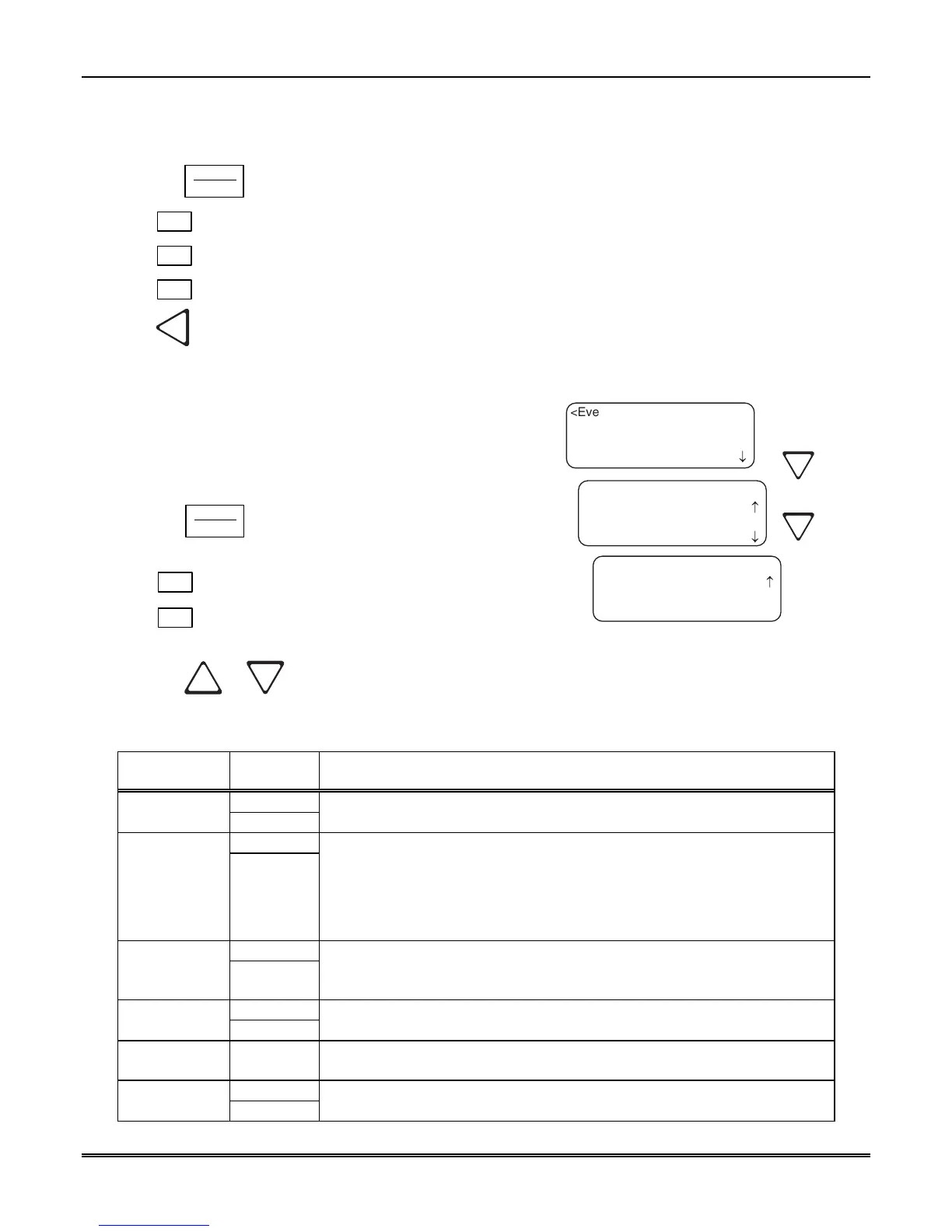
Follow these steps to configure the report format:
1. Log on to the receiver (see Section 4.4.4 for log on
procedure).
2. Press the
ENTER
MENU
button to view the main menu
items.
3. Press
6
for the printer menu. (See Figure 4–12.)
4. Press
2
for event format menu items. (See Figure
4–16.)
¯
¯
<Event Format Menu:>
01=Date/Time [Y]
02 Format Type [Y]
03 Ref Number [Y]
<Event Format Menu:>
04=Call Sep [Y]
05 Device Num [Y]
<Event Format Menu:>
06 Prt Condensed[N]
05 Device Num [Y]
06 Prt Condensed[N]
< Exit Menu
Figure 4–16: Event Format Menu Items
5. Press the
or button to move through the event format choices. (See Table 4–7 for choice
definitions.)
Table 4–7: Event Format Choices and Meaning
Event Format
Options
Choices Meaning
Y (Yes)
Date/Time
N (No)
Y = Date and time will print for each report message to the printer.
N = Date and time will not print for each report message to the printer.
Y (Yes)
Format Type
N (No)
Y = The reporting format type of the calling control panel will print for each report
message to the printer.
N = The reporting format type of the calling control panel will not print for each
report message to the printer.
Note:
The Format Type will be listed as a number, which represents the format
used for that communication.
Y (Yes)
Reference
Number
N (No)
Y = The reference number will print for each report message to the printer.
N = The reference number will not print for each report message to the printer.
(See Figure 4–7)
Y (Yes) Call Separator
N (No)
Y = Print a dashed-line between each message report to the printer.
N = Do not print a dashed-line between each message report to the printer.
Device Number
Y (Yes) Y = Print the device number of the reporting message to the printer.
N = Do not print the device number of the reporting message to the printer.
N (No)
Print
Condensed
Y (Yes)
N = Printer output in normal mode.
Y = All print data on a single line.



 To Next Page