Camera and Multimedia 123
Working with videos
Once you have taken a video, you can view it or share it with friends.
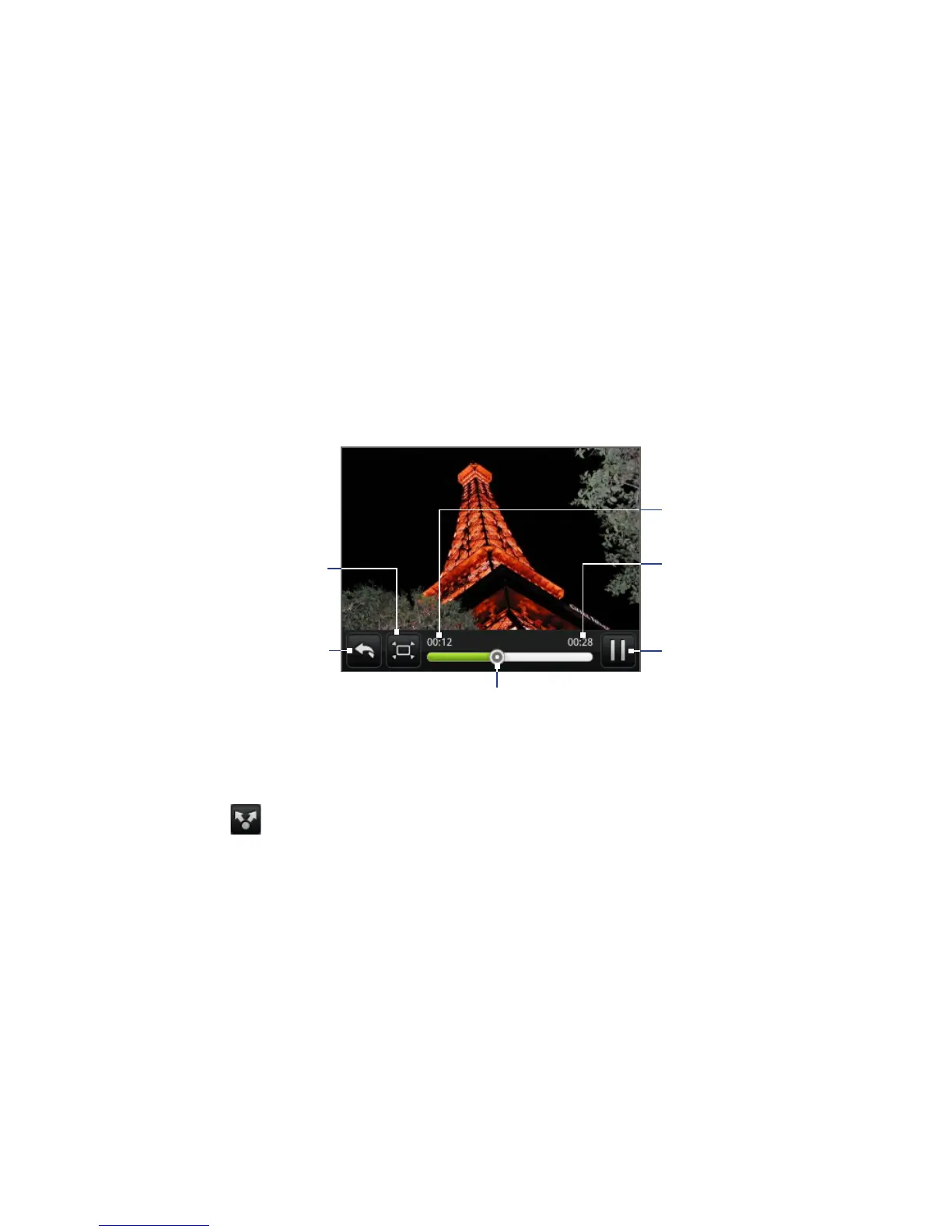
To watch videos
1. On the main Albums screen, tap a video album and then tap the video you
want to watch to start playing back the video.
2. Slide your finger onscreen to go through the videos. Tap the thumbnail to
view it in full screen. The screen automatically switches to landscape mode
when you play back a video.
Tap to toggle
between playing and
pausing the video.
Tap to go back to
video album.
Elapsed time
Total video
duration
Tap to play the
video in expanded
or minimum
(best fit) size.
Drag to the left or right to go
back or forward in the video.
To send a video using email
1. In the Albums screen, open the album where the videos you want to send are in.
2. Tap and then on the Share options menu, tap Mail.
3. Select the videos you want to send, and then tap Next.
The videos are automatically added as an attachment to the email.
Note If you selected Mail and you have multiple email accounts, the default email
account will be used.
4. Compose your message, and then tap Send.



 To Next Page