People 71
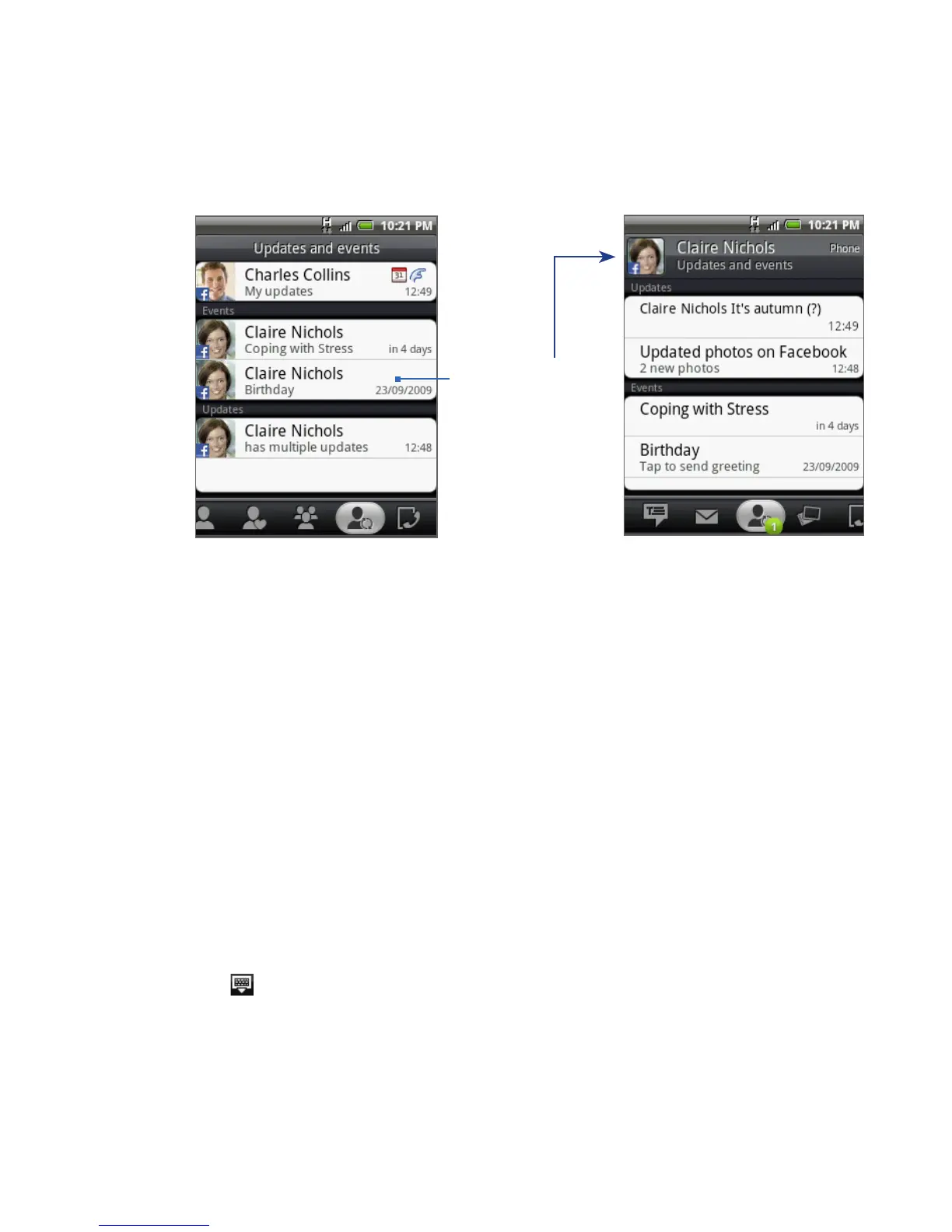
Tap a notification to
go to the Updates
and events tab of
the Contact Details
screen for the
relevant contact.
Tip On the Albums tab of the Contact Details screen for each contact, the contact’s recent
Facebook and Flickr photo albums are displayed. Tap an album to view the photos in
the Albums program. For information on what you can do in the Albums program, see
Chapter 7.
Logging in to Facebook or Flickr
1. On the All tab of the People screen, tap My contact card, press MENU, and
then tap Edit.
2. Scroll down and tap Facebook or Flickr.
3. Enter your login details, and then tap Log in.
Note You may be asked to give authorization for the HTC Flickr client to connect to the
Flickr web site. You need to give authorization to access your Flickr account.
To log out of Facebook or Flickr
1. On the All tab of the People screen, tap My contact card, press MENU, and
then tap Edit.
2. Tap to hide the onscreen keyboard, and then tap Facebook or Flickr.
3. When prompted, tap OK, and then tap Save.



 To Next Page