26 Phone Basics
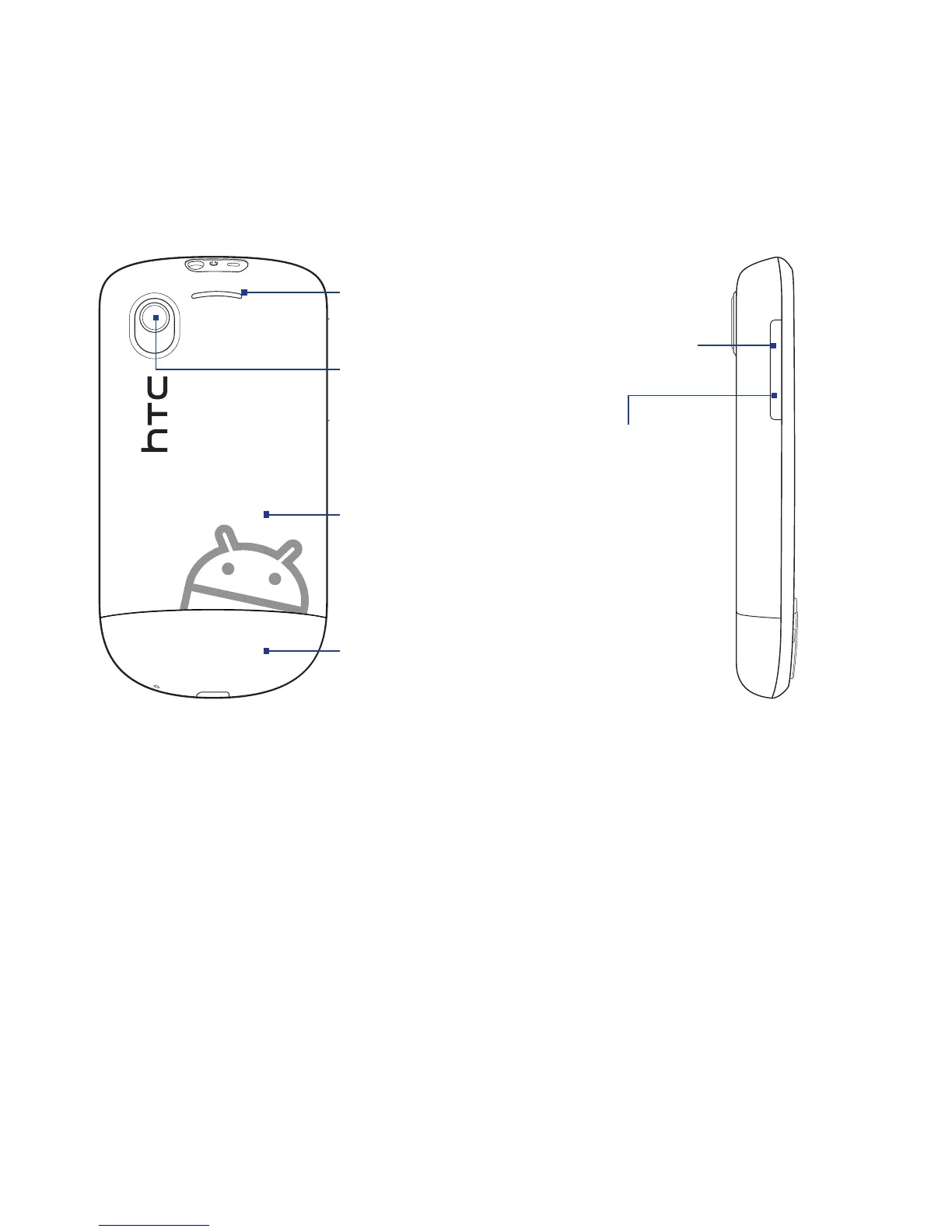
Back panel Left panel
Back Cover
See “To remove the
back cover” in this
chapter.
Camera
See “Using Camera
and Camcorder ” in
Chapter 7 for details.
Speaker
Bottom Cover
See “Changing the
Look of Your Phone” in
Chapter 10.
VOLUME UP
Press to increase
the ringer or
media volume.
VOLUME DOWN
Press to lower
the ringer or
media volume.
1.2 Installing the Battery, SIM Card, and Storage Card
Always turn off your phone before installing or replacing the battery, SIM card, and
storage card. Complete these tasks by removing the back cover first.
Note If you want to remove the storage card without turning the phone off, see “To remove
the storage card while the phone is on” in this chapter.
To remove the back cover
1. Make sure the phone is turned off.
2. Hold the phone with both hands and the front panel facing down.



 To Next Page