46 Phone Basics
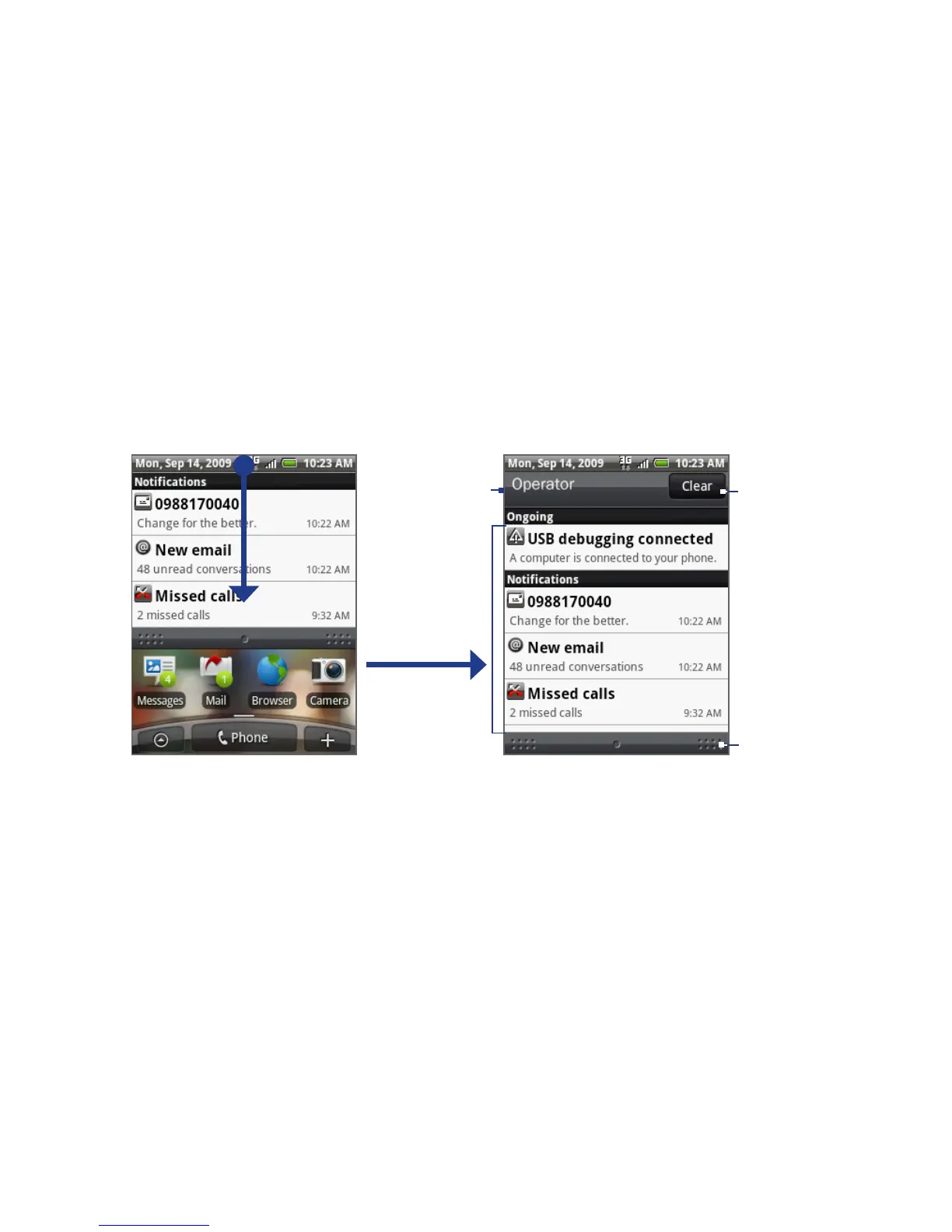
Notifications panel
Notification icons report the arrival of new messages, calendar events and ongoing
settings such as when call forwarding is on or the current call status. You can open
the Notifications panel to open the message, reminder, or event notification and
see the wireless service provider name.
To open the Notifications panel
When the status bar displays a new notification icon, press and hold the status bar,
and then slide your finger downward to open the Notifications panel.
Operator name
Tap a notifica-
tion to open
the related
application.
Press and hold,
and then slide
up to close the
Notifications
panel.
Clear all
notifications.
If you have several notifications, you can scroll down the screen to view more
notifications.
Tip You can also open the Notifications panel on the Home screen by pressing MENU, and
then tapping Notifications.
To close the Notifications panel
Press BACK or press and hold the bottom bar of the Notifications panel, and then
slide your finger up the screen.



 To Next Page