Managing Your Phone 195
Installing the new covers
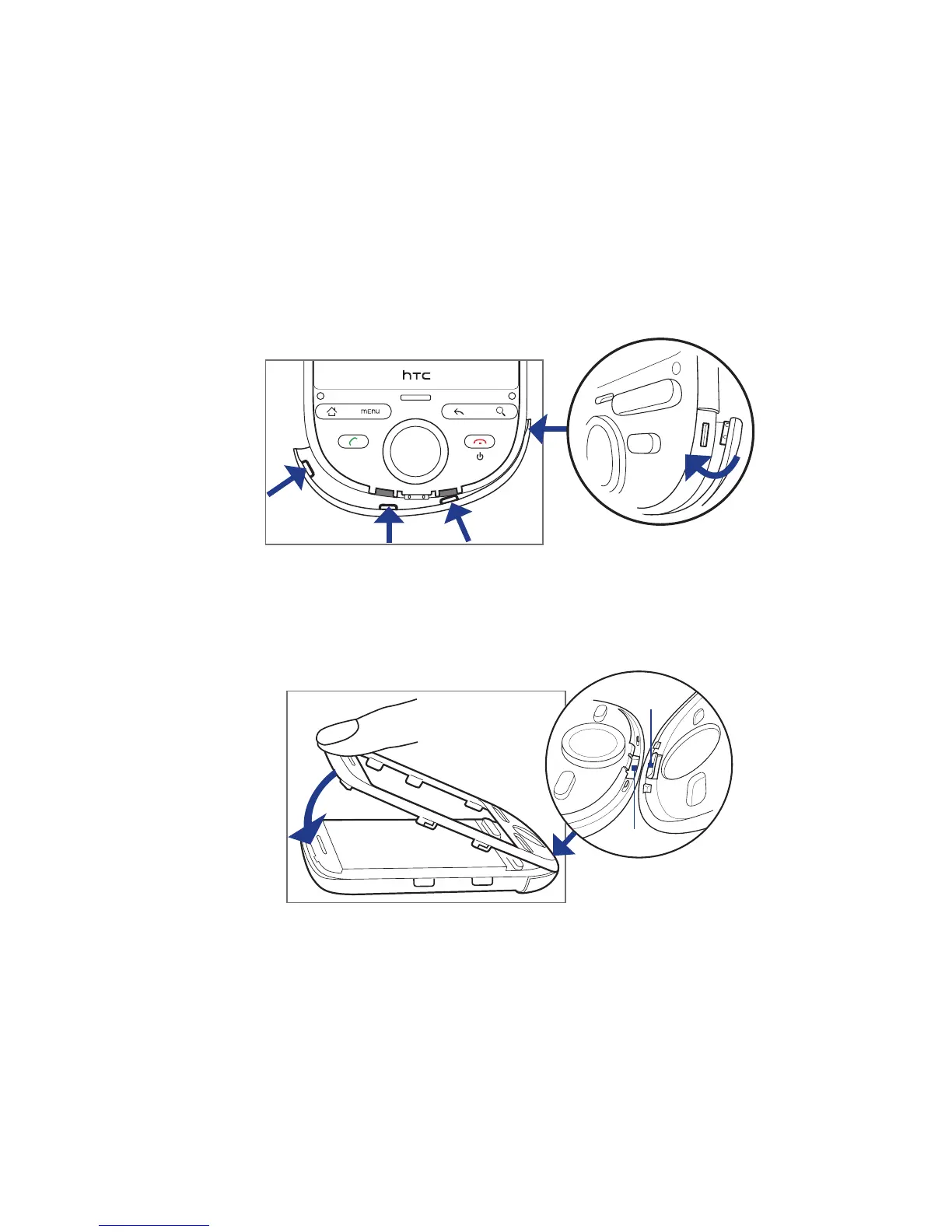
1. Starting from the phone’s right panel, insert the tab of the new bottom cover
to the hole, and then run your finger to the other side of the cover until all its
tabs are properly inserted. Follow the installation sequence in the illustration.
1
2
3
4
2. Insert the faceplate’s bottom tab to the hole at the bottom panel of the phone.
3. Press the faceplate against the phone until the side tabs are properly inserted,
and then firmly press the top part of the faceplate until it clicks into place.
3
2
Tab
Hole
4. Replace the battery, and then attach the new back cover.



 To Next Page