126 Camera and Multimedia
Playing music
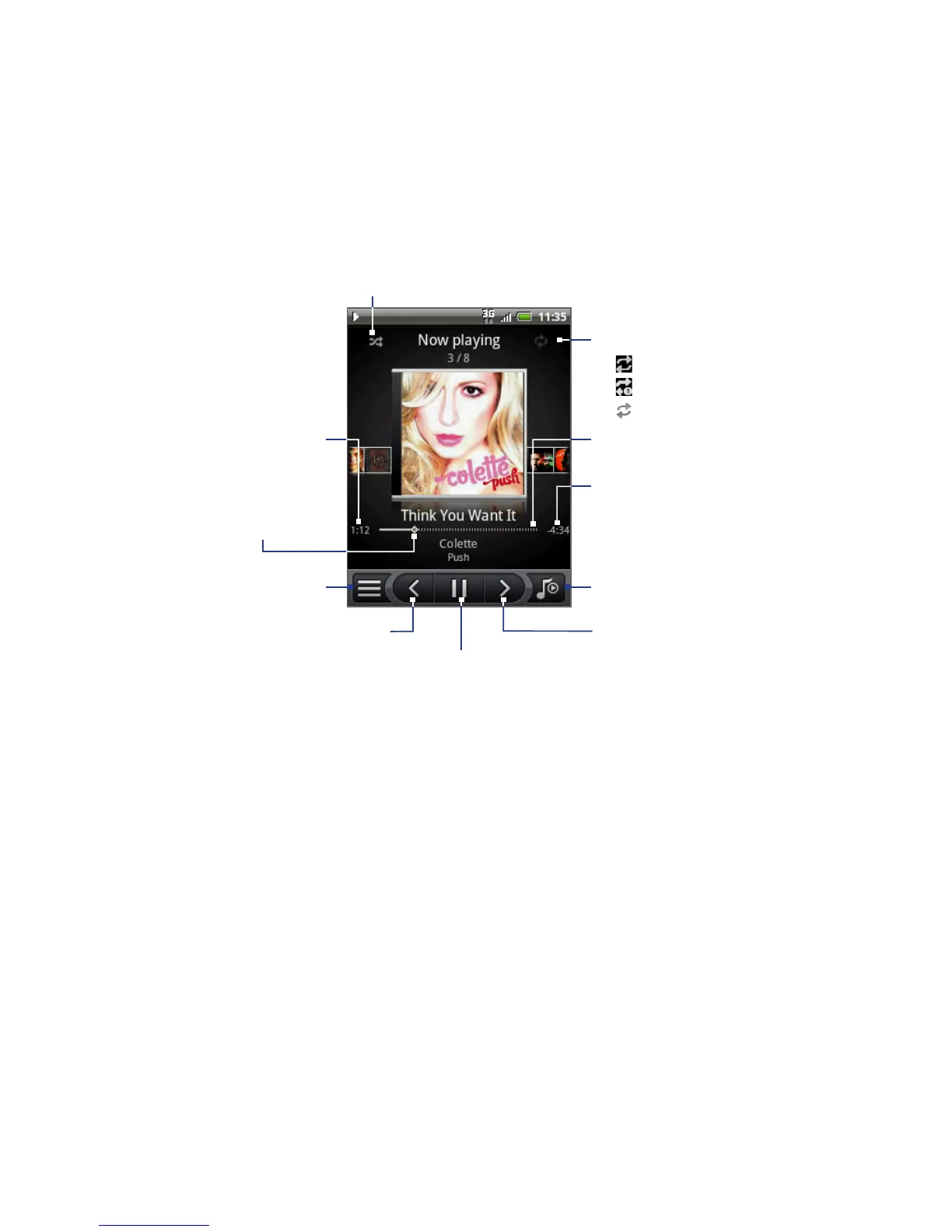
Press and drag to
jump to any part
of the song.
Tap to turn shuffle on and off.
(Shuffle is off when button is gray.)
Tap to cycle through the
repeat modes:
Repeat all songs
Repeat current song
Don’t repeat
•
•
•
Remaining time
Tap to pause or to
resume playing
the song.
Elapsed time
Progress bar
Tap to go to
the Library.
Tap to go to the previous
song in the Now playing list.
Tap to go to the next
song in the Now
playing list.
Tap to toggle
between showing
the Now playing list
and Playback screen.
Tip You can also swipe your finger from right to left or left to right to go to the next or
previous song in the Now playing list.
Note Press the VOLUME UP or VOLUME DOWN button to adjust the playback volume



 To Next Page