128 Camera and Multimedia
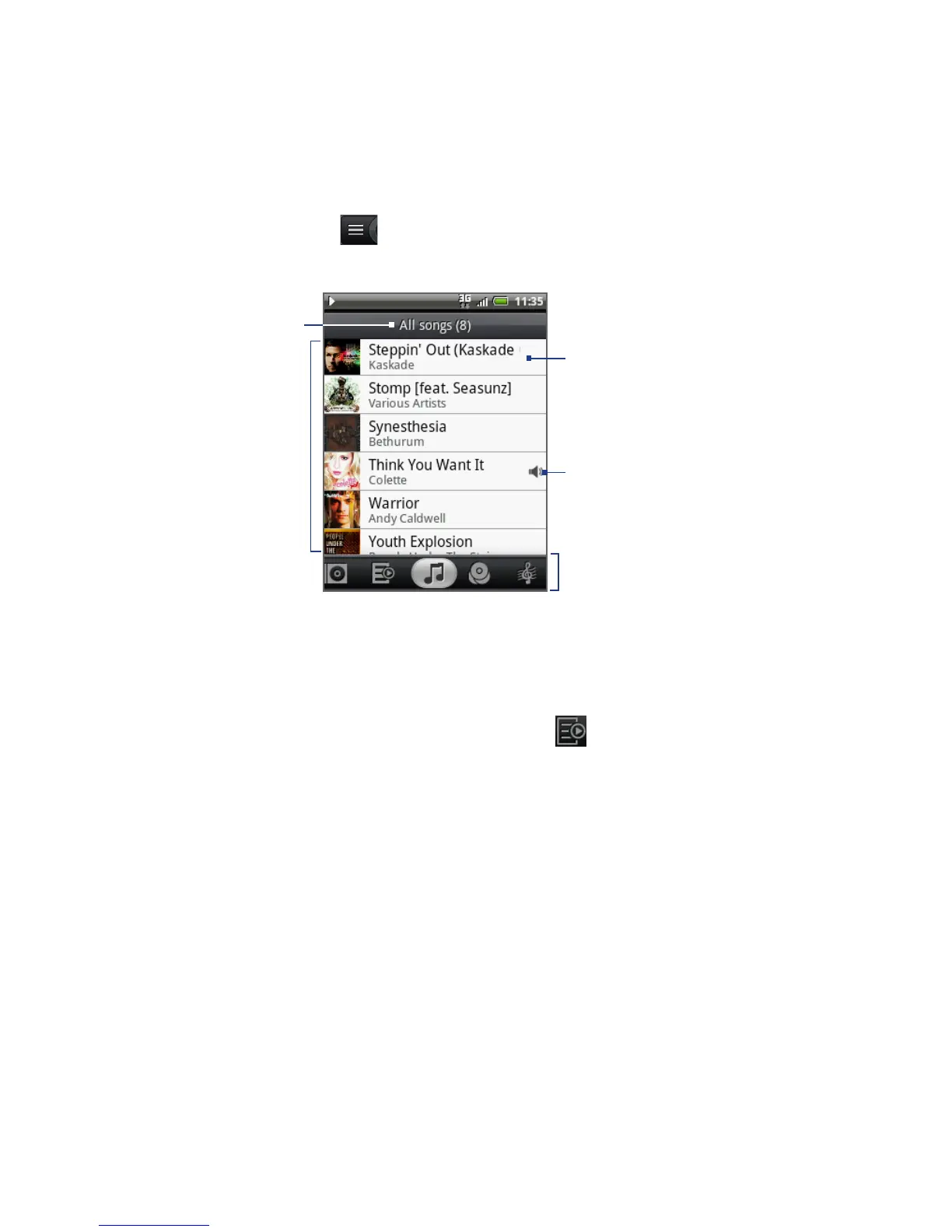
To go to the Library, tap at the bottom-left of the Playback screen or the Now
playing screen.
Indicates the song
currently being
played back.
Tap a music category to
open the music file you
want to play.
Tap to play back.
List songs in
the category.
Category name
Creating playlists
Use playlists to organize your music files. You can create as many playlists as you
want on your phone.
In the Library, go to the Playlist category ( ).
Tap Add playlist.
Enter the Playlist name, and then tap Save.
Select a category to add songs to the playlist.
Tip Go to the All songs category to show all the available songs.
5. Press and hold the song you want to add to the playlist, and then tap
Add to playlist.
6. Select the playlist where you want to add the song.
1.
2.
3.
4.



 To Next Page