44 Phone Basics
1.8 Phone Status and Notifications
Phone status icons
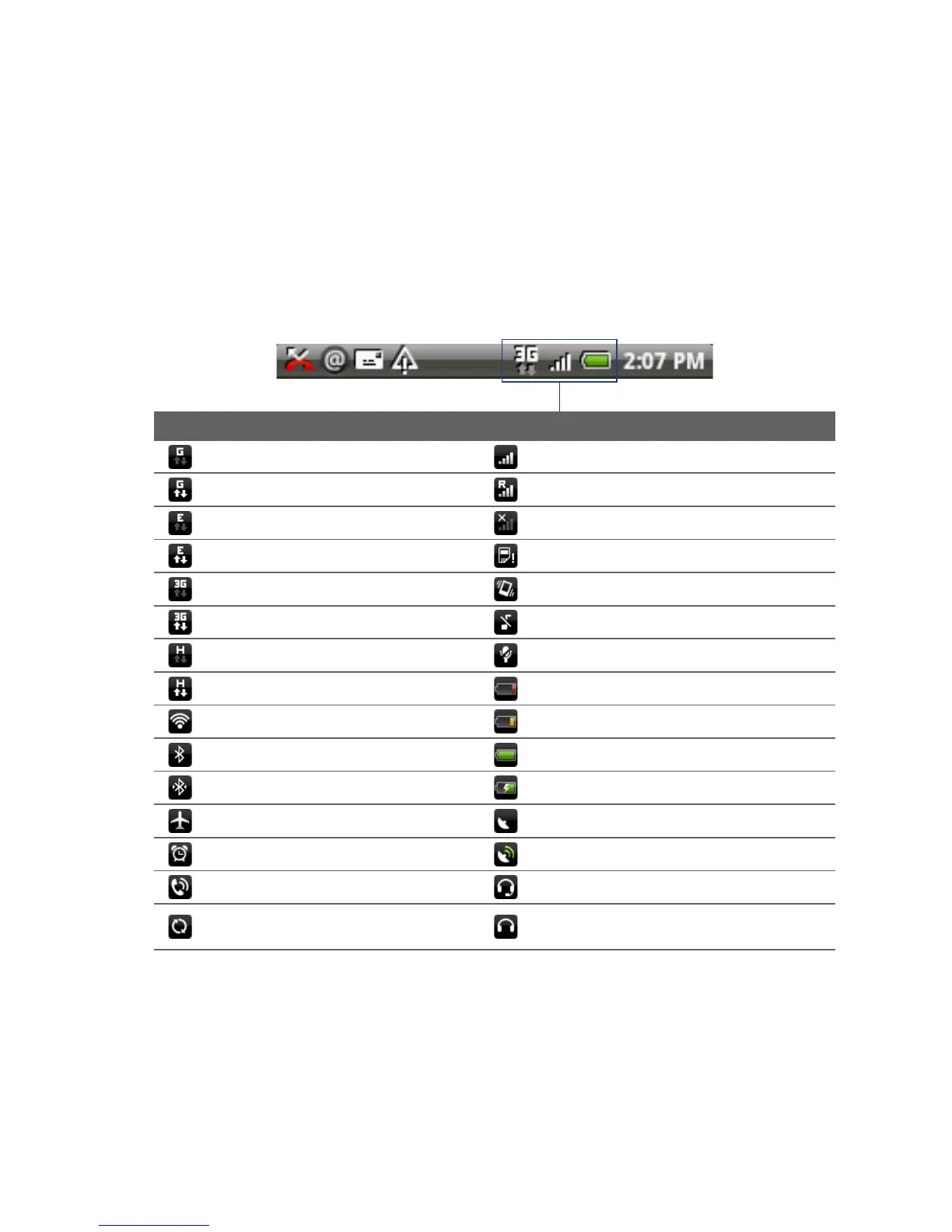
These are the icons that may appear on the phone status area of the status bar:
Icons that appear in this area
GPRS connected Signal strength
GPRS in use Roaming
EDGE connected No signal
EDGE in use No SIM card installed
3G connected Vibrate mode
3G in use Phone speaker is mute
HSPA connected Phone microphone is mute
HSPA in use Battery is very low
Connected to a Wi-Fi network Battery is low
Bluetooth is on Battery is full
Connected to a Bluetooth device Battery is charging
Airplane mode GPS is on
Alarm is set GPS is connected
Speakerphone on Wired microphone headset connected
Microsoft Exchange ActiveSync
data is synchronizing
Wired headset connected



 To Next Page