Phone Basics 45
Notification icons
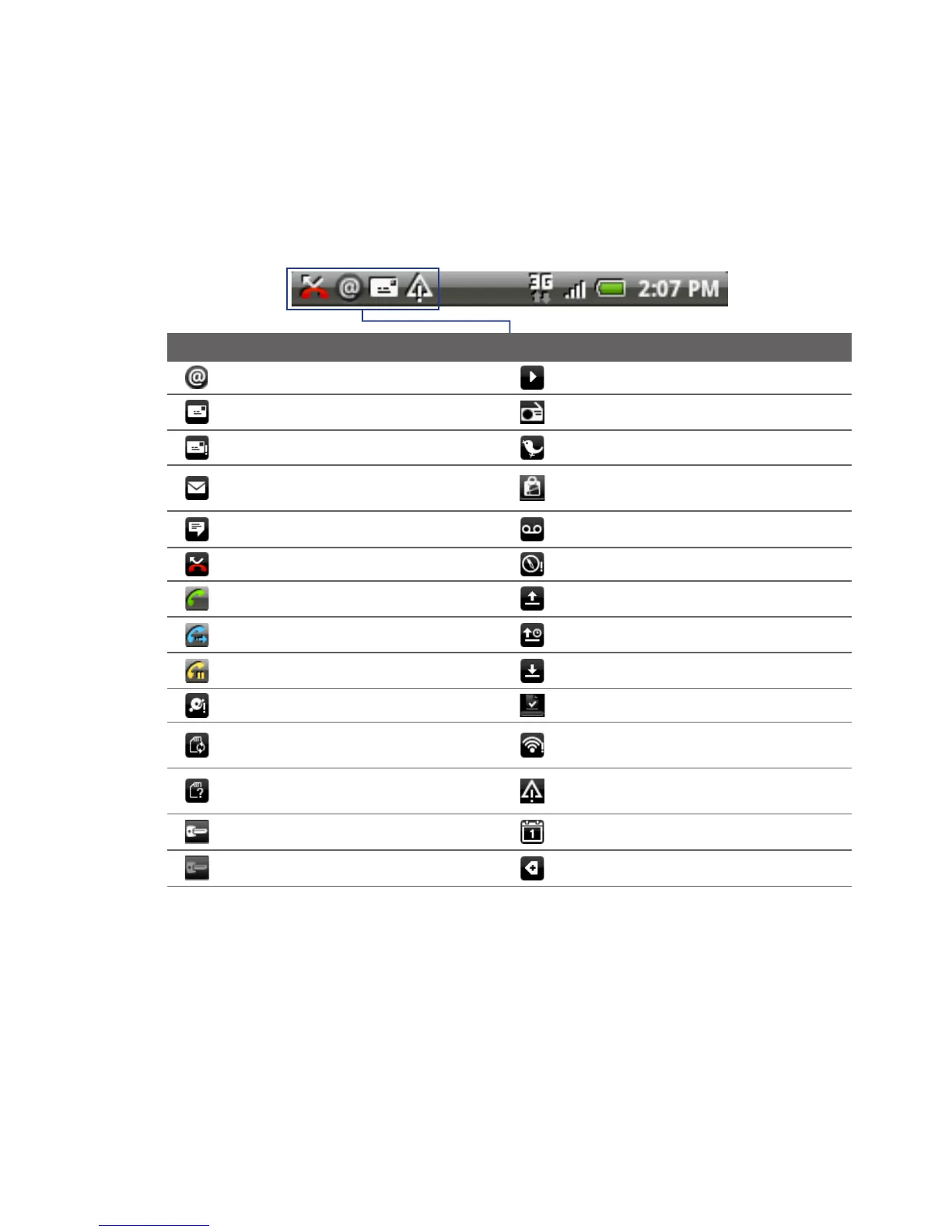
These are the icons that may appear on the notifications area of the status bar:
Icons that appear in this area
New Google Mail/Gmail message Song is playing
New SMS/MMS FM Radio is on
Problem with SMS/MMS delivery New tweet
New Microsoft Exchange
ActiveSync or POP3/IMAP email
Update available for an application
downloaded from Android Market
New instant message New voicemail
Missed call Compass needs orientation
Call in progress Uploading data
Call forwarding on Waiting to upload
Call on hold Downloading data
Storage card is low on free space Content downloaded
Storage card is safe to remove or
storage card is being prepared
Wi-Fi is on and wireless networks are
available
No storage card installed on
the phone
General notification
(for example, sync error)
Connected to a VPN Upcoming event
Disconnected from a VPN More (not displayed) notifications



 To Next Page