Other Applications 165
Calendar views
You can display the Calendar in daily, weekly, monthly, or agenda view. To change
the Calendar view, press MENU, then tap Day, Agenda, or Month.
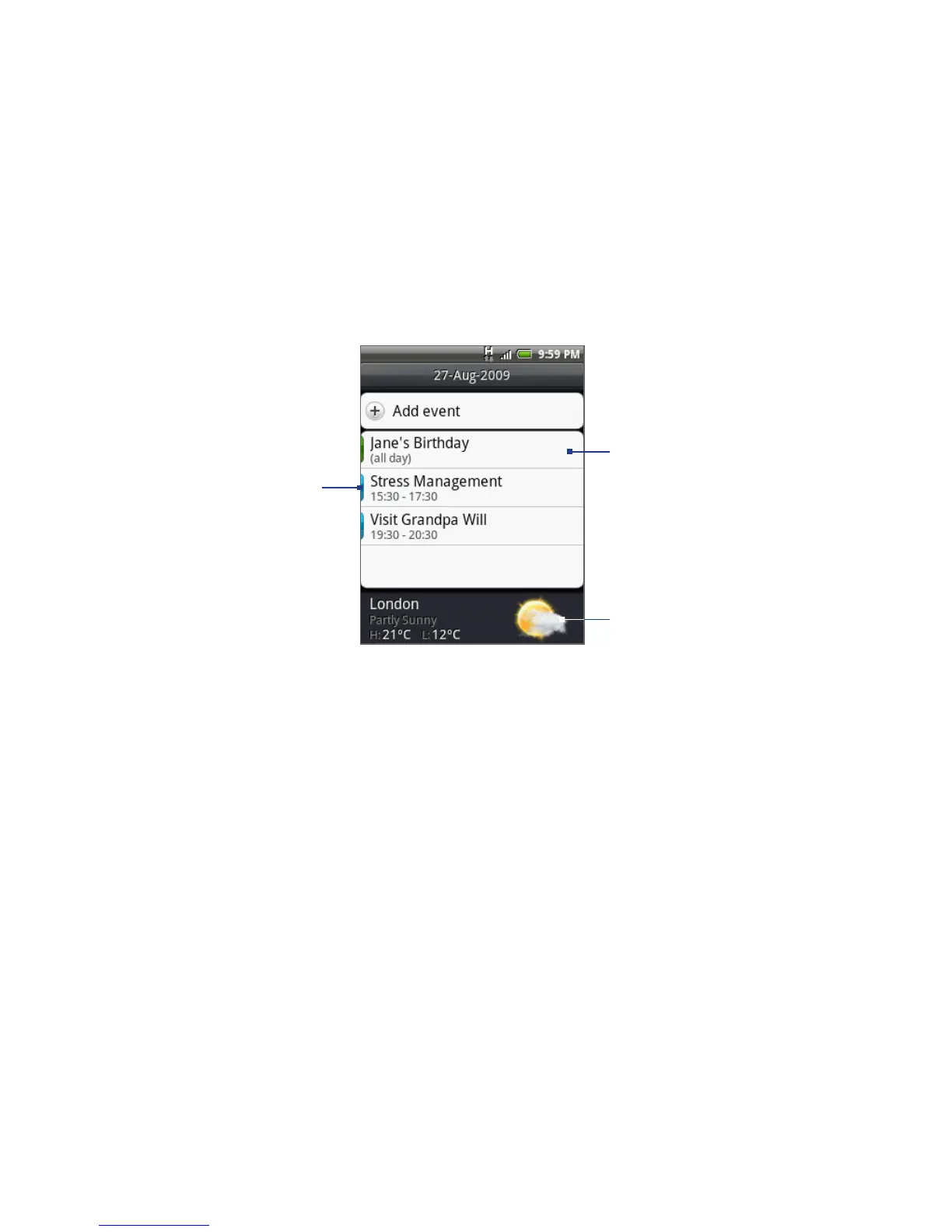
Day view
Shows the weather
information. To show the
weather information, in any
calendar view, press MENU,
then tap Settings > Views
and then select the Include
weather check box. Choose
the city to display in City.
Colored bars
indicate which
calendar the event
was created in.
Tap to open the
event details.
Note The weather information appears only if the appointment is within the 5-day forecast
of the Weather application, and when viewing Calendar in Event list view. To check
if Calendar is in Events list view, in any calendar view, press MENU, and then tap
Settings > Views > Day views.



 To Next Page