Other Applications 179
9.5 Using Peep
Peep™ is a Twitter client that lets you enjoy “twittering’’ on your phone. Send out
tweets, read and receive tweets from people, search for new Twitter users to follow,
all from your phone.
Note You need to be signed in to your Twitter account to use Peep.
Opening Peep
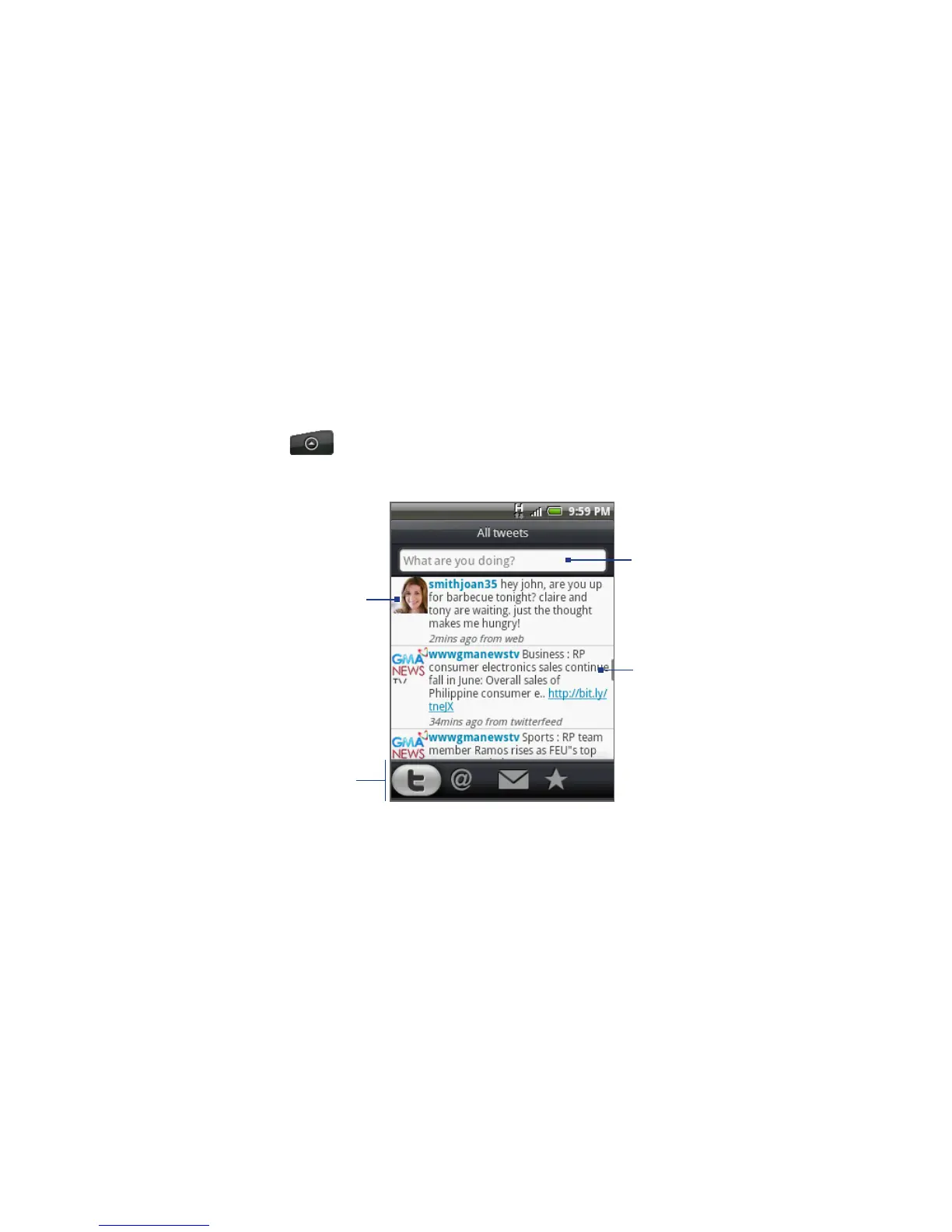
Press HOME, tap , and then tap Peep. Peep opens in the All Tweets tab.
Slide your finger on the bottom row to go to the tab you want.
Slide your finger to
select whether to show
All Tweets, Replies,
Direct Message, or
Favorites.
Tap to view the Twitter
user’s profile. This also
shows you all tweets
from this Twitter user.
Press and hold an item
to open the options
menu to let you reply,
send a direct message,
Retweet, add to
favorites, and view the
profile.
Tap to enter a tweet
to send out.



 To Next Page