30 Phone Basics
Storage card
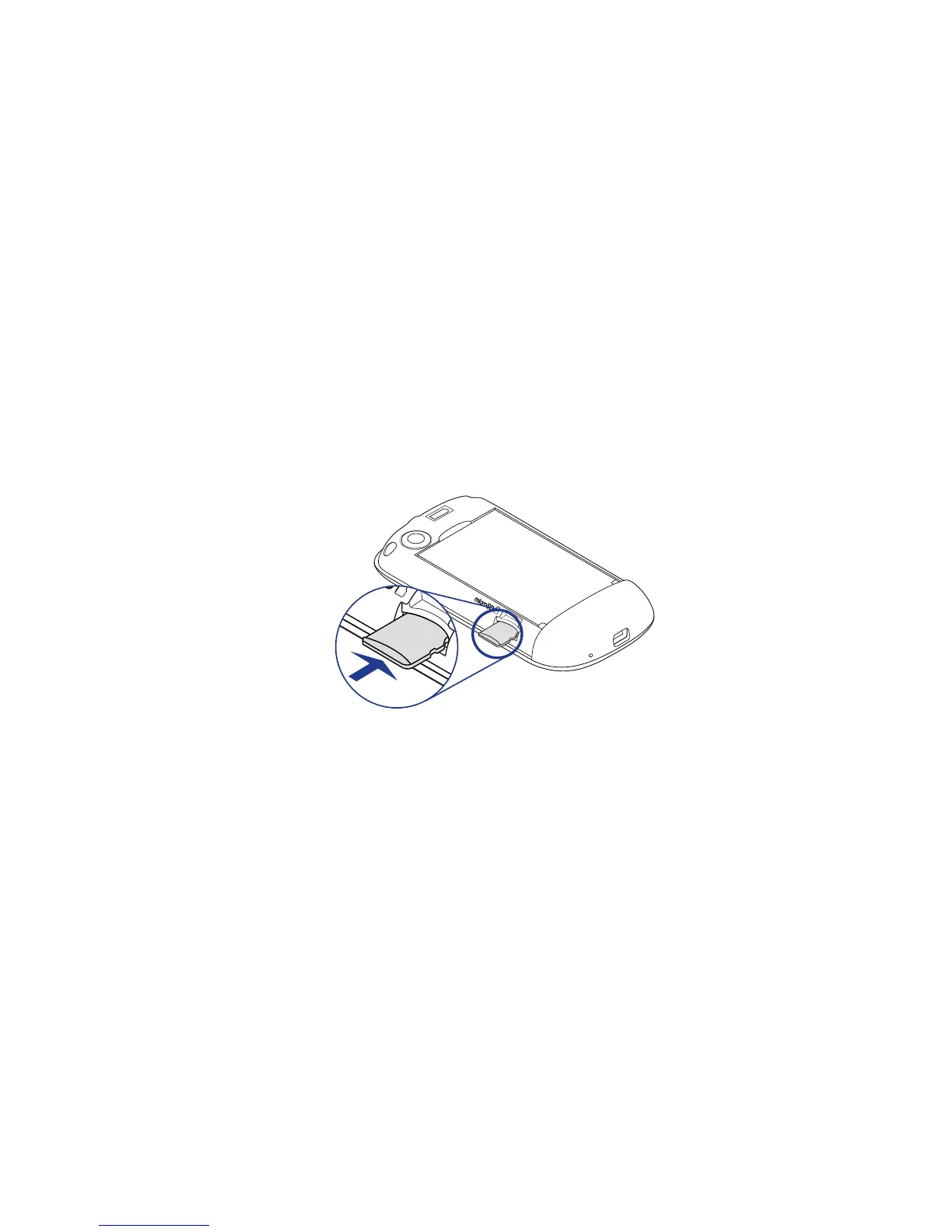
To store your pictures, music, and applications, install the supplied microSD
™
card
into your phone.
Important You need to install the microSD card before you can use the Camera, Music,
and Albums applications.
To install the storage card
1. Remove the back cover.
2. Insert the microSD card into the slot with its gold contacts facing down.
3. Press the microSD card into the slot until it clicks in place.
To remove the storage card when the phone is off
Remove the back cover, and then press the storage card to eject it from the slot.
To remove the storage card while the phone is on
Follow these steps when you need to remove the storage card while the phone is
on to prevent corrupting or damaging the storage card.
Press HOME > MENU, and then tap Settings.
Scroll down the screen, and then tap SD card & phone storage.
Tap Unmount SD card.
Remove the storage card by following the instructions above.
1.
2.
3.
4.



 To Next Page