28 Phone Basics
Warning! To reduce risk of fire or burns:
• Do not attempt to open, disassemble, or service the battery pack.
• Do not crush, puncture, short external contacts, or dispose of in fire or water.
• Do not expose to temperatures above 60
o
C (140
o
F).
• Replace only with the battery pack designated for this product.
• Recycle or dispose of used battery as stipulated by local regulations.
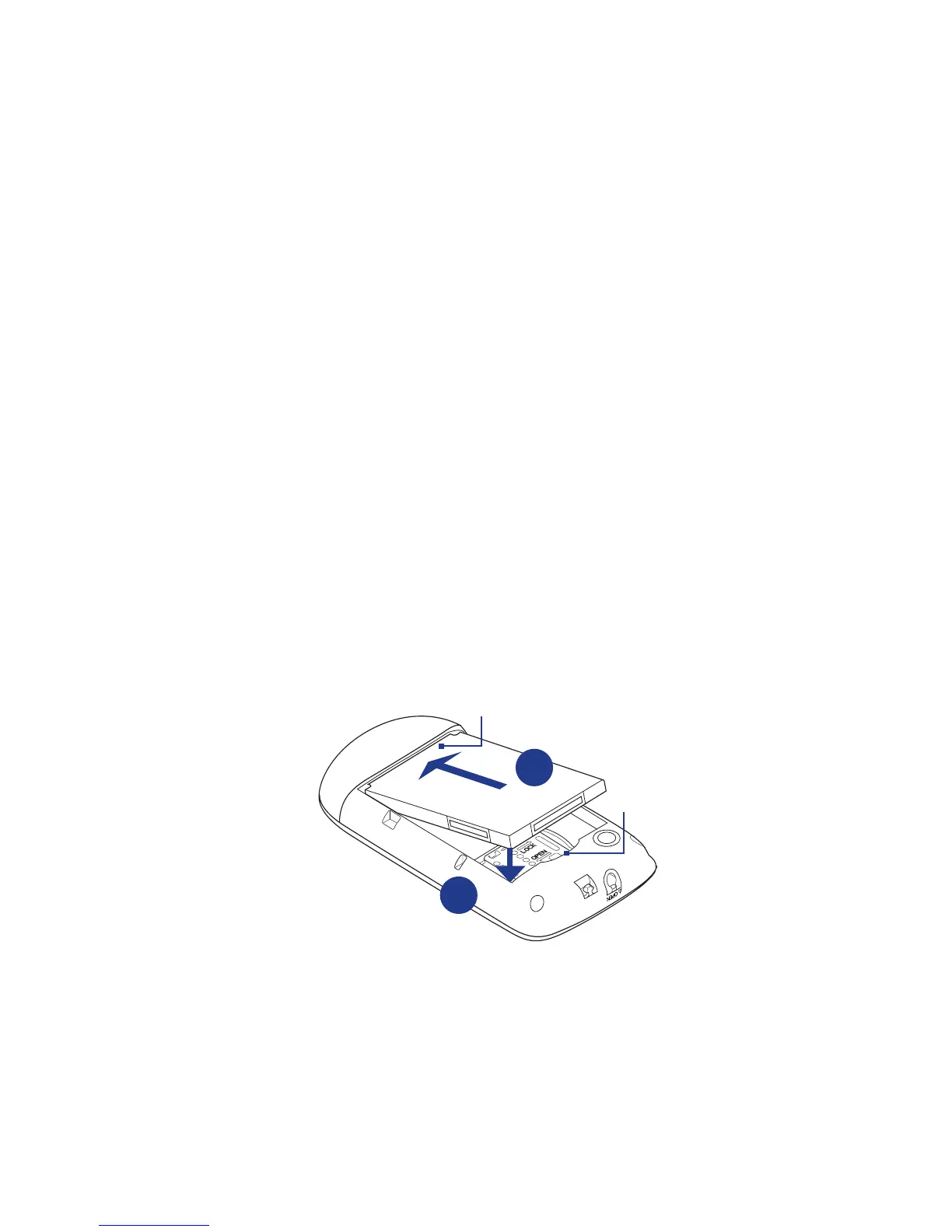
To remove and replace the battery
1. Remove the back cover.
2. If this is your first time to remove the battery, pull the film on top of the
battery, and then discard the film. For subsequent removal, lift the battery
from the groove of the battery compartment.
3. Install your SIM card. For more information, see “To install the SIM card” in this
chapter.
4. Replace the battery by aligning its exposed copper contacts with the battery
connectors inside the battery compartment.
5. Insert the contact side of the battery first, and then gently push the battery
into place.
Battery contacts
Groove
4
5
6. Replace the back cover.



 To Next Page