Huawei Proprietary and Confidential
Copyright © Huawei Technologies Co., Ltd.
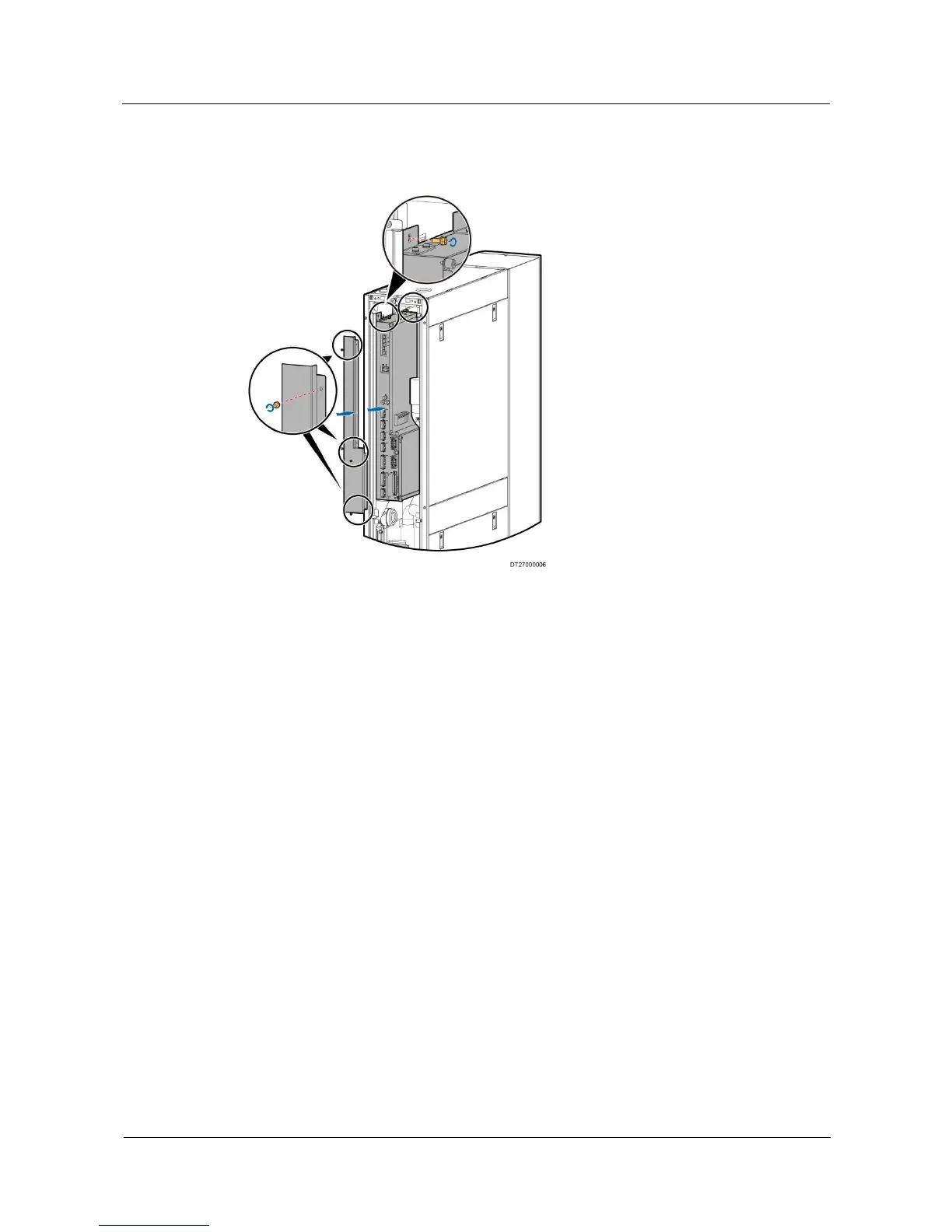
Step 5 Install the electrical control box, air filters, and rear door in the rack in sequence.
Figure 6-2 Replacing components in the electrical control box
----End
6.5.3 Replacing an Air Filter
Prerequisites
The air filter needs to be replaced.
The spare and functional air filters are available.
Context
Preparations: maintain from the rear door.
Procedure
Step 1 Unlock the rear door and pull the rear door upwards to remove the rear door from the cabinet.
Step 2 Rotate the baffle plate and remove the air filter. For details, see 3.6 Removing the Filters.
Step 3 Replace the air filter and fix the baffle plate of the air filter.
Step 4 Insert the lower part of the rear door into the original position, install the upper part of the rear
door, and lock the rear door.
Step 5 Tap Maint > Performance Maint on the home screen to enter the performance maintenance
screen, and clear accumulated running time of the air filter.
----End







 To Next Page