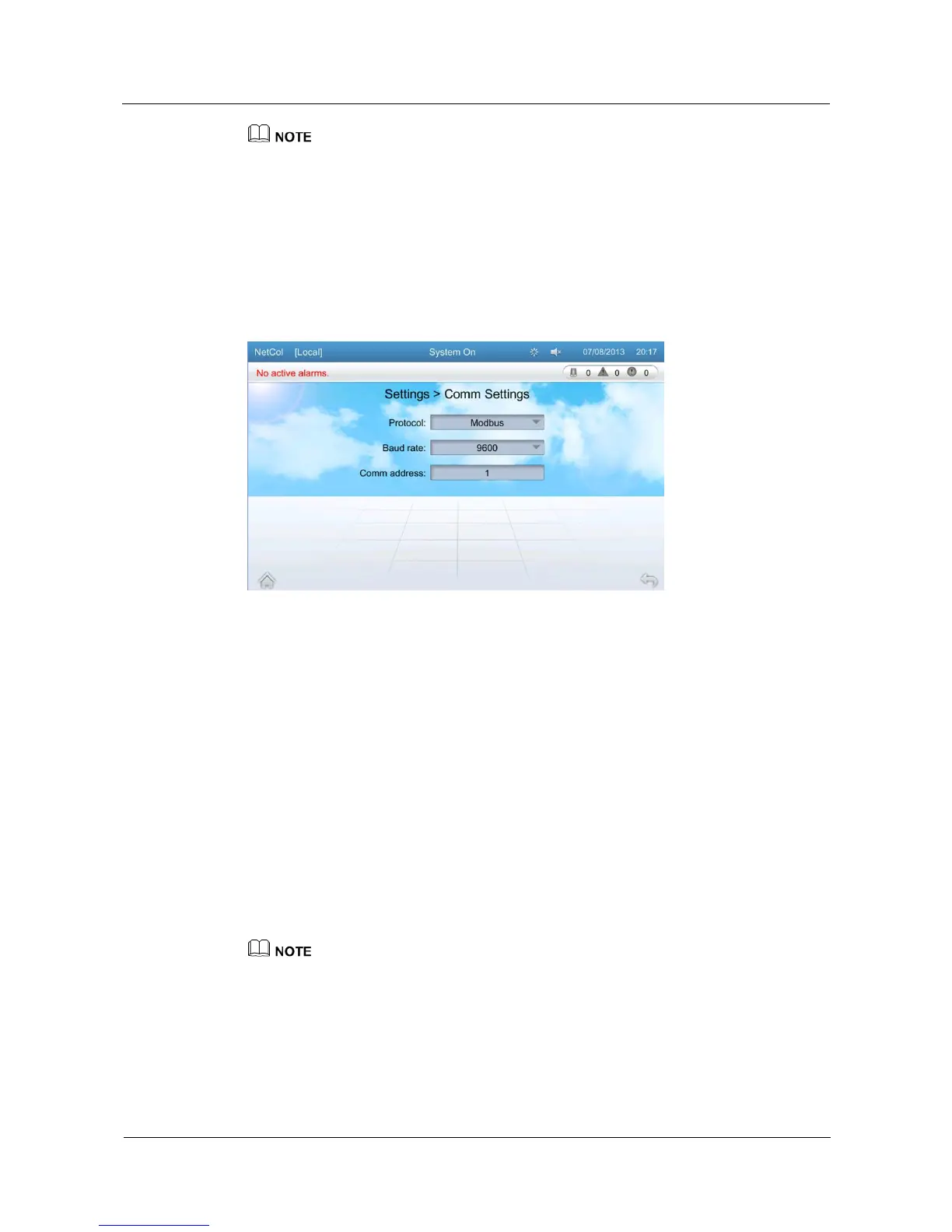
Communications settings define parameters for communication with the northbound devices (the
EMS for example).
You can select only Modbus for Protocol. You can select from 9600, and 19200 for Baud rate. The
value of Comm address ranges from 1 to 255.
The Baud rate and communication address of a single device must be same as that of the EMS.
Communication addresses of two devices must be different.
To perform communications settings, log in as the Operator user or other types of users that have
higher permission.
Figure 5-25 Communications settings screen
5.11.3 Alarm Settings
On the alarm settings screen, you can configure alarms for the T/H sensor, main board, CW
valve, indoor fan, drain device, and cooling system.
Tap Settings > Alarm Settings on the home screen to enter the alarm settings screen, as
shown in Figure 5-26.
Alarm settings including choosing the action for the alarm. The action for the alarms include
allow, block and disallow.
If alarms are allowed, they can be reported to the EMS. Active alarms are displayed on
the LCD and the system performs related protection actions.
If alarms are blocked, new alarms cannot be reported to the EMS. However, the EMS
can detect alarms that are generated before alarms are blocked. Active alarms are
displayed on the LCD and the system performs related protection actions.
If alarms are disallowed, they are not detected and no protection actions are performed.
If you need to change alarm settings, log in as Admin or Engineer users. Other types of users can only
query alarm parameters.







 To Next Page