Huawei Proprietary and Confidential
Copyright © Huawei Technologies Co., Ltd.
The following describes status of the buzzer when different alarms are generated:
Critical alarms: The buzzer is beeping.
Major alarms: The buzzer beeps intermittently every 500 ms.
Warning alarms or no alarms: The buzzer is silent.
5.5 Home screen
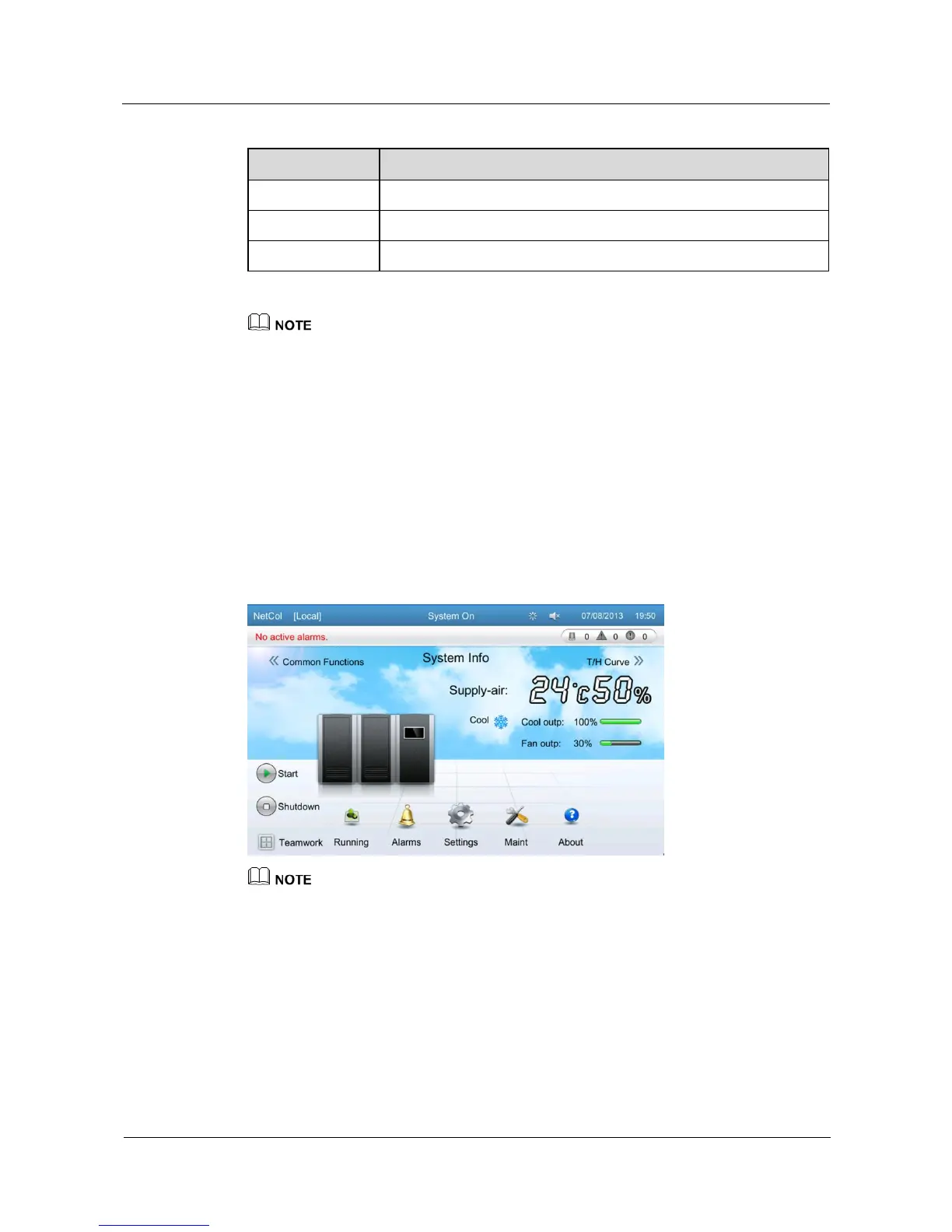
After the progress bar in the startup screen is full, the NetCol5000-C enters the home screen,
as shown in Figure 5-3. You can tap the menu items, buttons, or icons on the screen to enter
related screens or perform operations.
Figure 5-3 Home screen
The following describes the icons on the home screen:







 To Next Page