Huawei Proprietary and Confidential
Copyright © Huawei Technologies Co., Ltd.
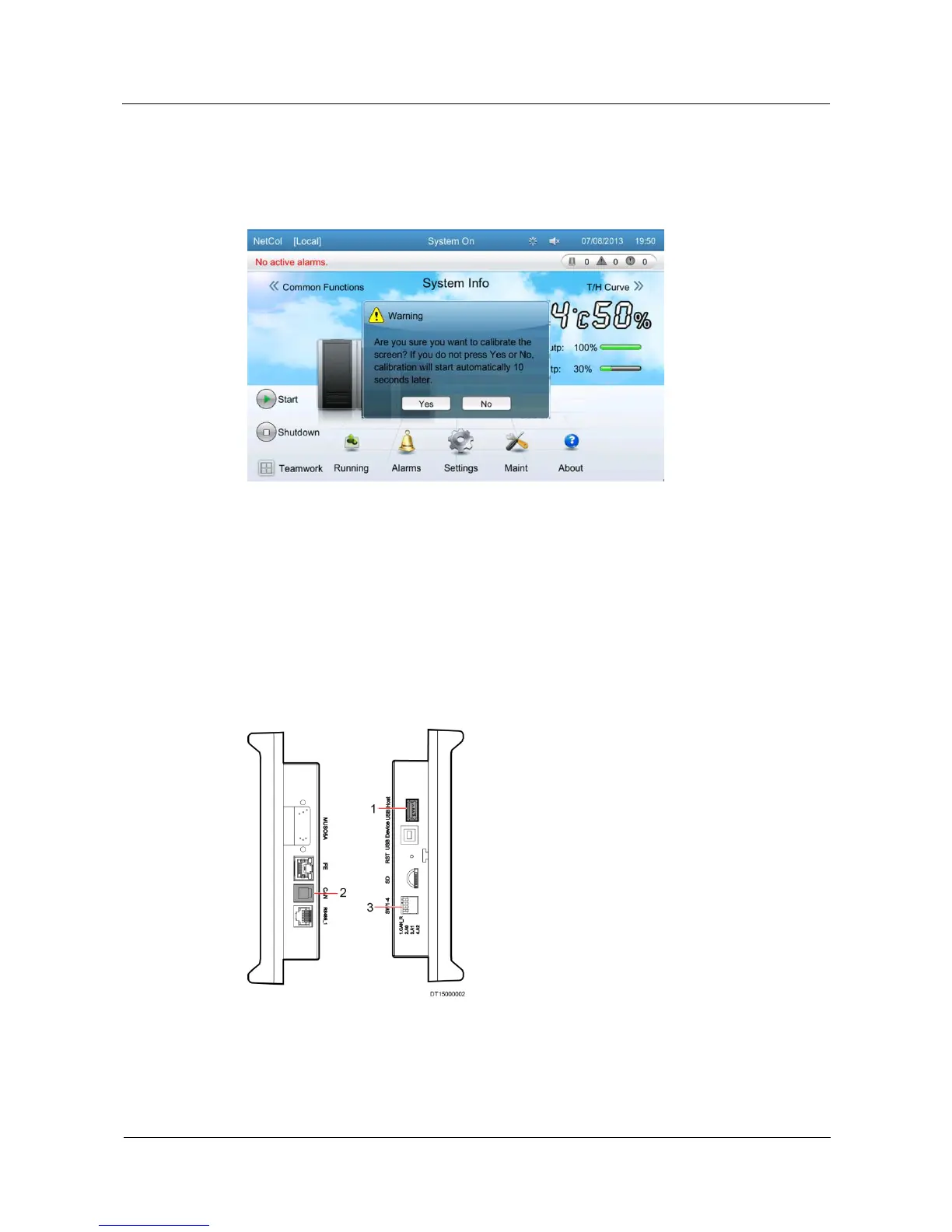
In 15 seconds, a dialog box indicating Are you sure you want to calibrate the screen? If
you do not process Yes or No, calibration will start automatically 10 seconds later. is
displayed, as shown in Figure 5-55.
Figure 5-55 Confirming to calibrate the screen
Tap Yes to enter the page shown in Figure 5-53. Tap the screen. Screen is displayed as Figure
5-54 when the calibration is complete.
5.13.6 USB Operations
USB operations provide easy access for users to update controller programs.
Before the upgrade, connect the USB port of the controller LCD first. Figure 5-56 shows the
ports on the controller LCD.
Figure 5-56 Ports on the controller LCD







 To Next Page