Huawei Proprietary and Confidential
Copyright © Huawei Technologies Co., Ltd.
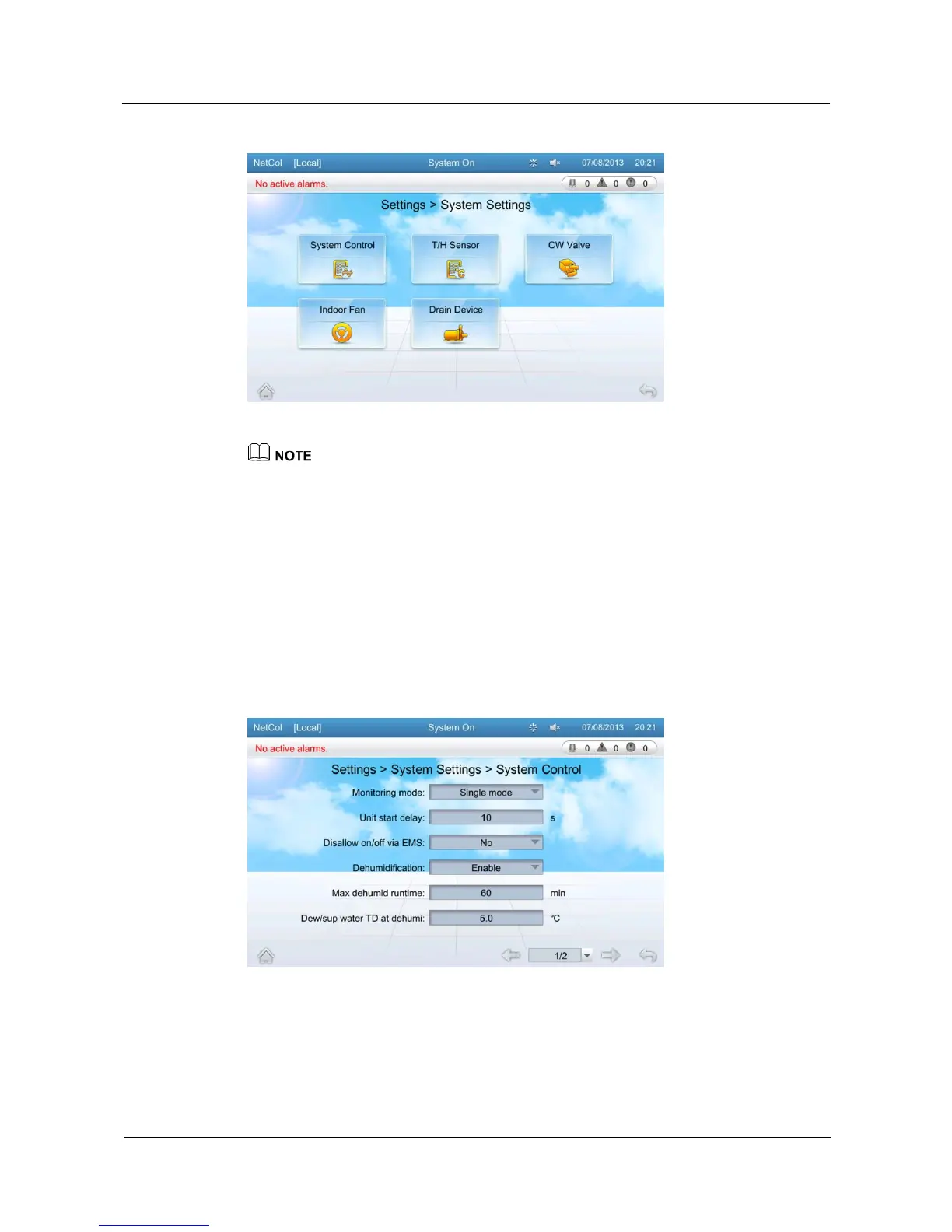
Figure 5-28 System settings screen
If you need to change system settings, log in as users that have related permission. Except for
temperature and humidity items, only professional maintenance personnel are allowed to configure
related items.
System Control
On the system control screen, you can configure monitoring mode, unit start delay, disallow
on/off via EMS, dehumidification, MAX dehumid runtime, dew/sup water TD at dehumi,
anti-cond protection, anti-cond temp diff, anti-cond delay, and max diagnos mode duration.
Tap Settings > System Settings > System Control on the home screen to enter the system
control screen, as shown in Figure 5-29.
Figure 5-29 System control screen
Tap items on the system control screen to configure parameters and query the value range of
parameters.







 To Next Page