Huawei Proprietary and Confidential
Copyright © Huawei Technologies Co., Ltd.
5.10.2 Query Historical Alarms
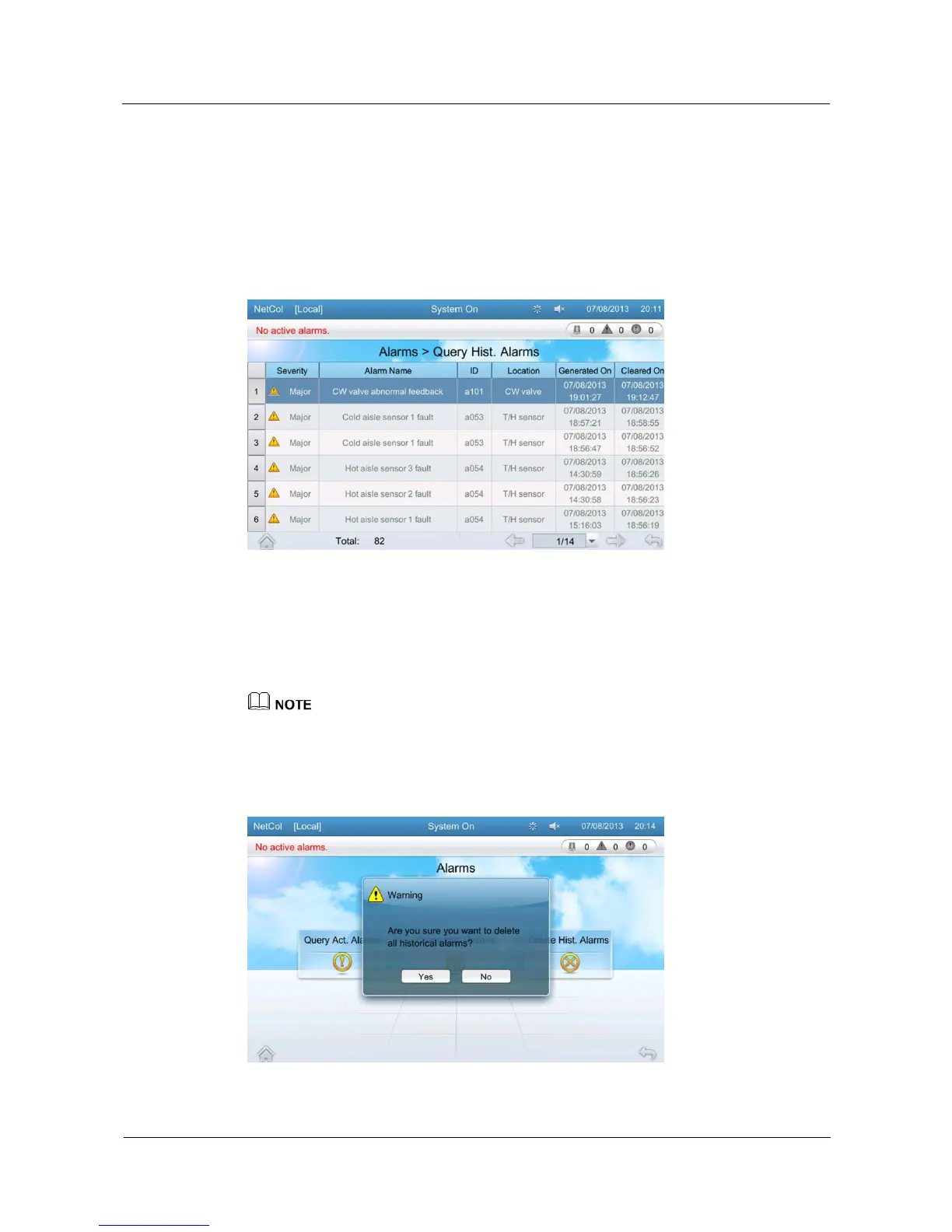
The Query Hist. Alarms screen displays historical alarms. A maximum of 500 historical
alarms can be displayed.
Tap Alarms > Query Hist. Alarms to enter the Query Hist. Alarms screen, as shown in
Figure 5-16.
Figure 5-16 Query Hist. Alarms
5.10.3 Delete Historical Alarms
The alarm deletion function supports one-click deletion of historical alarms.
Tap Alarms > Delete Hist. Alarms to enter the following screen, as shown in Figure 5-17.
If you need to delete alarms, log in as the Admin user.
Tap Delete Hist. Alarms. A dialog box is displayed, showing Are you sure you want to delete all
historical alarms?. Tap Yes to delete all historical alarms.
Figure 5-17 Deleting alarms







 To Next Page